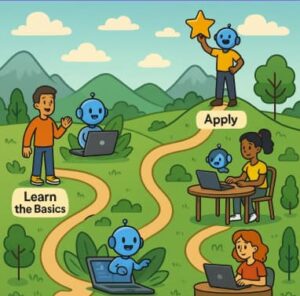
In today’s AI-enabled world, mastering tools like Microsoft 365 Copilot and GitHub Copilot opens up new productivity and creativity horizons. But simply “playing around” isn’t enough — you’ll benefit most from following a structured learning path. Below is a roadmap you can follow, with progressive stages, resources, tips, and how to apply what you learn.
1. Foundation & Awareness
Goal: Understand what Copilot tools are, what they can do, and how they work.
What to do:
- Take introductory modules covering the purpose, core components, and responsible AI practices.
- Explore overview resources that collect training, how-to’s, and documentation for Copilot and agents.
Tips: - Don’t skip the “why” and “how”—knowing why you’d use Copilot helps you apply it with purpose.
- Note what your role is (business user, developer, admin) so you pick the right foundation.
2. Hands-On Prompting & Productivity
Goal: Start using Copilot tools in your day-to-day, learn how to craft effective prompts, and boost productivity.
What to do:
- Access user-skilling resources designed for business users with prompts, use-cases, and workflows.
- Find modules like “Get started with Copilot for Microsoft 365” or the equivalent for GitHub Copilot.
Tips: - Practice prompts: What question do you ask? What input do you give?
- Track results: Which prompts yield the best output? Modify and iterate.
- Use real tasks from your work to test Copilot—this makes the skill stick.
3. Role-Specific Skill Development
Goal: Deep dive into the version of Copilot relevant for your role (developer, admin, business user).
What to do:
- Developers can explore GitHub Copilot Fundamentals: prompt engineering, advanced features, integration.
- Admins or implementers can focus on deployment, manageability, and extensibility for Microsoft 365 Copilot.
- Business users or adoption leads should learn how to champion Copilot, train others, and embed it into workflows.
Tips: - Choose one path that aligns with your role and build depth there.
- Don’t ignore adjacent skills (e.g., prompt engineering for business users, or governance for admins).
4. Build & Extend (Advanced)
Goal: Move from using Copilot to building custom copilots, integrating them with your data or workflows, and extending capabilities.
What to do:
- Take advanced modules covering generative AI, agents, and retrieval-augmented generation (RAG).
- Explore developer or architect-level content on extending and building custom Copilots.
Tips: - Get practical: set up a small project where you build an agent or custom Copilot.
- Consider data governance, security, and responsible AI; these become critical at this level.
- Share your project — teaching others helps reinforce your mastery.
5. Adoption, Governance & Continuous Improvement
Goal: For teams or organisations, master adoption of Copilot, governance issues, and continuously improve usage.
What to do:
- Build enablement programmes, create champions, and track success through adoption metrics.
- Create feedback loops: what works, what doesn’t, and prompt libraries with best practice repositories.
Tips: - Measure usage and ROI: e.g., time saved, engagement with Copilot, quality improvements.
- Encourage sharing of best prompts and use-cases among your team.
- Stay updated: Copilot tools evolve quickly — commit to ongoing learning.
6. Specialisation & Certification (Optional)
Goal: Stand out by specialising or earning badges/certificates in Copilot skills.
What to do:
- Explore available training badges and modules for Copilot.
- Pick a niche: Copilot in Excel, Copilot for Power Platform, GitHub Copilot for enterprise.
Tips: - Even if no formal certification exists yet, building a portfolio of projects and case studies adds value.
- Share your achievements publicly to showcase your expertise.
7. Learning Strategy & Habit Building
Goal: Ensure learning isn’t one-time but becomes a habit with continuous improvement.
Suggestions:
- Set weekly “Copilot time” to experiment with new prompts or use-cases.
- Keep a journal or log of your prompts, outcomes, and iterations.
- Join communities or forums to share insights and challenges.
- Teach someone else a prompt you discovered or build a “prompt library” for your team.
Start with foundation awareness, move to hands-on prompting, then choose a role-specific path.
Build advanced skills by extending and integrating Copilot with your workflows.
For teams, embed adoption and governance practices.
Consider specialisation and certification for added value.
Make it a habit: continuous learning, sharing, and iterating.
Align your path with your goals: productivity gain, automation, and AI augmentation.
Some Links:
https://adoption.microsoft.com/en-us/copilot/skilling-center
https://learn.microsoft.com/en-us/training/paths/copilot-foundations
Extra posts:
 Create Learning Journals with Copilot in OneNote
  Microsoft 365 Learning Paths on Microsoft Learn
  From Fear to Function Using Copilot to Bridge the Digital Skills Gap in Your Workforce
  Understanding the GitHub Copilot Exam Blueprint Skills Measured & Topics Covered
  Building on the Future Machine Learning and Copilot The Next Frontier in Application Development
  Free & Official Learning Resources for the GitHub Copilot Certification Exam