Skip to content

Automating Daily Tasks with Power Automate Desktop: A Practical Guide for Modern Workflows

In today’s fast-paced digital world, time is one of the most valuable resources we have. Yet, a significant portion of our day is often consumed by repetitive, mundane tasks copying data between systems, organizing files,… 

How to Use Virtual Desktops in Windows 11 Like a Pro

In today’s fast-paced digital world, productivity is no longer just about working harder it’s about working smarter. As a Windows expert, one of the most underrated yet powerful features I recommend mastering is Virtual Desktops… 

How to Take Screenshots on Windows 11 (All Methods Explained)

Screenshots are one of the most useful tools in any Windows user’s workflow—whether you’re troubleshooting an issue, saving important information, creating tutorials, or sharing something quickly. As a Windows expert, I can confidently say that… 

How Agile Teams Can Save 10+ Hours a Week Using Copilot in Windows 11

In today’s fast-paced development environment, Agile teams are constantly under pressure to deliver faster without compromising quality. Sprint deadlines are tighter, collaboration is more complex, and the demand for innovation never slows down. Amid all… 

How to Secure Your Windows 11 PC (Complete Guide)

If you’re using Windows 11 daily—whether for work, gaming, or personal tasks security should never be an afterthought. As someone who has worked extensively with Windows systems, I can confidently say that Windows 11 is… 

How to Automate Tasks in Windows 11: A Complete Guide for Power Users

Automation is no longer a luxury reserved for developers or IT professionals it’s a necessity for anyone looking to save time, reduce repetitive work, and improve productivity. Windows 11 offers a rich set of built-in… 

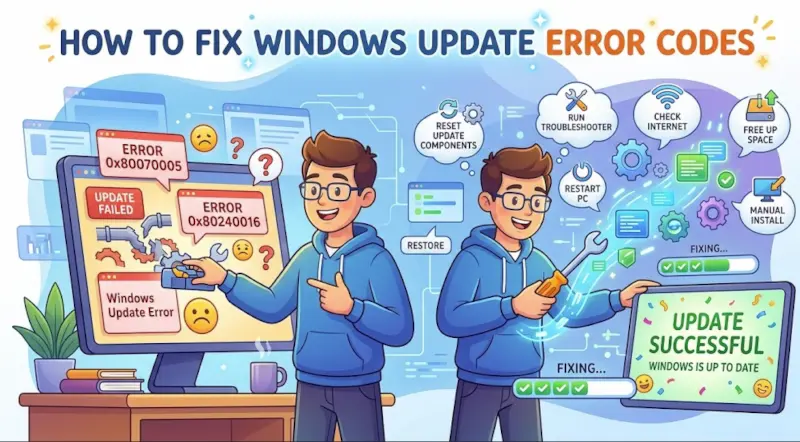
Windows 11 Update Stuck? Here’s How to Fix It (Expert Guide)

If you’ve ever sat staring at a frozen “Updating Windows” screen, you know how frustrating it can be. As someone who has worked with Windows systems for years—from enterprise deployments to home troubleshooting—I can tell… 

Windows 11 Slow? 15 Fixes to Boost Performance (Expert Guide)

If your Windows 11 PC feels sluggish, you’re not alone. Many users notice slow startup times, laggy apps, or reduced responsiveness over time. The good news? You don’t need to be a tech genius or… 

Voice Access: Controlling Your PC with Your Voice in Windows 11

Technology is moving rapidly toward making computers more accessible and intuitive for everyone. One of the most exciting features introduced in Windows 11 is Voice Access, a powerful tool that allows you to control your… 

How to Speed Up Windows 11 Without Third-Party Tools (Complete Expert Guide)

Windows 11 is designed to be fast, modern, and efficient. However, over time many users notice their system becoming slower apps take longer to open, startup times increase, and overall performance drops. The good news… 

Understanding the New Task Manager in Windows 11 (Complete Guide)

If you’ve been using Windows for years, you probably rely on Task Manager whenever your computer slows down, an app freezes, or you simply want to see what is happening behind the scenes. With Windows… 

Executive Reporting Made Simple with Windows 11 Copilot

In today’s fast-paced business environment, executives don’t have time to sift through raw spreadsheets, scattered dashboards, or lengthy email threads. They need clear, concise, and data-driven insights fast. That’s where Windows 11 Copilot steps in.…