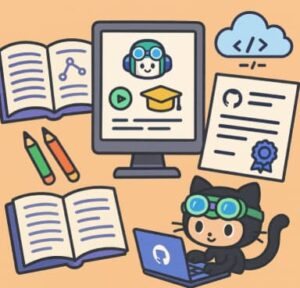
The GitHub Copilot Certification Exam is an exciting new way to prove your skills in using one of the most innovative AI tools for software development. Designed for developers, DevOps engineers, administrators, and technical leaders, this certification tests your ability to use GitHub Copilot effectively and responsibly in real-world scenarios.
The best part? You don’t have to pay for premium courses or third-party study materials. GitHub and Microsoft provide free, official learning resources that cover everything you need to know. This guide breaks down those resources, how to use them, and how to structure your preparation to maximize your success.
What Is the GitHub Copilot Certification Exam?
The GitHub Copilot Certification Exam validates your understanding of GitHub Copilot’s capabilities, responsible AI usage, data handling, prompt crafting, and privacy fundamentals. It also measures how well you can apply these concepts in development workflows.
The exam typically includes multiple-choice and scenario-based questions that test your knowledge of:
- Responsible AI principles
- GitHub Copilot plans, pricing, and features
- How Copilot works and handles user data
- Effective prompt crafting and engineering
- Practical developer use cases for AI assistance
- Testing code with Copilot
- Privacy fundamentals and context exclusions
By passing, you demonstrate not only that you can use GitHub Copilot effectively, but that you understand the ethics, security, and mechanics behind it — skills that employers value as AI becomes increasingly integrated into software development.
Official Free Learning Resources
1. Microsoft Learn Modules
Microsoft provides free, structured learning paths specifically designed for GitHub Copilot. The “GitHub Copilot Fundamentals” modules cover the essentials — from understanding how Copilot generates code suggestions, to learning best practices for writing effective prompts, to exploring Copilot integration across editors and tools.
The modules include short lessons, videos, and quizzes, making them perfect for both beginners and experienced developers who want to confirm their knowledge. Each section builds toward the competencies measured in the certification exam.
2. Official Study Guide and Exam Domains
The official study guide is the most direct resource for understanding what to expect on the exam. It outlines every domain, lists the exact skills you’ll be tested on, and shows the approximate weight each section carries.
For example:
- Domain 1: Responsible AI – around 7% of the exam
- Domain 2: GitHub Copilot Plans & Features – about 31%
- Domain 3: How Copilot Works & Handles Data – about 15%
- Domain 4: Prompt Crafting and Engineering – roughly 9%
- Domain 5: Developer Use Cases for AI – around 14%
- Domain 6: Testing with Copilot – about 9%
- Domain 7: Privacy and Context Exclusions – about 15%
Using this document as your study roadmap helps you plan your time wisely, focusing more on high-weight domains while not neglecting smaller ones.
3. GitHub Copilot Documentation
The official GitHub documentation is one of the richest free sources of reliable information. It explains how Copilot works under the hood, how it processes and protects user data, and how different subscription plans compare.
Studying the documentation gives you a deeper understanding of:
- How Copilot interprets your prompts and generates completions
- Data security and privacy measures
- Responsible AI practices built into the product
- Differences between Copilot for Individuals, Business, and Enterprise
Reading and experimenting with the examples in the documentation reinforces what you’ll encounter in the certification exam.
4. Practice Assessments and Exam Sandbox
Microsoft offers free practice assessments that mirror the real exam format. These are invaluable for testing your knowledge and building confidence. The exam sandbox lets you experience the exam environment before your actual test, helping you understand navigation, timing, and the structure of different question types.
Completing these practice tools allows you to identify weak areas early, so you can revisit the relevant study materials before taking the official exam.
5. GitHub Community Discussions
The official GitHub community hosts weekly discussion threads and study groups where learners share exam tips, clarify questions, and discuss practical use cases. Engaging with these threads connects you with peers preparing for the same exam, letting you exchange insights and stay motivated.
These forums often feature input from GitHub staff and certified professionals who share real-world experiences of how Copilot improves development workflows — knowledge that’s both practical and exam-relevant.
How to Structure Your Preparation
Week 1: Understand the Exam and Core Concepts
- Review the official study guide and note each domain’s weight.
- Begin the “GitHub Copilot Fundamentals” modules on Microsoft Learn.
- Explore the official documentation to understand what Copilot does and how it functions across IDEs.
Week 2: Dive Into Features and Data Handling
- Focus on Copilot plans, features, and data handling practices.
- Practice using Copilot in your preferred IDE or text editor.
- Experiment with prompt engineering — try writing different prompts to see how Copilot responds.
Week 3: Apply and Test Knowledge
- Cover use cases, testing scenarios, and privacy aspects.
- Study how Copilot assists with debugging, refactoring, and writing unit tests.
- Review responsible AI practices, emphasizing how GitHub ensures ethical AI behavior.
Week 4: Review and Simulate the Exam
- Take the official practice assessment and use the sandbox environment.
- Review weak areas from your practice results.
- Revisit Microsoft Learn modules and documentation for reinforcement.
- Engage with community discussions to learn last-minute tips from others.
Why These Free Resources Are All You Need
- They’re official. Everything comes from GitHub or Microsoft, meaning the content is accurate and exam-aligned.
- They’re free. No hidden fees, no third-party courses — everything you need is available online at no cost.
- They’re comprehensive. From conceptual understanding to hands-on practice, these resources cover every exam domain in detail.
- They’re updated regularly. Because they’re official, they evolve as Copilot evolves, ensuring your study materials reflect the latest features.
Tips for Success
- Use Copilot daily. Real experience using Copilot to write and review code is invaluable.
- Practice prompt engineering. Learn how small changes in phrasing affect the quality of AI-generated suggestions.
- Review Responsible AI guidelines. Understand ethical use, privacy, and security — all core to the certification.
- Join discussions. Collaboration with others helps reinforce learning and exposes you to different perspectives.
- Simulate real exam conditions. Set a timer, avoid distractions, and answer practice questions as if they were the real thing.
Preparing for the GitHub Copilot Certification Exam doesn’t require expensive boot camps or paid materials. With the official free resources from GitHub and Microsoft — including Microsoft Learn modules, the study guide, documentation, practice assessments, and community discussions — you have everything you need to succeed.
By following a structured plan, practicing consistently, and focusing on understanding rather than memorization, you’ll walk into the exam confident and ready.
Whether you’re an experienced developer or just exploring the world of AI-assisted coding, mastering GitHub Copilot and earning the certification is a major milestone in your professional growth.
References
https://learn.microsoft.com/en-us/training/paths/copilot
https://learn.microsoft.com/en-us/training/paths/gh-copilot-2
https://github.com/features/copilot/tutorials
https://github.com/orgs/community/discussions/144939
Extra posts:
 Understanding the GitHub Copilot Exam Blueprint Skills Measured & Topics Covered
  What Is the GitHub Copilot Certification and Why It Matters for Developers
  How to Register and Prepare for the GitHub Copilot Exam Step-by-Step Guide
  Beyond the Code: Setting Up Alerts for Unusual GitHub Copilot Activity (and Why You Need To)
  Practical Use Cases Writing, Refactoring, and Testing Code with GitHub Copilot
  Best Learning Paths to Master Copilot Skills