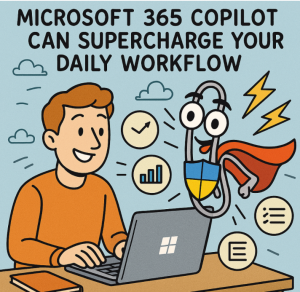
Artificial Intelligence has stepped out of the realm of buzzwords and into the daily rhythm of modern work. At the forefront of this shift is Microsoft 365 Copilot, an AI-powered assistant embedded into the tools you already use—Word, Excel, PowerPoint, Outlook, Teams, and more.
Whether you’re juggling meetings, analyzing data, or creating content, Copilot is designed to save time, boost creativity, and automate repetitive tasks. Here are 10 practical ways Microsoft 365 Copilot can transform your daily workflow.
1. Turn Raw Notes into Polished Documents in Word
Start with a messy brainstorm or a few bullet points, and Copilot in Word can expand them into a coherent draft. It can generate summaries, rewrite text, and even adjust tone—whether you need something more professional or more casual.
Use Case: Turn meeting notes into a client-ready proposal in minutes.
2. Generate Data Insights Instantly in Excel
Analyzing large datasets used to take hours. With Copilot, you can simply ask questions like “What are the top-performing regions by sales?” and get visualized answers, trendlines, and even forecast models automatically.
Use Case: Create dynamic dashboards and highlight anomalies without touching a formula.
3. Create Impactful Presentations from Word Docs in PowerPoint
Copilot can turn a document into a fully designed slide deck. It summarizes key points, selects imagery, and even suggests speaker notes—saving you hours of design and formatting time.
Use Case: Transform a project report into a presentation just before a meeting.
4. Automate Your Inbox in Outlook
Struggling to keep up with email? Copilot can draft responses, summarize long threads, and highlight urgent action items. It can even help you block off time for focused work.
Use Case: Cut through inbox overload with AI-curated priority summaries.
5. Supercharge Meeting Productivity in Teams
Forget note-taking—Copilot records, transcribes, and summarizes your meetings in real time. It can highlight decisions, list action items, and follow up with team members automatically.
Use Case: Stay focused on the discussion while Copilot takes care of the rest.
6. Summarize Documents and Threads on Command
When you’re handed a 10-page doc or a long email chain, Copilot can provide instant summaries, highlight key themes, and suggest action steps—so you can make informed decisions faster.
Use Case: Review legal contracts or reports without reading every word.
7. Plan Projects and Assign Tasks Seamlessly
With integrations across Planner, Teams, and To Do, Copilot can help you structure new projects, set deadlines, assign owners, and even draft initial timelines based on your goals.
Use Case: Launch a project without having to manually create a Gantt chart or task list.
8. Draft Smarter, Faster Emails
If you’re staring at a blank email, Copilot can generate a draft based on your intent. Whether it’s a follow-up, a client outreach, or a company-wide announcement, you get a strong starting point with a single prompt.
Use Case: Write a professional client update in less than a minute.
9. Keep Everyone Aligned with Real-Time Updates
Copilot pulls information from across documents, chats, and calendars to give you status updates. Ask “What’s the latest on the Q4 campaign?” and get a summary from all relevant files and conversations.
Use Case: Skip status meetings by getting instant project insights.
10. Personalize Learning and Onboarding
New to a project or team? Copilot can walk you through past work, key stakeholders, and historical decisions using internal documentation. It acts like a personal mentor embedded in your workflow.
Use Case: Onboard to a new client account or product line in a fraction of the time.
Microsoft 365 Copilot isn’t just another tool—it’s a force multiplier for knowledge workers. By embedding generative AI into the tools you already use every day, it frees you up to focus on high-value tasks: thinking, deciding, and creating.
Whether you’re a manager, marketer, analyst, or creative, Copilot helps you work smarter, not harder—and that’s the real future of productivity.
Extra posts:
 Supercharge Your IT Certification Prep How Copilot Can Be Your Study Buddy
  How to Use Microsoft Copilot to Supercharge Your Internet Business Best Prompts to Use with Microsoft 365 Copilot for Maximum Efficiency
  GPT‑5 Finally Arrives in Microsoft 365 Copilot
  Managing Access and Permissions for Copilot in Microsoft 365
  Writing Effective Prompts for Microsoft 365 Copilot