
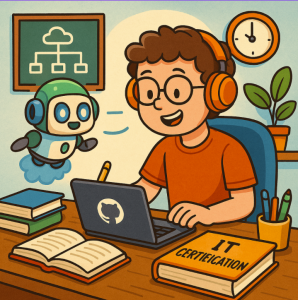
Preparing for IT certifications like Microsoft Azure, Microsoft 365, or Power Platform exams can feel overwhelming. The amount of material, the constant updates, and the pressure to both understand theory and practice hands-on skills can leave learners stuck. But here’s some good news: Copilot isn’t just for developers—it can actually be a powerful companion for your certification journey.
In this post, we’ll explore how to use Copilot effectively to study smarter, practice faster, and gain confidence before test day.
Why Use Copilot for Certification Prep?
Microsoft certifications often test not just your memorization but your ability to apply knowledge in real-world scenarios. Copilot can:
- Act as a coding and scripting tutor (for Azure CLI, PowerShell, or Python).
- Provide step-by-step practice scenarios on-demand.
- Help you create study summaries and flashcards.
- Give you hands-on labs tailored to your weak areas.
Instead of passively reading, you’ll be interacting, experimenting, and reinforcing knowledge—exactly what exams are designed to test.
Practical Ways to Use Copilot
1. Practice Real-World Scenarios
For Azure-related exams, you’ll need to know how to deploy and manage resources. Copilot can help generate commands and scripts:
💡 Example:
You: “Write an Azure CLI script to create a virtual machine with Ubuntu 22.04 in the East US region.”
Copilot: (Generates ready-to-run code with explanations)
Now you can copy it into your Azure CLI, test it, and learn by doing.
2. Generate Study Notes & Flashcards
Instead of manually condensing hundreds of pages, let Copilot help:
- Prompt Copilot with:
“Summarize Azure Active Directory key features into study notes for AZ-104 exam.” - Or ask:
“Create flashcards for Microsoft 365 compliance features.”
This way, you’ll get bite-sized notes for quick review.
3. Mock Q&A Sessions
Ask Copilot to quiz you!
- Prompt: “Give me 10 practice questions on Azure Storage, multiple-choice format, difficulty level: intermediate.”
- Bonus: Ask Copilot to explain why an answer is correct—this helps reinforce your learning.
4. Hands-On PowerShell & Automation Practice
For exams like SC-200 or AZ-500, scripting is essential. You can:
- Use Copilot to generate PowerShell scripts for security or monitoring tasks.
- Practice tweaking them until you understand how each line works.
This builds the muscle memory needed for scenario-based questions.
5. Lab Setup Assistance
Copilot can also help you design practice labs. For example:
- Prompt: “Guide me through setting up a lab to practice Azure role-based access control.”
- You’ll get step-by-step instructions with scripts and configurations you can implement in a free Azure subscription.
Pro Tips for Maximizing Copilot
- Validate Everything: Copilot is powerful, but it’s not perfect. Always double-check scripts and explanations.
- Use Iterative Prompts: Ask follow-up questions like “explain this command in simpler terms” to deepen understanding.
- Focus on Exam Objectives: Align your Copilot prompts with the official exam skills outline from Microsoft.
- Mix Theory & Practice: Use Copilot both for knowledge review and hands-on practice.
Studying for Microsoft certifications doesn’t have to feel like a solo grind. With Copilot, you have an AI-powered study partner that’s always ready to generate scenarios, explain complex topics, and give you the practice you need.
If you blend Copilot-driven practice with Microsoft Learn modules, official docs, and hands-on labs, you’ll not only pass your exams—you’ll gain the real-world skills to thrive in your career.
🚀 So next time you sit down to prep, fire up Copilot and let it turn your study sessions into interactive, practical learning experiences.
Extra posts:
 Case Study Reducing Support Ticket Volume Using AI Bots Built in Copilot Studio
  10 Ways Microsoft 365 Copilot Can Supercharge Your Daily Workflow
  How to Use Microsoft Copilot to Supercharge Your Internet Business
  What Is the GitHub Copilot Certification and Why It Matters for Developers
  The ‘Digital Twin’ Employee Creating Hyper-Personalized Copilot Prompts with Copilot Studio
  AI Mistakes in Microsoft Copilot and How to Fix Them