
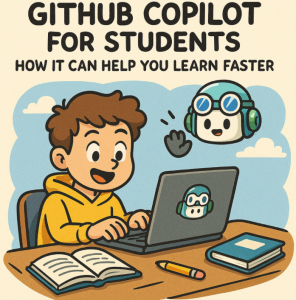
Learning to code can feel overwhelming. Whether you’re a computer science student tackling your first programming course or a self-learner diving into web development, understanding concepts, syntax, and best practices takes time and effort. That’s where GitHub Copilot, your AI pair programmer, can make a big difference.
In this blog post, we’ll explore how GitHub Copilot can accelerate your learning, make coding more fun, and help you become a better developer—faster.
🚀 What Is GitHub Copilot?
GitHub Copilot is an AI-powered coding assistant developed by GitHub in collaboration with OpenAI. It integrates directly into your code editor (like Visual Studio Code or JetBrains IDEs) and suggests real-time code completions, snippets, and even full functions as you type.
Think of it as autocomplete on steroids—but much smarter.
🎓 Why GitHub Copilot Is Great for Students
Here are several ways GitHub Copilot can boost your learning:
1. Instant Code Suggestions
Copilot provides real-time code suggestions as you type. If you’re stuck figuring out how to write a function, loop, or algorithm, Copilot can show you an example instantly. It helps you:
- Save time on syntax
- Understand how to implement certain logic
- Learn by example
This instant feedback loop shortens the trial-and-error cycle and speeds up comprehension.
2. Learn by Doing
Copilot doesn’t just write code for you—it helps teach you by showing how code is structured. As you see Copilot’s suggestions, you’ll start to recognize common patterns, best practices, and idiomatic ways to write code in different languages.
3. Support for Multiple Languages
Whether you’re learning Python, JavaScript, Java, C++, or even Bash scripting, Copilot supports dozens of programming languages. This makes it an excellent tool for exploring new technologies and switching contexts across assignments.
4. Improved Productivity
Students often juggle multiple courses, assignments, and side projects. Copilot can:
- Speed up the coding process
- Reduce repetitive boilerplate work
- Help you finish homework and personal projects faster
This means more time to understand why the code works—not just typing it out.
5. Debugging Assistance
If your code isn’t working, Copilot can help you refactor or suggest alternative implementations. This can be invaluable when you’re trying to fix bugs or optimize your logic.
⚠️ Use It Responsibly
GitHub Copilot is a powerful tool, but it’s important not to rely on it blindly. Here are a few tips to use it wisely:
- Understand the code: Don’t just accept suggestions—ask yourself why they work.
- Check for errors: Copilot’s suggestions aren’t always correct. Be sure to test and review everything.
- Use it to learn, not to cheat: If you’re doing an assignment, use Copilot to guide your understanding—not just to get answers.
💡 Tips for Getting Started
- Get the student pack: GitHub offers Copilot free for verified students via the GitHub Student Developer Pack.
- Install in your editor: Use Visual Studio Code or JetBrains IDEs for the smoothest experience.
- Start small: Use Copilot in small projects or practice problems to get used to it before applying it to larger assignments.
GitHub Copilot can be a game-changer for students learning to code. It reduces friction, enhances productivity, and serves as an intelligent tutor that’s available 24/7. Used correctly, it can help you learn faster, code smarter, and build confidence in your programming skills.
So go ahead—install Copilot, start a new project, and experience the future of coding today.
Extra posts:
 Win More Bids How to Use GitHub Copilot to Write Winning RFP Responses Faster
  Top 10 Things You Can Do with GitHub Copilot as a New Developer
  How GitHub Copilot Helps with Test-Driven Development (TDD)
  Boosting Productivity with GitHub Copilot Real-World .NET Coding Examples
  Comparing Copilot in Microsoft 365 vs. GitHub Copilot: Key Differences
  Using Microsoft Copilot in Word to Write Faster and Smarter