
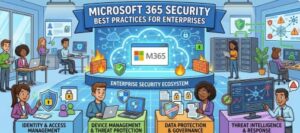
In today’s digital-first workplace, Microsoft 365 has become the backbone of enterprise productivity. From email and file storage to collaboration tools like Teams and SharePoint, it centralizes critical business operations. But with this convenience comes a growing attack surface. Cyber threats are evolving rapidly, and enterprises can no longer rely on default security settings alone. A proactive, layered approach to Microsoft 365 security is essential.
This guide walks through practical, enterprise-grade security best practices to help organizations safeguard their data, identities, and operations.
1. Strengthen Identity and Access Management
Identity is the new security perimeter. Most cyberattacks today begin with compromised credentials, making identity protection a top priority.
Start by enforcing Multi-Factor Authentication (MFA) across all users especially administrators. MFA dramatically reduces the risk of unauthorized access even if passwords are compromised. Avoid optional MFA policies; make it mandatory.
Next, implement Conditional Access policies. These allow you to define rules based on user behavior, location, device compliance, and risk level. For example, you can block access from unknown locations or require MFA when users log in from unmanaged devices.
Additionally, adopt the principle of least privilege access. Users should only have the permissions necessary to perform their roles. Regularly review and audit permissions to ensure no excessive access is granted over time.
2. Protect Against Phishing and Email Threats
Email remains one of the most common attack vectors. Microsoft 365 includes robust tools like Defender for Office 365, but they must be configured correctly.
Enable anti-phishing policies to detect spoofed domains and impersonation attempts. Configure Safe Links and Safe Attachments to scan URLs and files in real-time before users interact with them.
User awareness is equally important. Conduct regular security awareness training to help employees recognize phishing emails, suspicious links, and social engineering tactics. Even the best technology can fail if users unknowingly open the door to attackers.
3. Secure Data with Encryption and Sensitivity Labels
Data protection should go beyond basic access controls. Microsoft 365 offers built-in tools like Information Protection and Data Loss Prevention (DLP) to help classify and secure sensitive data.
Use sensitivity labels to categorize data (e.g., Confidential, Internal, Public). These labels can enforce encryption, restrict sharing, and apply watermarking automatically.
Implement DLP policies to prevent sensitive data such as credit card numbers or personal information—from being shared externally. This is particularly important for industries with regulatory requirements like finance and healthcare.
4. Monitor and Respond to Threats in Real Time
Visibility is critical for security. Enterprises should actively monitor their Microsoft 365 environment for suspicious activity.
Leverage tools like the Microsoft 365 Security Center and Audit Logs to track user actions, login attempts, and data access patterns. Enable unified auditing to get a comprehensive view across services.
Consider integrating a Security Information and Event Management (SIEM) system or using Microsoft Sentinel for advanced threat detection and automated responses.
Set up alerts for high-risk activities, such as multiple failed login attempts, unusual file downloads, or privilege escalations. Early detection can prevent minor incidents from becoming major breaches.
5. Secure Endpoints and Devices
With remote work now the norm, employees access Microsoft 365 from various devices and locations. This increases the need for endpoint security.
Use Microsoft Intune to enforce device compliance policies. Ensure that only secure, managed devices can access corporate resources. Policies can include requirements like device encryption, antivirus protection, and OS updates.
Implement Mobile Device Management (MDM) and Mobile Application Management (MAM) to control how corporate data is accessed and stored on personal devices.
6. Regularly Backup and Test Recovery Plans
While Microsoft 365 provides high availability, it is not a substitute for a comprehensive backup strategy. Data loss can occur due to accidental deletion, malicious activity, or ransomware.
Use third-party or native backup solutions to create regular backups of critical data, including emails, SharePoint files, and OneDrive content.
More importantly, test your disaster recovery plans regularly. A backup is only useful if it can be restored quickly and accurately when needed.
7. Keep Systems Updated and Configurations Hardened
Security is not a one-time setup it’s an ongoing process.
Ensure all systems, applications, and integrations with Microsoft 365 are regularly updated. Outdated software often contains vulnerabilities that attackers exploit.
Review your tenant configuration using tools like Microsoft Secure Score. This provides actionable recommendations to improve your security posture. Treat it as a continuous improvement metric rather than a one-time checklist.
Disable legacy authentication protocols, as they are commonly targeted in attacks and do not support modern security features like MFA.
8. Establish Governance and Compliance Policies
Enterprises must align their Microsoft 365 security practices with regulatory requirements and internal policies.
Define clear data governance policies, including data retention, classification, and sharing guidelines. Use retention labels to automatically manage the lifecycle of data.
Ensure compliance with standards such as GDPR, HIPAA, or ISO by leveraging Microsoft’s compliance tools and regularly auditing your environment.
9. Prepare an Incident Response Plan
No system is completely immune to attacks. What matters is how quickly and effectively you respond.
Develop a clear incident response plan that outlines roles, responsibilities, and procedures in case of a security breach. This should include communication protocols, containment strategies, and recovery steps.
Conduct regular drills and simulations to ensure your team is prepared. The faster you respond, the lower the impact of an incident.
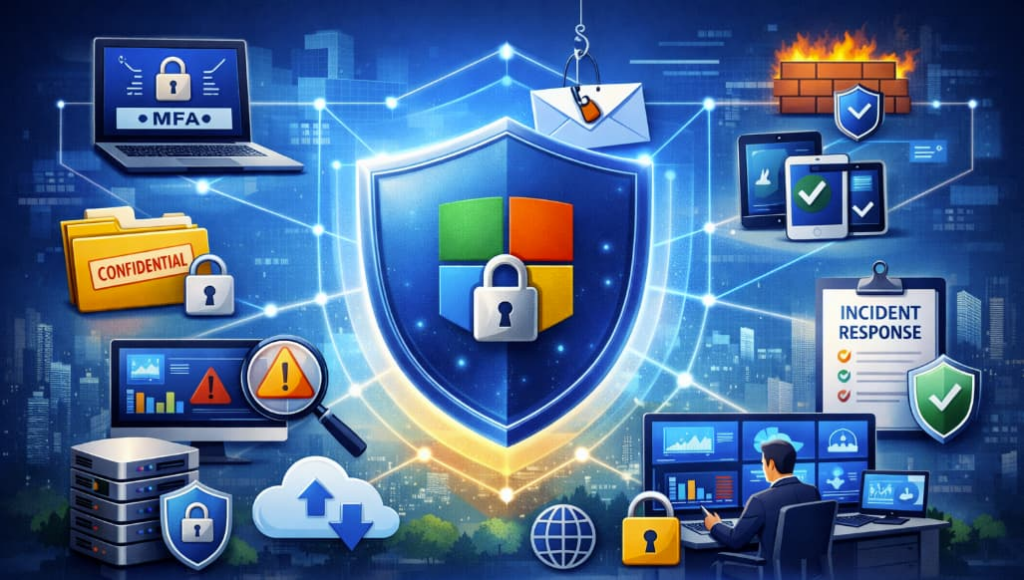
Microsoft 365 offers a powerful suite of tools for productivity but without proper security measures, it can become a gateway for cyber threats. Enterprises must adopt a proactive, layered approach that combines technology, policies, and user awareness.
By strengthening identity management, protecting data, monitoring threats, and maintaining strong governance, organizations can significantly reduce their risk exposure. Security is not just an IT responsibility it’s a business priority.
Investing in Microsoft 365 security today is ultimately an investment in your organization’s resilience, reputation, and future.
Extra posts:
 Microsoft 365 for Education Best Practices for Teachers
  How Microsoft Keeps Your Data Safe in the Cloud – A Deep Dive into Cloud Security Practices
  Microsoft 365 Security Made Simple What Non-IT Teams Must Know
  Microsoft Defender for 365 Your All-in-One Security Shield for Modern Threats
  Best Practices for Running Effective Microsoft Teams Meetings
  How to Set Up Basic Security Policies in a Microsoft 365 Trial Tenant