

Starting out as a developer can feel overwhelming—there’s so much to learn, so many tools to master, and a seemingly endless sea of documentation. But what if you had an AI assistant right in your code editor, ready to suggest solutions, generate code, and speed up your workflow?
That’s where GitHub Copilot comes in.
Copilot is an AI-powered coding assistant created by GitHub and OpenAI. It helps you write code faster by suggesting entire lines or blocks of code as you type. It’s like pair programming with a super helpful (and very fast) friend.
Here are the top 10 things you can do with GitHub Copilot as a new developer:
1. Generate Code from Comments
Ever wish writing code was as easy as writing a to-do list? With Copilot, it kind of is. Just type a comment describing what you want to do, and Copilot will generate the code for you.
pythonCopyEdit# Calculate the factorial of a number
Copilot might instantly generate a working function that does exactly that.
2. Autocomplete Complex Logic
Struggling with loops, conditionals, or edge cases? Copilot can help fill in the blanks. Start writing the logic, and it will suggest the rest based on context.
You don’t have to memorize syntax perfectly—Copilot has your back.
3. Learn New Programming Languages
Trying out Python, JavaScript, Go, or Rust for the first time? Copilot can suggest idiomatic code and help you write correct syntax—even if you’ve never seen the language before.
It’s a great way to learn by doing.
4. Build Small Projects Faster
Whether it’s a calculator app, a to-do list, or a weather app, Copilot helps you build small projects much faster. It can generate boilerplate code, set up HTML/CSS templates, or even handle API requests.
It’s like getting a head start on every project.
5. Debug and Refactor Code
Not sure how to improve your messy function? Start cleaning it up, and Copilot will suggest cleaner, more readable versions. It can also help identify redundant or incorrect logic as you type.
Think of it as an intelligent second pair of eyes.
6. Write Unit Tests Automatically
Testing your code is important—but writing tests can be tedious. Copilot can generate basic unit tests from your functions, saving you time and teaching you how tests should be structured.
Perfect for learning Test-Driven Development (TDD)!
7. Understand Documentation Through Examples
Instead of digging through official docs, try typing a comment like:
javascriptCopyEdit// Example of how to fetch data using Axios
Copilot will generate a code snippet, often clearer and more direct than reading pages of documentation.
8. Explore Algorithms and Data Structures
Want to implement a binary search tree or a quicksort algorithm? Describe it in a comment, and Copilot can generate a working implementation. You can then study and tweak it to deepen your understanding.
It’s like getting access to a personal coding tutor.
9. Stay Focused with Fewer Google Searches
Let’s be honest—new developers spend a lot of time Googling. Copilot cuts down on context switching by giving you relevant suggestions in your editor, so you can stay in the zone.
Less jumping between tabs, more actual coding.
10. Boost Your Confidence
Last but not least, Copilot gives you the confidence to explore, experiment, and make mistakes. It helps you build things you didn’t think you could, and makes learning to code feel more achievable and fun.
GitHub Copilot isn’t a magic wand that writes perfect code—it’s a tool to assist, not replace your thinking. But as a new developer, it can dramatically accelerate your learning and help you build real things sooner.
If you haven’t tried it yet, give it a go! Install it in VS Code or JetBrains, and start typing. You might be surprised how far you can go with Copilot as your coding companion.
Extra posts:
 Top 10 Things You Can Do with GitHub Copilot as a New Developer
  GitHub Copilot vs. Amazon Q Developer Pros, Cons & Key Differences
  Turbocharge Your Coding Top GitHub Copilot Shortcuts and Productivity Tips for VS Code
  GitHub Copilot for Students How It Can Help You Learn Faster
 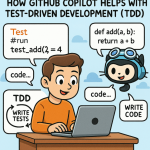 How GitHub Copilot Helps with Test-Driven Development (TDD)
 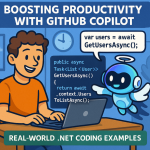 Boosting Productivity with GitHub Copilot Real-World .NET Coding Examples