
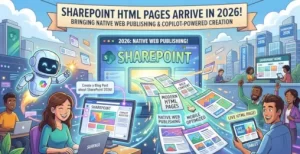
Microsoft is expanding SharePoint’s publishing capabilities with a feature many organizations have requested for years: native support for HTML pages.
Beginning with a public preview in October 2026 and rolling out globally by the end of December 2026, SharePoint Online users will be able to create, upload, edit, publish, and share HTML pages directly within SharePoint. The update also introduces Copilot-assisted page generation, allowing users to describe the content they want and have AI build a draft page automatically.
The move gives organizations a new publishing format alongside traditional SharePoint ASPX pages while opening the door to faster content creation and more flexible web experiences.
A New Content Format Comes to SharePoint
Until now, SharePoint authors primarily relied on modern pages built with ASPX files and web parts. While those tools work well for intranets, news posts, and communication sites, organizations often maintain existing HTML content created elsewhere.
Microsoft’s upcoming update changes that.
Users will be able to:
- Create new HTML pages directly in SharePoint
- Upload existing
.htmlfiles - Import folders containing HTML assets
- Edit HTML pages after upload
- Publish and share pages using existing SharePoint permissions
- Use Copilot to generate or refine page content
All HTML pages will be stored in the existing Site Pages library, meaning organizations can continue using their current retention, governance, and permission models.
That design choice matters because it reduces complexity. Teams do not need separate repositories or additional storage locations to manage HTML content.
How Copilot Fits Into the Experience
One of the biggest additions is the integration with Copilot in SharePoint.
Users with Copilot access can create pages by entering a prompt that describes the desired content. They can also attach supporting documents, allowing Copilot to generate drafts based on existing information.
For example, a communications team could upload:
- Product documentation
- Policy files
- Marketing material
- Internal reports
Copilot can then generate an HTML page draft that opens immediately in edit mode.
Users retain control over the final content. Text can be edited directly on the page, or broader layout and content adjustments can be requested through the Copilot chat interface.
This reflects a broader trend across Microsoft 365: moving AI from a standalone assistant into the core workflows people already use every day.
Why This Matters for Organizations
For many companies, HTML content already exists across older intranet systems, websites, training portals, and archived projects.
The new feature offers several practical benefits:
Easier Migration of Existing Content
Organizations moving to SharePoint can bring HTML assets into the platform without rebuilding pages from scratch.
Faster Publishing
Authors who are comfortable with HTML can create content directly, while non-technical users can rely on Copilot assistance.
Consistent Governance
Because HTML pages live inside the Site Pages library, organizations can continue applying:
- Existing permissions
- Retention policies
- Compliance settings
- Search and discovery capabilities
More Flexible Content Creation
Teams gain another publishing option instead of replacing modern SharePoint pages entirely.
Microsoft is positioning HTML pages as an additional format rather than a replacement for ASPX pages.
Security and Permissions Remain Unchanged
One important detail for administrators is that publishing an HTML page does not create new access rights.
Page visibility continues to depend on existing SharePoint permissions.
This means organizations do not need to redesign security models when the feature becomes available.
The approach also reduces the risk of accidental oversharing, which is particularly important when AI-generated content enters publishing workflows.
Compliance and AI Considerations
The update introduces new AI interactions, especially when users provide documents and prompts to Copilot.
Microsoft notes that:
- HTML pages are stored according to current SharePoint retention behavior
- Existing permissions govern content access
- Copilot can generate content only from information users are authorized to access
- Organizational Copilot controls and licensing policies remain in effect
For compliance teams, this means governance practices already in place for SharePoint and Copilot continue to apply.
Organizations may still want to revisit internal policies around AI-generated content, especially for public-facing or regulated information.
Small Navigation Changes Are Also Coming
Alongside the HTML page feature, Microsoft is making a smaller interface adjustment.
The site-scoped Agent creation option will be removed from the + New menu on SharePoint pages.
Users will still be able to create agents from:
- Document library command bars
- Lists
- File context menus
While minor, the change reflects Microsoft’s ongoing effort to simplify menus as more AI-powered experiences are added.
What Organizations Should Do Before Rollout
Microsoft says no administrative action is required before deployment.
Still, organizations may want to prepare by:
- Updating SharePoint authoring documentation
- Informing content creators about HTML support
- Reviewing Copilot licensing assignments
- Reinforcing permission and publishing guidance
- Establishing best practices for AI-assisted content creation
For companies already investing in Microsoft 365 Copilot, the feature could become a practical way to reduce manual publishing work while keeping content management inside familiar SharePoint workflows.
Looking Ahead
SharePoint’s new HTML page capability may appear to be a straightforward publishing update, but it reflects a larger shift taking place across Microsoft 365.
Content creation is increasingly moving toward a blend of traditional authoring, reusable assets, and AI assistance. By allowing users to upload existing HTML, generate pages through Copilot, and manage everything within established SharePoint governance controls, Microsoft is making SharePoint more adaptable to different publishing styles.
As the feature reaches preview in October 2026 and broad availability by year-end, organizations will have an opportunity to rethink how internal websites, knowledge hubs, and communication portals are created—and how AI can accelerate that process without disrupting existing security and compliance models.
Extra posts:
 SharePoint Gets Smarter: Microsoft Brings AI-Powered Charts to Pages
  Microsoft Pauses Rollout of Copilot-Powered SharePoint Page Authoring: What Organizations Need to Know
  Microsoft Teams Is Getting Smarter: AI-Powered Call Recaps Arrive in Queues App This September
  Removing Web Part with Web Part Page Maintenance Mode SharePoint on premise
  Microsoft Simplifies Copilot Pages: Existing Pages Now Available Through the “/” Menu
  Microsoft Copilot Pricing Is Changing: Usage-Based Billing and New FinOps Controls Arrive