
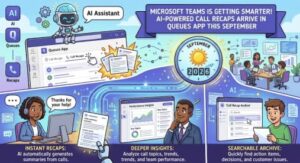
Microsoft is making it easier for customer service and support teams to keep up with recorded calls. Starting in September 2026, the Microsoft Teams Queues app will begin receiving a new Intelligent call recap feature designed to turn recorded call conversations into useful, easy-to-review information.
Instead of asking employees to listen through an entire recording to remember what happened, Intelligent call recap will use AI to generate a summary, highlight important discussion points, and identify follow-up actions.
For organizations that depend heavily on call queues, the update could make a noticeable difference. Customer service representatives, support agents, supervisors, and other employees who regularly handle recorded queue calls will be able to get the key information from a conversation without spending as much time replaying recordings.
The feature is part of Microsoft’s broader effort to bring AI-powered productivity tools into Microsoft Teams and Microsoft 365. With calls becoming an increasingly important source of customer and operational information, the ability to quickly understand what happened during a conversation can be just as valuable as the recording itself.
Intelligent Call Recap Comes to the Teams Queues App
The new capability is specifically designed for recorded call queue calls in the Microsoft Teams Queues app.
Once a recorded call has ended, users will be able to open the relevant call record and navigate to the Recap tab. From there, Intelligent call recap will present AI-generated information based on the conversation.
The recap is expected to include three particularly useful elements:
- AI-generated summary notes
- Key discussion points
- Follow-up actions
This means users should not have to depend solely on the original audio recording when trying to understand a previous customer interaction.
For example, imagine a support agent handling a complicated customer issue. The call is recorded, but the agent needs to return to the conversation later to determine what was discussed and what still needs to happen.
Rather than listening to a 20- or 30-minute recording from beginning to end, the agent can open the call’s Recap tab and quickly review the AI-generated summary and key points. Follow-up actions can also help the employee understand what needs attention next.
That may sound like a relatively small improvement, but for teams handling large numbers of calls every day, those saved minutes can add up quickly.
Why This Matters for Customer Service Teams
Call queues are often associated with high-volume environments. Customer support desks, service teams, help desks, sales operations, and other departments may handle dozens or even hundreds of conversations.
Recorded calls can be valuable for many reasons. They can help employees review customer issues, understand previous conversations, support quality assurance processes, and maintain continuity when another employee takes over a case.
The challenge is that recordings contain a lot of information.
A recording preserves everything, but it does not necessarily tell a busy employee what matters most.
That’s where AI-generated recaps can become useful.
Instead of treating the recording as the only source of information, Intelligent call recap provides a layer of interpretation. Users can quickly identify the main subjects discussed during the call and the actions that may need to happen afterward.
This could be particularly helpful when an employee returns to a customer issue several hours or days after the original conversation.
It may also help managers and team leaders who need to understand the general outcome of recorded calls without manually reviewing every minute of audio.
September 2026 Rollout
Microsoft says the rollout will take place in stages.
The Targeted Release is scheduled to begin in early September 2026, with completion expected during early September.
The General Availability rollout for Worldwide, GCC, and GCC High environments is scheduled to begin in late September 2026, with completion also expected in late September.
That means organizations should start preparing users now, particularly teams that rely on the Queues app and recorded calls.
The feature is associated with Microsoft 365 Roadmap ID 569017, giving administrators and IT teams another reference point for tracking the change.
No Admin Action Is Required
One of the more straightforward aspects of the update is that Microsoft does not require administrators to take specific action before the rollout.
In other words, organizations do not need to complete a special deployment process simply to prepare for Intelligent call recap.
However, “no admin action required” does not necessarily mean “nothing to do.”
Microsoft recommends that organizations inform users who work with call queues about the new capability. Internal documentation, training resources, and support materials may also need to be updated.
That preparation could be especially important for organizations where employees have established procedures for reviewing recorded calls.
If users suddenly see a new Recap experience without understanding what it does, they may overlook one of the feature’s biggest benefits.
A short internal announcement or training update could be enough to introduce the change.
What Users Will See
The user experience is designed to be relatively simple.
After a recorded call is completed, a user can open the call record in the Queues app and select the Recap tab.
The AI-generated recap can then provide a condensed view of the conversation.
Rather than replacing the original recording, the recap should be viewed as a faster way to understand it.
The recording remains useful when someone needs the exact details or wants to hear the conversation in its original context. The recap, meanwhile, can provide a quicker starting point.
This distinction is important because AI-generated summaries are designed to help users navigate information, not necessarily eliminate the need for the underlying source.
For complex customer interactions, employees may still want to listen to the recording or verify important details.
AI Could Reduce Time Spent Reviewing Calls
One of the clearest potential advantages of Intelligent call recap is time savings.
Listening to an entire recording takes roughly as long as the recording itself. Reading a concise AI-generated summary can take considerably less time.
For employees who regularly revisit calls, this could make everyday workflows more efficient.
Consider a team where employees each review several recorded calls during a workday. Even a modest reduction in review time could create additional capacity for responding to customers, resolving cases, documenting issues, or handling new requests.
The benefit may become even more significant for managers and supervisors.
A manager may not need to listen to every recorded call in full just to understand its outcome. A recap can provide an initial overview and help identify which conversations require deeper attention.
That makes AI recap less about replacing people and more about helping people spend their time where it matters most.
A Bigger Role for AI in Microsoft Teams
The Queues update also fits into a much larger Microsoft strategy.
Microsoft has been steadily incorporating AI into its productivity ecosystem, with Teams becoming an important place for AI-assisted communication and collaboration.
Meetings, calls, messages, and customer interactions generate enormous amounts of information. The challenge for employees is no longer simply capturing that information; it is finding the relevant parts quickly.
Intelligent call recap addresses that problem at the call level.
Instead of asking employees to remember everything from a conversation, AI can help organize the information into a format that is easier to consume.
For customer-facing teams, that could make Teams a more useful platform for managing the full lifecycle of a conversation—from the initial call to follow-up and resolution.
Organizations Should Still Think About AI-Generated Information
Although Microsoft has identified no specific compliance considerations for this rollout, organizations should continue to review the feature according to their normal internal policies.
AI-generated summaries can be extremely useful, but users should understand that they are generated from the underlying conversation and should be treated appropriately.
For important customer cases, employees may still need to verify information against the original recording or other authoritative records.
Organizations may also want to make sure their existing training explains how recorded calls and AI-generated recaps fit into their internal processes.
This is particularly relevant for companies operating in regulated or highly sensitive environments, even though Microsoft has not identified a specific compliance action associated with this update.
What IT Teams Should Do Now
There is no mandatory administrative configuration required for the rollout, but IT and business leaders can take a few practical steps.
First, identify employees who regularly use the Microsoft Teams Queues app and recorded calls.
Next, let those users know that an AI-powered recap experience is coming. A short demonstration can help employees understand where to find the Recap tab and how the feature can fit into their daily workflow.
Organizations should also review relevant Microsoft documentation and update internal training or support materials.
The goal is not to create a major deployment project. Instead, it is about making sure employees recognize the feature when it appears and understand how to use it effectively.
The Bottom Line
Microsoft Teams’ new Intelligent call recap for the Queues app is a relatively focused update, but it addresses a common workplace problem: too much information and not enough time to review it.
By turning recorded call queue conversations into AI-generated summaries, key discussion points, and follow-up actions, Microsoft is giving users a faster way to understand what happened during a call.
The rollout begins with Targeted Release in early September 2026, followed by General Availability in late September for Worldwide, GCC, and GCC High environments.
There is no specific admin action required, but organizations should inform affected users and update training and support materials.
For customer service and support teams, the biggest promise is simple: less time spent searching through recordings and more time spent acting on the information those conversations contain.
As AI continues to become a standard part of workplace software, features like Intelligent call recap show where Microsoft Teams is heading—toward a workplace where conversations are not only recorded, but automatically transformed into information employees can actually use.
Extra posts:
 Microsoft Teams Gets Smarter With Personalized Multilingual Meeting Recaps
  Microsoft Teams Rooms Gets Smarter: AI-Powered Facilitator Brings Real-Time Meeting Notes to Physical Meeting Rooms
  Microsoft Teams Mobile Calendar to Require Latest App Update by October 2026: Microsoft Announces Critical Change for iOS and Android Users
  Microsoft Teams Is Getting a Smarter Meeting Assistant: Facilitator Can Now Join Channel Meetings
  Microsoft Teams Immersive Space 3D and Mesh App
  Microsoft Teams Communicator Enters Public Preview: A Smarter Way to Manage Organizational Announcements