
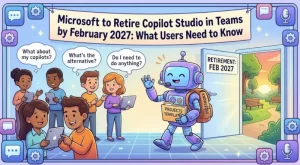
Microsoft is preparing to retire the Copilot Studio app in Microsoft Teams by February 2027, marking another step in its transition toward managing chatbot agents through the Copilot Studio web app. The change will affect users who currently rely on Teams to edit, publish, or manage classic-style chatbot agents, with editing support scheduled to end in January 2027.
The retirement will take place in stages. Microsoft plans to begin the rollout in early January 2027 and expects it to finish by early February. Organizations that use Copilot Studio should prepare for the change now by updating internal guidance, informing affected employees, and directing agent creators to the web-based experience.
The key point is straightforward: Copilot Studio agent creation in Teams is already unsupported, editing in Teams ends in January 2027, and the app will no longer be available in Teams beginning in February 2027.
Microsoft Copilot Studio Teams App Retirement: Key Dates
The transition follows a phased schedule, giving organizations time to move their existing workflows to the web app.
Here are the important dates and changes to understand:
- Already in effect: Creating agents through the Copilot Studio app in Teams is no longer supported.
- January 2027: Editing existing agents through the Teams app will no longer be supported as the rollout begins.
- February 2027: The Copilot Studio app will be removed from Microsoft Teams and will no longer be available.
- Early January to early February 2027: Microsoft expects the overall rollout to begin and conclude within this period.
The distinction between the January and February milestones matters. Organizations that wait until the app disappears may have already lost the ability to edit agents through their existing Teams workflow.
For that reason, administrators should treat January as the practical transition deadline rather than waiting until February to communicate the change.
Why Microsoft Is Moving Copilot Studio Agent Management to the Web
Microsoft is continuing to shift Copilot Studio experiences away from the dedicated Teams app and toward its web-based environment.
The web app, available at https://copilotstudio.microsoft.com/, will remain the destination for supported agent creation, editing, publishing, and management experiences. Users can continue managing supported classic-style chatbot agents there.
This changes where users perform their work, not necessarily whether their existing agents can continue to be managed. The announced transition identifies the web app as the alternative for supported agent-management tasks.
For employees who have built their routines around Microsoft Teams, however, even a change in access point can require adjustments. Existing training materials, bookmarked pages, helpdesk instructions, and internal procedures may all need to be updated.
The retirement also reinforces the importance of distinguishing between the Teams interface and the underlying Copilot Studio service. The Teams app is being retired; the announcement does not say that Copilot Studio itself is being discontinued.
What the Retirement Means for Existing Chatbot Agents
Organizations using classic-style chatbot agents should review how those agents are maintained today and identify any processes that depend on the Teams app.
The most immediate concern is editing. Once editing through Teams is no longer supported, users will need to access the web app to make supported changes to their agents.
Publishing and management workflows should also be reviewed so employees know where to go when they need to maintain an existing chatbot or work on a supported agent.
Organizations should focus on three practical areas:
- Existing agents: Identify the chatbot agents managed through the Teams app and confirm that their owners know how to access the web experience.
- Ongoing maintenance: Make sure the people responsible for updating and publishing agents understand the new workflow.
- User guidance: Replace instructions that direct employees to the Teams app with guidance pointing to the Copilot Studio web app.
The announcement does not indicate that existing agents will automatically be deleted as a result of the app retirement. It also does not establish that every agent type or feature will behave identically across experiences. Organizations should therefore verify their particular agent-management requirements in the web app instead of assuming that every workflow will transfer without adjustment.
How IT Administrators and Support Teams Should Prepare
IT administrators and support teams are among the groups most likely to feel the operational impact of this change. They often maintain internal documentation, provide onboarding assistance, and help users resolve problems with agent creation and maintenance.
A structured transition plan can reduce confusion and prevent employees from relying on instructions that will soon become outdated.
1. Identify affected users
Start by identifying employees, business teams, and support personnel who use the Copilot Studio app in Teams. Include both people who maintain agents and those who help colleagues troubleshoot agent-management tasks.
This review should establish which internal processes still reference the Teams app and which teams need additional guidance.
2. Direct users to the web app
Update internal instructions to direct users to the official Copilot Studio web app:
Make sure employees understand that this is the intended destination for supported agent creation, editing, publishing, and management.
3. Update documentation and training
Review all relevant internal resources, including:
- Knowledge-base articles and helpdesk scripts.
- Agent creation and maintenance tutorials.
- Employee onboarding materials.
- Internal announcements and training presentations.
- Bookmarks and links shared by teams that manage chatbot agents.
Removing outdated instructions is important because users may continue following familiar steps long after the organization has announced the change.
4. Validate existing workflows
Before the January 2027 editing deadline, ask agent owners to access the web app and confirm that their required management tasks are supported there.
This is also an opportunity to document ownership, clarify maintenance responsibilities, and identify any workflow-specific questions that need further investigation.
5. Communicate the deadlines early
Organizations should communicate the retirement schedule before the rollout begins. A short announcement explaining the January editing cutoff and February app removal can help employees plan their transition.
Support teams should also prepare for questions from users who are accustomed to opening Copilot Studio directly from Teams.
Will the Change Affect Microsoft 365 Copilot?
Microsoft 365 Copilot is listed among the platforms and services associated with this change, alongside Microsoft Teams and Microsoft Copilot Studio.
However, the announced retirement specifically concerns the Copilot Studio app within Teams. It should not be interpreted as an announcement that Microsoft 365 Copilot or the entire Copilot Studio service is being retired.
The stated alternative is the Copilot Studio web app, which continues to support the relevant classic-style agent-management experiences described in the announcement.
Organizations should avoid making broader assumptions about the impact on their Microsoft 365 environment. Teams using other Copilot features or connected workflows should review the official guidance applicable to those specific capabilities.
The same caution applies to licensing, permissions, integrations, and feature availability. The retirement notice does not establish that these will all change, so administrators should validate any requirements relevant to their own deployments.
Compliance and Governance Considerations
No specific compliance considerations have been identified in the supplied retirement notice. Nevertheless, organizations should review the change in the context of their own governance procedures.
For example, teams may need to update approved operating procedures, training records, or internal documentation that specifies how chatbot agents must be managed.
Where agent ownership and access permissions are governed by internal policies, administrators should confirm that users can reach the web app and perform their authorized responsibilities through the supported experience.
These are sensible operational checks rather than evidence of a new compliance obligation introduced by Microsoft. Organizations should assess their own requirements instead of assuming that the retirement automatically creates a regulatory issue.
What Organizations Should Expect Next
The rollout is expected to begin in early January 2027 and finish by early February 2027. During that period, organizations should watch for the transition milestones and ensure that employees are no longer dependent on the Teams app for agent editing.
The most useful preparation is to complete the move before the cutoff, validate essential workflows, and make the new destination clear to everyone involved.
For businesses that rely on chatbot agents to support internal processes or employee services, this is also a chance to review who owns each agent, how changes are approved, and where support documentation is maintained.
The broader lesson is that organizations need to keep their internal guidance aligned with the Microsoft tools their employees actually use. Moving agent management to the web app is a relatively focused change, but leaving outdated instructions in place can create avoidable disruption.
Final Takeaway: Move Copilot Studio Workflows Before January 2027
Microsoft’s retirement of the Copilot Studio app in Teams introduces two deadlines that organizations should not overlook: editing through Teams ends in January 2027, and the app itself will be removed by February 2027.
Users can continue to manage supported classic-style chatbot agents through the Copilot Studio web app. Administrators should begin updating documentation, training materials, support procedures, and user communications ahead of the transition.
The recommended next step is to visit https://copilotstudio.microsoft.com/, verify the workflows your team depends on, and communicate the new process before January 2027. Preparing early will give users more time to adjust and help support teams avoid unnecessary confusion as the retirement takes effect.
Extra posts:
 Microsoft Edge to Kill Manifest V2 by 2027: What Users, IT Teams and Extension Developers Need to Know
  Microsoft Teams Voicemail Is Changing in 2027: What IT Administrators Need to Know
  GitHub Copilot Harness Billing Starts September 1: What Copilot Studio Users Need to Know
  Microsoft 365 Copilot Notebooks Get a Major Upgrade: What Users and IT Teams Need to Know
  Microsoft Teams Adds In-Meeting AI Toggle: Users Gain More Control Over Copilot and Facilitator
  Microsoft Teams Is Changing How Users Join Private Teams With a Code