
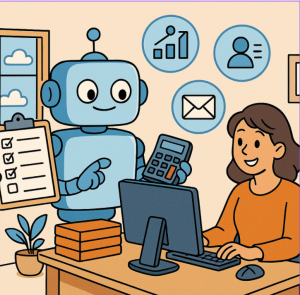
Artificial Intelligence (AI) is no longer just a buzzword—it’s a practical tool reshaping the way businesses operate. While most of the spotlight often falls on advanced innovations like self-driving cars or generative AI, some of the most impactful transformations happen quietly in the background, through solutions that tackle repetitive, time-consuming tasks. This is where AI Builder steps in.
What is AI Builder?
AI Builder is Microsoft’s low-code AI capability integrated into the Power Platform. It empowers business users—not just data scientists or developers—to bring AI into everyday workflows. By combining AI with tools like Power Automate, Power Apps, and Dynamics 365, organizations can quickly automate processes, improve accuracy, and free up employees to focus on higher-value work.
In short: AI Builder democratizes AI.
The Real Pain: Tedious Business Tasks
Every business has them—the repetitive, manual tasks that eat up time and drain productivity. Think about:
- Invoice processing: Manually entering data from hundreds of invoices.
- Email triage: Sorting and categorizing countless customer queries.
- Form processing: Extracting information from documents like contracts, receipts, or applications.
- Data validation: Checking spreadsheets for errors or missing details.
These tasks may seem small, but collectively they cost organizations significant amounts of time and money.
AI Builder in Action
So, how does AI Builder actually help? Let’s walk through some real-world scenarios:
1. Automating Invoice Processing
Instead of staff manually keying in invoice data, AI Builder’s form processing model can read PDF or scanned documents, extract fields (like vendor name, invoice number, and amount), and automatically populate them into your ERP system.
The result: faster processing, fewer human errors, and happier finance teams.
2. Customer Email Categorization
With AI Builder’s text classification model, businesses can automatically sort incoming emails—urgent support requests go to IT, sales leads go to the CRM, and general inquiries go to customer service.
The result: no more wasted hours of inbox management, and customers get faster responses.
3. Predicting Business Outcomes
AI Builder can also provide prediction models for tasks like forecasting late payments, identifying at-risk customers, or predicting inventory shortages.
The result: proactive decision-making, not reactive firefighting.
4. Extracting Insights from Images
Using object detection, businesses can automate inventory checks. For example, a retailer can snap a photo of shelves, and AI Builder can identify which products are out of stock.
The result: leaner operations and fewer lost sales opportunities.
How to Access AI Builder
Getting started with AI Builder is straightforward, especially if you’re already using Microsoft’s ecosystem. Here’s how you can access it:
- Through Power Apps
- Go to Power Apps.
- In the left-hand navigation, select AI Builder.
- From there, you can explore prebuilt models (like receipt processing or text recognition) or create your own custom models.
- Through Power Automate
- Open Power Automate.
- When creating or editing a flow, look for AI Builder actions.
- You can plug AI capabilities directly into automation workflows without coding.
- Licensing Requirements
- AI Builder is included in select Power Platform licenses, but advanced usage may require additional capacity add-ons.
- Microsoft offers a trial option so you can test-drive AI Builder before making a commitment.
- Learning Resources
- Microsoft Learn provides guided tutorials to help you build and deploy models step by step.
- Templates are also available to get started quickly without building from scratch.
In just a few clicks, you’ll be ready to bring AI into your business processes.
The Bigger Picture
When businesses embrace AI Builder, they’re not just automating tasks—they’re shifting how employees spend their time. Instead of focusing on monotonous manual work, staff can devote energy to creative problem-solving, innovation, and customer engagement.
The key advantage? Accessibility. With AI Builder, business users don’t need deep coding skills or AI expertise. They can design, test, and deploy AI models within hours—something that once required weeks or months of specialized development.
The future of business isn’t just about AI—it’s about accessible AI that empowers everyone. AI Builder proves that you don’t need a team of data scientists to harness the power of machine learning. By automating tedious business tasks, organizations can cut costs, boost efficiency, and unlock human potential.
In a world where time is the most valuable resource, AI Builder ensures it’s spent wisely.
Extra posts:
 Work Smarter, Not Harder Automating Repetitive Tasks with Microsoft 365 Copilot
  How Retail Businesses Are Automating Customer Service with Copilot Studio
  Top 5 Use Cases for Copilot Studio in Your Business
  Combining Generative AI and Business Logic with Copilot Studio
  The Small Business Owner’s Guide to Using AI 5 Immediate Wins with Microsoft 365
  Automating Daily Tasks with Microsoft Power Automate