
An Azure outage is rarely just a technical problem. For a production application, a few hours of degraded service can mean failed transactions, missed SLAs, frustrated customers, and an incident room full of engineers trying to determine who can actually help.
That makes Azure support plans more than a procurement decision. The right plan determines how quickly Microsoft engages with a serious issue, what kind of guidance you can access, and how much operational support your team gets when Azure becomes business-critical.
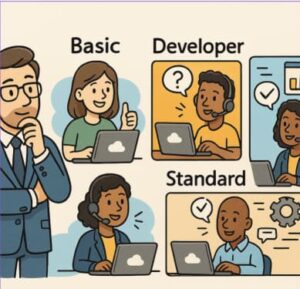
Microsoft currently positions Azure support across Basic, Developer, Standard, Professional Direct (ProDirect), and Unified Enterprise options. The practical choice for most technical teams comes down to understanding where your workloads sit on the spectrum from experimentation to mission-critical operations.
Here is how to evaluate those options without simply buying the most expensive plan.
What Azure Support Plans Actually Cover
The first distinction to understand is between subscription management support and technical support.
All Azure customers receive support for areas such as billing and subscription management, along with access to resources including the Azure service health dashboard and Microsoft Q&A. A paid technical support plan becomes important when your team needs Microsoft to investigate Azure service issues or provide assistance with supported technical problems.
The main options can be summarized like this:
| Plan | Typical use case | Published price* | Key strength |
|---|---|---|---|
| Basic | All Azure customers | Included | Self-service and subscription support |
| Developer | Testing and non-production | $29/month | Low-cost technical support |
| Standard | Production workloads | $100/month | Faster technical incident response |
| Professional Direct | Business-critical Azure use | $1,000/month | Fast response plus advisory and escalation support |
| Unified Enterprise | Large, complex Microsoft environments | Custom | Organization-wide enterprise support |
*Prices shown are Microsoft’s published US prices at the time of writing and can change.
The important point is that you’re not simply paying for “more support.” You’re paying for different levels of responsiveness, escalation, advisory capability, and organizational coverage.
Azure Developer Support: Best for Non-Production Work
The Developer plan is designed for trial, evaluation, and non-production Azure environments.
At $29 per month, it’s the entry point for teams that need more than documentation and community resources but don’t yet have production systems depending on Azure. Microsoft lists an initial response target of less than eight business hours, with Severity C as the maximum severity supported under the plan.
That makes Developer support a sensible fit for:
- Individual developers building Azure applications
- Proof-of-concept environments
- Internal development subscriptions
- Training and evaluation workloads
- Early-stage applications before production launch
It is not the plan to choose simply because it is inexpensive. If a customer-facing application depends on the subscription, the consequences of waiting for a lower-priority support response can quickly outweigh the monthly savings.
Azure Standard Support: The Practical Production Choice
For many organizations, Standard is the starting point worth considering once Azure hosts production workloads.
Microsoft describes Standard as appropriate for production workload environments and currently lists it at $100 per month. It supports technical incidents with severity levels up to Severity A and provides 24×7 incident submission.
Standard makes sense when:
- Azure hosts customer-facing applications
- Your engineering team handles most troubleshooting internally
- You need Microsoft escalation for Azure platform issues
- Production incidents can have meaningful business impact
- You don’t need a dedicated advisory relationship with Microsoft
The key benefit is balance. You get a formal technical support channel without paying ProDirect-level pricing for additional advisory and account-management capabilities.
For a typical SaaS company running its application on Azure, for example, Standard may be enough if the internal SRE or platform team already owns architecture, monitoring, deployment, and incident response.
Professional Direct: When Azure Becomes Business-Critical
ProDirect is where the support model changes from primarily reactive troubleshooting toward a more collaborative relationship.
Microsoft currently lists ProDirect at $1,000 per month. It includes an initial response time of less than one hour for Severity A incidents, escalation management, advisory services, and a pooled team of ProDirect Managers.
The advisory component is particularly relevant for solution architects and IT leaders. Microsoft describes guidance covering areas such as:
- Deployment and migration planning
- Hybrid cloud solutions
- Performance
- Reliability and recoverability
- Security
- Azure Advisor consultations
ProDirect is therefore easier to justify when the question isn’t simply, “Can Microsoft fix this issue?”
It’s also:
“Can Microsoft help us reduce the probability and impact of the next issue?”
Consider an organization running a payment platform, healthcare application, large e-commerce environment, or another workload where Azure availability directly affects revenue or critical operations. The cost difference between Standard and ProDirect may be relatively small compared with the operational cost of a major incident.
Unified Enterprise: For Complex Microsoft Environments
Large organizations often have a different problem: Azure is only one part of their technology estate.
If your environment spans Azure, Microsoft 365, Dynamics 365, and other Microsoft technologies, an Azure-only support model may not provide the organizational coverage you need.
Microsoft positions Unified Enterprise for enterprise-grade services and organizations with mission-critical dependence on Azure and other Microsoft technologies. Unlike the fixed monthly pricing of Developer, Standard, and ProDirect, Unified Enterprise is based on the organization’s agreement and requirements.
This model becomes relevant when support needs to cross product boundaries and involve broader enterprise coordination.
For a global organization with multiple business units, complex Microsoft licensing, hybrid infrastructure, and strict operational requirements, the question is less about picking an Azure ticketing tier and more about establishing an enterprise support relationship.
Don’t Choose a Plan Based Only on Response Time
Response time gets most of the attention, but it shouldn’t be the only decision criterion.
Start with business impact.
Ask:
- What happens financially if this workload is unavailable for four hours?
- Does the application have contractual availability commitments?
- Can our internal team diagnose Azure platform issues without Microsoft?
- Do we need architectural guidance, or only break-fix support?
- How many Microsoft technologies are involved?
- Does the organization need structured escalation management?
- Is someone available to actively work with Microsoft during a Severity A incident?
That last question matters. A fast response target is useful only when your organization is prepared to engage with the support process.
Microsoft’s support documentation defines Severity A as a critical business-impact scenario requiring immediate attention. Higher severity also comes with expectations around active customer engagement.
A Simple Decision Framework for Solution Architects
A useful way to approach the decision is to map support to workload maturity.
Choose Basic when:
Your environment is primarily self-service, experimental, or low-risk, and your team can rely on documentation and community resources.
Choose Developer when:
You’re developing or testing applications and want technical support without paying for production-oriented coverage.
Choose Standard when:
You operate production workloads and need a formal Microsoft technical support channel with faster incident response.
Choose ProDirect when:
Azure is business-critical and you value faster high-severity response, escalation management, and proactive architectural guidance.
Consider Unified Enterprise when:
Your support requirements span Azure and multiple Microsoft technologies across a large or strategically important environment.
Build Support Into Your Azure Operating Model
Buying the right support plan is only one part of the equation.
Before production launch, document which Azure services are business-critical, define your internal escalation path, establish who can open and manage Microsoft support cases, and make sure your team understands severity classifications.
You should also maintain strong observability. Microsoft support is not a substitute for application telemetry, Azure Monitor, logging, alerting, runbooks, and a tested disaster recovery strategy.
When an incident happens, the quality of the information in your support ticket can materially affect the troubleshooting process. Include the affected resource, service, region, symptoms, start time, recent changes, business impact, error messages, and troubleshooting already performed.
That gives the support engineer a useful starting point instead of forcing everyone to reconstruct the incident from scratch.
The Right Azure Support Plan Is the One That Matches Risk
There is no universal “best” Azure support plan.
Developer support can be perfectly appropriate for a development subscription and completely inadequate for a revenue-generating production platform. Likewise, ProDirect can be valuable for a business-critical environment but unnecessary for a low-risk internal workload.
The better approach is to match support investment to business impact, operational maturity, and the complexity of your Microsoft environment.
For most teams moving into production, Standard is the logical baseline. When downtime carries serious financial or operational consequences, ProDirect becomes easier to justify. And for large organizations with broad Microsoft dependencies, Unified Enterprise may provide the organizational model that an Azure-only plan cannot.
Before renewing or upgrading, map your Azure subscriptions to workload criticality. That exercise usually makes the right support tier much clearer—and can prevent both under-supporting critical systems and overspending on environments that don’t need it.
Pricing and plan features can change, so verify current terms with Microsoft’s official Azure support-plan documentation before purchasing.
Extra posts:
 Azure Functions vs. Azure Container Apps Choosing Your Serverless Compute
  How to Build Your First IT Support Agent Using Azure AI
  Unlocking Smarter Search How to Use Azure AI Search & Azure OpenAI Service Together
  Branding Your SharePoint Site for Your Organization
  How to Introduce Copilot Agents Without Disrupting Your Organization
  Choosing the Right Database A Practical Guide to SQL, NoSQL, Graph, and Beyond