

In today’s competitive sales landscape, speed is no longer just an advantage it’s a necessity. Sales teams are expected to respond quickly, personalize every interaction, manage multiple opportunities, and close deals in shorter sales cycles. However, administrative tasks, scattered customer information, and manual follow-ups often slow down even the most experienced sales professionals.
This is where Microsoft Copilot in Dynamics 365 is transforming the way modern sales teams work. By combining artificial intelligence with customer relationship management (CRM), Copilot helps sales representatives spend less time on repetitive tasks and more time building meaningful customer relationships.
Instead of replacing salespeople, Copilot acts as an intelligent assistant that supports every stage of the sales process from preparing for meetings to drafting emails, summarizing opportunities, and identifying the next best actions.
In this blog, we’ll explore how sales teams can use Copilot in Dynamics 365 to close deals faster while improving productivity, customer engagement, and overall sales performance.
What is Copilot in Dynamics 365?
Microsoft Copilot is an AI-powered assistant integrated into Dynamics 365 applications. Built using generative AI and Microsoft Azure AI technologies, Copilot helps users complete tasks using natural language, generate insights from CRM data, and automate time-consuming activities.
For sales teams, Copilot becomes a personal sales assistant that understands customer information, analyzes historical interactions, and provides intelligent recommendations directly within Dynamics 365 Sales.
Rather than searching through multiple records or writing repetitive emails, sales representatives can simply ask Copilot questions or request assistance, making daily work significantly more efficient.
Why Sales Teams Need AI Assistance
Sales professionals spend a surprisingly small percentage of their day actually selling. Much of their time is consumed by:
- Updating CRM records
- Writing follow-up emails
- Preparing meeting notes
- Searching customer information
- Creating proposals
- Tracking opportunities
- Managing administrative tasks
These activities are essential but often reduce the time available for customer engagement.
Copilot helps eliminate much of this manual work, allowing sales teams to focus on conversations that generate revenue.
1. Instantly Prepare for Customer Meetings
Preparing for customer meetings traditionally requires reviewing previous emails, notes, opportunities, quotes, and customer history.
Copilot simplifies this process by automatically generating meeting summaries that include:
- Recent customer interactions
- Open opportunities
- Current deal status
- Pending tasks
- Customer concerns
- Suggested discussion points
Instead of spending 20–30 minutes researching each account, sales representatives receive an organized overview within seconds.
Better preparation leads to more productive meetings and stronger customer relationships.
2. Generate Personalized Sales Emails
Writing personalized emails for every prospect can be time-consuming, especially when managing dozens of opportunities.
Copilot can draft professional sales emails based on CRM data, customer interactions, and opportunity details.
Sales representatives can quickly generate:
- Introduction emails
- Follow-up messages
- Meeting invitations
- Proposal emails
- Renewal reminders
- Thank-you notes
The generated content serves as a strong starting point that sales teams can personalize before sending.
This reduces writing time while maintaining consistent communication quality.
3. Receive Intelligent Opportunity Summaries
Large sales pipelines often make it difficult to keep track of every opportunity.
Copilot automatically summarizes each opportunity by highlighting:
- Customer requirements
- Recent communications
- Key stakeholders
- Sales stage
- Risks
- Recommended next actions
Rather than opening multiple records, sales managers and representatives gain a complete understanding of an opportunity from a single AI-generated summary.
This enables faster decision-making and better pipeline management.
4. Identify the Next Best Action
One of the biggest reasons deals stall is uncertainty about what to do next.
Copilot analyzes customer interactions and sales activities to recommend logical next steps, such as:
- Schedule a follow-up meeting
- Send pricing information
- Share product documentation
- Contact a decision-maker
- Update opportunity status
- Prepare a proposal
These recommendations help sales teams maintain momentum throughout the sales cycle.
5. Reduce Manual CRM Updates
Many sales professionals view CRM updates as one of the least enjoyable parts of their job.
Copilot helps automate documentation by summarizing conversations and suggesting CRM updates after meetings or calls.
Instead of manually entering extensive notes, users can review AI-generated summaries and approve them with minimal effort.
This keeps CRM data accurate without increasing administrative workload.
6. Improve Sales Forecasting
Reliable forecasting depends on accurate and up-to-date opportunity information.
Since Copilot encourages timely CRM updates and continuously analyzes opportunity data, sales leaders gain more accurate forecasts and better visibility into the pipeline.
Managers can quickly identify:
- High-value opportunities
- At-risk deals
- Sales trends
- Revenue projections
- Pipeline gaps
These insights support better planning and more informed business decisions.
7. Strengthen Customer Conversations
Customers expect sales representatives to understand their business, challenges, and previous interactions.
Copilot provides contextual insights before and during customer engagements, enabling more personalized conversations.
Rather than asking customers to repeat information, sales representatives can immediately reference previous discussions, concerns, and business goals.
This creates a more professional customer experience and builds trust.
8. Accelerate Proposal Creation
Preparing proposals often requires collecting information from multiple sources.
Copilot helps sales teams gather relevant customer information, opportunity details, and product recommendations more quickly.
Although proposals may still require review and customization, the initial preparation time is significantly reduced.
This allows businesses to respond faster to customer requests and maintain competitive momentum.
9. Help Sales Managers Coach Their Teams
Copilot isn’t only valuable for individual sales representatives.
Sales managers can use AI-generated summaries to understand:
- Team performance
- Pipeline health
- Opportunity progression
- Customer engagement
- Activity completion
Instead of reviewing every CRM record manually, managers gain quick visibility into where coaching is needed.
This enables more effective one-on-one coaching sessions and improves overall team performance.
10. Increase Productivity Without Increasing Workload
Perhaps the greatest advantage of Copilot is that it enables sales teams to accomplish more without adding additional resources.
Routine administrative work becomes faster.
Information becomes easier to find.
Customer interactions become more personalized.
Decision-making becomes more data-driven.
As a result, sales professionals spend more time selling and less time managing systems.
This directly contributes to shorter sales cycles and higher win rates.
Best Practices for Using Copilot in Dynamics 365
To maximize the value of Copilot, organizations should follow a few best practices:
- Keep CRM data clean and up to date.
- Train sales teams to use AI-generated suggestions effectively.
- Review AI-generated content before sending it to customers.
- Combine Copilot insights with human expertise.
- Monitor adoption and continuously optimize workflows.
AI performs best when supported by accurate data and knowledgeable users.
The Business Impact of Copilot
Organizations adopting AI-powered CRM solutions often experience measurable improvements in sales productivity.
Benefits include:
- Faster response times
- Shorter sales cycles
- Improved customer engagement
- Higher sales productivity
- Better CRM adoption
- Increased forecast accuracy
- More consistent follow-ups
- Enhanced customer satisfaction
While results vary depending on business processes and data quality, the combination of AI and CRM enables sales teams to operate more efficiently and focus on high-value activities.

Closing deals quickly requires more than a great sales pitch. It requires timely information, efficient processes, personalized communication, and consistent follow-up.
Microsoft Copilot in Dynamics 365 empowers sales teams by reducing administrative work, surfacing actionable insights, and simplifying everyday tasks. From preparing for meetings and generating emails to summarizing opportunities and recommending next steps, Copilot helps sales professionals stay focused on what matters most—building relationships and winning business.
As organizations continue to embrace AI-driven sales strategies, Copilot is becoming an essential tool for businesses looking to improve productivity, shorten sales cycles, and deliver exceptional customer experiences. For companies already using Dynamics 365, adopting Copilot is a practical step toward creating a smarter, faster, and more effective sales organization.
Extra posts:
 Microsoft 365 vs Azure vs Dynamics 365 – What’s the Difference?
  Turn Clicks into Clients How to Use Microsoft Dynamics 365 to Generate Quality Leads
  Analyzing Sales Data with Copilot
 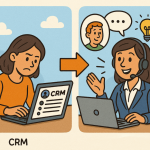 Copilot for Sales and Service Moving from CRM Data Entry to Customer Insight
  How Microsoft 365 Copilot Is Changing Project Management in Teams
  GitHub Copilot for Students How It Can Help You Learn Faster