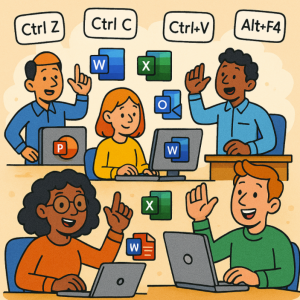
In today’s fast-paced digital workplace, efficiency is everything. Whether you’re crunching numbers in Excel, drafting a report in Word, analyzing emails in Outlook, or delivering a presentation in PowerPoint, every second counts. That’s where keyboard shortcuts come in. Instead of reaching for your mouse, memorizing a few key combinations can help you navigate Microsoft 365 with ease.
Here’s a breakdown of the most useful keyboard shortcuts across the suite.
Universal Shortcuts (Work Everywhere in Microsoft 365)
- Ctrl + C → Copy
- Ctrl + X → Cut
- Ctrl + V → Paste
- Ctrl + Z → Undo
- Ctrl + Y → Redo
- Ctrl + S → Save
- Ctrl + P → Print
- Ctrl + A → Select all
- Ctrl + F → Find
💡 Pro tip: These universal shortcuts are lifesavers whether you’re in Word, Excel, PowerPoint, Outlook, or even Teams.
Word Shortcuts
- Ctrl + B → Bold text
- Ctrl + I → Italicize text
- Ctrl + U → Underline text
- Ctrl + Shift + L → Apply bullet list
- Ctrl + H → Find and replace
- Ctrl + Enter → Insert a page break
Perfect for writers, editors, and anyone who spends long hours formatting documents.
Excel Shortcuts
- Ctrl + T → Create a table
- Ctrl + Shift + L → Toggle filters
- Alt + = → AutoSum selected cells
- F2 → Edit active cell
- Ctrl + Arrow Keys → Jump to the edge of data region
- Ctrl + Shift + “+” → Insert new row/column
These shortcuts help you navigate large datasets like a pro.
Outlook Shortcuts
- Ctrl + R → Reply to email
- Ctrl + Shift + R → Reply all
- Ctrl + F → Forward email
- Ctrl + Enter → Send message
- Ctrl + 1 → Switch to Mail
- Ctrl + 2 → Switch to Calendar
Great for speeding through your inbox and scheduling.
PowerPoint Shortcuts
- Ctrl + M → Insert a new slide
- Ctrl + D → Duplicate selected slide/object
- Ctrl + Shift + C → Copy formatting
- Ctrl + Shift + V → Paste formatting
- F5 → Start slideshow from beginning
- Shift + F5 → Start slideshow from current slide
Essential for building and presenting with confidence.
Teams Shortcuts
- Ctrl + N → Start a new chat
- Ctrl + Shift + M → Mute/unmute mic
- Ctrl + Shift + O → Turn camera on/off
- Ctrl + 1 → Go to Activity
- Ctrl + 4 → Go to Calendar
Perfect for staying focused during meetings and collaboration.
Keyboard shortcuts may seem small, but over time, they add up to hours saved each week. The more you use them, the more natural they become—turning you into a productivity powerhouse across the entire Microsoft 365 suite.
👉 Start by memorizing a handful of shortcuts for the apps you use most. Before long, you’ll wonder how you ever worked without them.
Extra posts:
 Mastering Windows 11 Keyboard Shortcuts You Didn’t Know Existed
  Mastering GitHub Copilot: Tips, Shortcuts, and Prompts That Work
  Comparing Microsoft 365 to Google Workspace in 2025: Which Productivity Suite Is Right for You?
  Microsoft Entra Suite The Future of Identity and Access Security
  Unlocking Employee Potential A Complete Guide to Microsoft Viva Suite
  Exploring Screen Recording Tools in the Microsoft Suite