
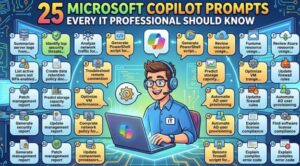
Artificial intelligence is rapidly transforming the way IT professionals work, and Microsoft Copilot is at the center of that shift. Whether you’re managing infrastructure, troubleshooting systems, writing scripts, or documenting processes, Copilot can dramatically improve your productivity—if you know how to prompt it effectively.
The key isn’t just using Copilot, but using it well. The right prompt can save hours of manual work, reduce errors, and even uncover insights you might have missed. Below are 25 powerful prompts every IT professional should have in their toolkit, along with explanations on how and when to use them.
🔧 System Administration & Troubleshooting
1. Diagnose System Issues
Prompt:
“Analyze this system log and identify potential issues and their root causes: [paste log]”
This helps quickly pinpoint errors buried in large log files.
2. Step-by-Step Troubleshooting
Prompt:
“Provide a step-by-step troubleshooting guide for resolving [specific issue] in a Windows/Linux environment.”
Great for structured problem-solving, especially under pressure.
3. Performance Optimization
Prompt:
“Suggest ways to optimize CPU and memory usage for a server running [application/workload].”
Useful for improving system efficiency without deep manual analysis.
💻 Scripting & Automation
4. Generate PowerShell Scripts
Prompt:
“Write a PowerShell script to automate [task], including error handling and logging.”
Perfect for repetitive administrative tasks.
5. Convert Scripts Between Languages
Prompt:
“Convert this Bash script into PowerShell with equivalent functionality: [script]”
Helps when working across platforms.
6. Debug Code
Prompt:
“Review this script and identify bugs or inefficiencies: [code]”
Saves time during development and reduces human error.
🔐 Security & Compliance
7. Security Audit Checklist
Prompt:
“Create a security audit checklist for a cloud-based infrastructure using best practices.”
Ensures nothing critical is overlooked.
8. Analyze Vulnerabilities
Prompt:
“Explain the potential risks and mitigation strategies for this vulnerability: [description].”
Quickly understand threats and how to respond.
9. Generate Security Policies
Prompt:
“Draft an IT security policy for endpoint protection in an enterprise environment.”
Ideal for documentation and compliance needs.
☁️ Cloud & DevOps
10. Architecture Design
Prompt:
“Design a scalable cloud architecture for a web application using Azure/AWS.”
Useful for planning deployments.
11. CI/CD Pipeline Setup
Prompt:
“Provide a CI/CD pipeline configuration for deploying a Node.js application.”
Speeds up DevOps implementation.
12. Infrastructure as Code
Prompt:
“Generate a Terraform script to provision a virtual machine with networking and storage.”
Automates infrastructure provisioning.
📊 Data & Monitoring
13. Log Analysis Summary
Prompt:
“Summarize key insights and anomalies from this monitoring data: [data].”
Helps detect unusual patterns quickly.
14. Dashboard Suggestions
Prompt:
“Suggest key metrics and visualizations for an IT operations dashboard.”
Improves observability.
15. Alert Optimization
Prompt:
“How can I reduce alert fatigue in a monitoring system?”
A real-world problem many teams face.
📚 Documentation & Knowledge Management
16. Generate Documentation
Prompt:
“Create clear documentation for setting up and configuring [system/software].”
Ensures consistency and clarity.
17. Simplify Technical Content
Prompt:
“Explain this technical concept in simple terms for non-technical stakeholders: [topic].”
Bridges communication gaps.
18. Create SOPs
Prompt:
“Write a standard operating procedure for handling server downtime incidents.”
Essential for incident response planning.
🧠 Learning & Skill Development
19. Explain New Technologies
Prompt:
“Explain how Kubernetes works with real-world examples.”
Great for continuous learning.
20. Compare Tools
Prompt:
“Compare Docker and Kubernetes in terms of use cases and complexity.”
Helps in decision-making.
21. Learning Roadmap
Prompt:
“Create a 3-month learning roadmap for becoming a cloud engineer.”
Structured growth planning.
🤝 Collaboration & Productivity
22. Draft Emails
Prompt:
“Write a professional email explaining a system outage and resolution steps.”
Saves time in communication.
23. Meeting Summaries
Prompt:
“Summarize these meeting notes into key action items: [notes].”
Improves clarity and accountability.
24. Task Prioritization
Prompt:
“Help me prioritize these IT tasks based on urgency and impact: [list].”
Useful for workload management.
🚀 Advanced Use Cases
25. Incident Postmortem
Prompt:
“Generate a detailed incident postmortem report including root cause, impact, and preventive measures.”
Critical for learning from failures and improving systems.
Extra posts:
 The ‘Digital Twin’ Employee Creating Hyper-Personalized Copilot Prompts with Copilot Studio
  Best Prompts to Use with Microsoft 365 Copilot for Maximum Efficiency
  Writing Effective Prompts for Microsoft 365 Copilot
  Comparing Copilot in Microsoft 365 vs. GitHub Copilot: Key Differences
 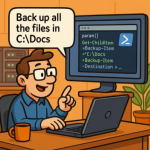 Copilot for SysAdmins Automating PowerShell Script Generation from Plain English Prompts
  Understanding AI Prompts Writing Better Requests for Copilot