
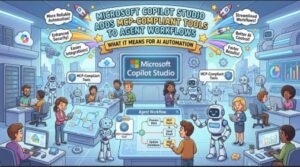
Microsoft is taking another step toward making AI agents more flexible and useful in the enterprise with the general availability of MCP-compliant tools in Microsoft Copilot Studio agent workflows.
The feature officially reached general availability on July 15, 2026, giving organizations a new way to connect Copilot Studio agents with proprietary systems, dynamic knowledge sources, and custom actions through the Model Context Protocol (MCP).
For businesses already experimenting with AI agents, the change could be significant. Instead of developing separate, bespoke connectors for every system an agent needs to interact with, teams can use MCP-compliant tools and reuse the same MCP server across multiple agents and workflows.
The result is a more standardized approach to extending what AI agents can do while keeping those interactions within existing workflow governance and monitoring practices.
What Is MCP and Why Does It Matter?
The Model Context Protocol, commonly known as MCP, is designed to provide a standardized way for AI applications to interact with external tools and data sources.
Think of an AI agent as the decision-making layer and MCP as a bridge that allows that agent to access specific capabilities outside the AI model itself.
For example, an enterprise agent might need to retrieve information from an internal system, perform a custom business operation, access a constantly changing knowledge source, or trigger an action in another application.
Traditionally, connecting an AI agent to each of these systems could require custom integrations or connectors. As organizations add more agents, that approach can become difficult to maintain.
MCP offers a more standardized model.
With the new Copilot Studio capability, MCP-compliant tools can become part of agent workflows, allowing agents to work with external capabilities while workflows handle the orchestration.
This distinction is important because it moves AI automation beyond simply generating text or answering questions. Agents can participate in structured business processes where information is passed between tools and workflow steps.
What Is New in Microsoft Copilot Studio?
The newly available functionality allows agent workflows in Copilot Studio to use MCP-compliant tools.
One of the most important aspects is the ability to pass structured inputs to MCP tools and then consume their structured outputs in subsequent workflow steps.
That can make agent workflows more predictable and easier to orchestrate.
Rather than relying entirely on an agent to interpret unstructured responses, workflows can work with defined inputs and outputs. This creates opportunities for more deterministic automation, particularly when AI capabilities are being incorporated into business processes that require consistency.
For organizations, this could mean an agent is able to identify what needs to happen while the workflow coordinates the actual sequence of operations.
The MCP tool provides a capability, while Copilot Studio’s workflow can determine how that capability fits into a broader process.
Reuse the Same MCP Server Across Multiple Agents
Another notable benefit is reusability.
Organizations can use the same MCP server across multiple agents and workflows instead of creating a separate bespoke connector for every system or use case.
This could be especially valuable for larger companies with multiple departments building AI-powered workflows.
Imagine an organization has an internal system that exposes several useful capabilities through an MCP server. Different agents could potentially use those capabilities for different business scenarios.
A customer service agent might use one tool to retrieve account information. An operations agent could use another capability from the same server. A finance workflow might use a third tool.
Instead of rebuilding the integration each time, teams can build workflows around the existing MCP capabilities.
This approach could help reduce duplicated development work and make AI integration strategies easier to scale.
Better Support for Proprietary Systems and Dynamic Knowledge
Enterprise AI rarely operates entirely within public information.
Companies often have proprietary databases, internal applications, specialized business systems, and private knowledge repositories. These resources are frequently where AI agents can deliver the most practical value.
The Copilot Studio update allows MCP-compliant tools to help connect agent workflows with these kinds of capabilities.
The announcement specifically highlights proprietary systems, dynamic knowledge sources, and custom actions.
That is important because enterprise workflows often depend on information that changes constantly.
For example, an agent might need access to the latest inventory information, an internal policy database, customer records, or another business-specific source. Connecting agents to dynamic sources can make automation more useful than relying solely on static information.
Custom actions are equally important. Businesses often have processes that don’t fit neatly into standard connectors.
MCP provides another option for exposing those capabilities to AI-powered workflows.
Structured Inputs and Outputs Could Make Agentic Workflows More Reliable
One of the biggest challenges with AI-powered automation is balancing flexibility with predictability.
AI agents are designed to reason and adapt, but traditional business processes often require clearly defined steps and outputs.
The ability to pass structured data into MCP tools and receive structured data back can help bridge that gap.
For example, a workflow could collect information from an agent, send specific fields to an MCP-compliant tool, and then use the returned structured information in another step.
This creates a clearer chain between the AI component and the automation layer.
In practical terms, organizations may be able to design workflows where AI provides the intelligence needed to determine what should happen, while predefined workflow logic controls how the resulting actions are executed.
That combination can be particularly useful for enterprise scenarios where traceability and consistent execution matter.
Governance and Monitoring Remain Part of the Workflow
Adding new AI capabilities to business processes naturally raises questions about governance.
Organizations need to know how tools are being used, how workflows are managed, and how activities can be monitored over time.
According to Microsoft’s announcement, MCP tools execute under existing workflow governance, monitoring, and lifecycle management.
That means organizations don’t necessarily have to treat MCP-based tool execution as an entirely separate automation environment.
Instead, MCP tools can operate within the governance framework already associated with workflows.
For enterprise IT teams, this is an important consideration. The technical ability to connect an agent to a system is only one part of deploying AI at scale. Organizations also need ways to monitor and manage those integrations throughout their lifecycle.
Keeping MCP tool execution within existing workflow governance can make the capability easier to incorporate into established operational practices.
Why This Matters for AI Agents
AI agents are increasingly moving from simple conversational assistants toward systems that can take actions and coordinate multi-step processes.
That shift makes integrations increasingly important.
An agent that can only answer questions has limited ability to change a business process. An agent that can access information, invoke tools, and trigger actions can become part of a much broader workflow.
MCP-compliant tools provide another way to give agents access to those capabilities.
The Copilot Studio integration therefore represents more than a new connection option. It reflects a broader industry movement toward tool-enabled AI agents and standardized methods for connecting AI systems to external capabilities.
For developers and automation teams, reusability may be one of the biggest advantages.
Instead of thinking about every agent as an isolated project, organizations can build shared capabilities that multiple agents and workflows can consume.
That could help companies move from individual AI experiments toward a more scalable agent architecture.
Do Users Need to Take Any Action?
For this particular announcement, the answer is no.
Microsoft describes the message as being for awareness, and no action is required.
Organizations using Copilot Studio don’t need to take a specific action simply because this feature has reached general availability.
However, teams evaluating their AI and automation strategies may want to consider where MCP-compliant tools could fit into existing agent workflows.
The potential value will depend on the systems an organization uses, its existing workflow architecture, and how extensively it plans to deploy AI agents.
The Bigger Picture for Copilot Studio
The addition of MCP-compliant tools gives Microsoft Copilot Studio another piece of the infrastructure needed for enterprise agent development.
As businesses deploy more AI agents, the ability to connect those agents with internal systems and specialized tools will become increasingly important.
Standardized tool interfaces can potentially reduce integration duplication, improve reusability, and make it easier for organizations to expose business capabilities to multiple AI workflows.
At the same time, structured inputs and outputs can provide a stronger foundation for predictable workflow orchestration.
The broader takeaway is simple: AI agents are becoming less isolated and more connected to the systems where businesses actually operate.
With MCP support now generally available in Copilot Studio agent workflows as of July 15, 2026, organizations have another option for building those connections without necessarily creating a separate bespoke connector for every use case.
For companies looking at the next phase of enterprise AI, MCP could become an important part of the conversation — particularly where AI agents need to do more than communicate and instead interact with real business systems.
And for Copilot Studio users, the message from Microsoft is straightforward: the capability is now generally available, it works within existing workflow governance and monitoring, and there is no immediate action required.
Extra posts:
 Building an Enterprise ServiceNow AI Copilot Agent with Microsoft Copilot Studio: A Complete Guide to IT Operations Automation, Ticket Auditing, and Engineer Performance Intelligence
  Microsoft Teams Gets Smarter: New List Forms Trigger Brings Powerful Automation to Workflows
  Build Your First Autonomous Copilot Agent (Step-by-Step) Using Microsoft Copilot Studio (Almost No Code)