
We see these new AI tools, like Copilot, helping us do work faster, write better emails, and summarize long documents. It’s like having a super-smart assistant right next to you.
But for people who look after company rules, like the security and compliance teams, a new tool also means new questions. We need to be sure that while Copilot helps us be fast, it does not accidentally share our company’s secrets or break any important laws about data. This is what we call security and compliance—it’s about keeping our digital house safe and following the rules.
In this blog, I want to talk about the important things we must think about when we bring a powerful tool like Copilot into our enterprise environment. It’s not just about turning it on; it’s about making sure we set it up in a smart and safe way.
The Biggest Question: Will Copilot Share My Confidential Data?
This is the main worry for every company. If I ask Copilot to summarize a new project plan, will it use that secret information to answer another employee’s question later? Or worse, will the AI company use my data to train their big general models?
The good news is that for tools like Microsoft 365 Copilot, the answer is a big No. Microsoft has built it with strong rules:
- Your Data Stays in Your House: Copilot is designed to work within your company’s Microsoft 365 environment. The data (your documents, emails, chats) is not used to train the main AI models. It stays inside your tenant boundary.
- It Respects Permissions: This is the most important part! Copilot is not a magic key that unlocks all your files. It can only see and use the data that you already have permission to see. If you cannot open a file from the HR department, Copilot will not use that file to answer your question.
The Security Challenge is Your Permissions, Not the AI
So, if Copilot only uses data the employee already can see, where is the risk? The risk is in our own current setup. In many big companies, file sharing is a bit messy. Maybe there are old SharePoint sites where “Everyone in the organization” has access, or a document on OneDrive was accidentally shared with a general link.
If your permission settings are messy, Copilot will show you information that you might technically be able to see, but perhaps should not be searching for easily. This is called data oversharing.
The Fix: Before you start using Copilot a lot, your IT team must do a “permission cleanup.” They need to make sure that access to sensitive files (like finance reports, new product plans, or legal documents) is only given to the people who truly need it. It’s about following the Principle of Least Privilege—giving the minimum access necessary.
How to Follow the Rules (Compliance)
Compliance is about obeying the rules, like GDPR for privacy in Europe, or rules about keeping financial records safe. Copilot helps and challenges this at the same time.
1. Labeling Your Secrets
We need to tell the system which data is secret, and which is just a general meeting note. This is done with Sensitivity Labels (often using Microsoft Purview).
- How it helps: You can label a document as “Highly Confidential” and apply encryption. Copilot is then set up to respect this label. It might not be able to summarize the content, or it will automatically apply the same “Highly Confidential” label to the new text it creates for you. This keeps the secret information protected, even if it gets copied.
- The Action: We must make sure all new documents are labeled correctly, and old, sensitive documents are checked and labeled too.
2. Keeping a Record (Audit and eDiscovery)
When there is a legal case, or an audit (when people check if you follow the rules), you need to show what happened.
- How it helps: Microsoft 365 Copilot keeps a detailed audit log. It records the user’s question (prompt), Copilot’s answer (response), and which documents were used to create that answer. This record is kept like all your emails and documents, making it possible to use for eDiscovery (finding electronic evidence for legal matters) and to meet data retention rules.
- The Action: Your compliance team must know how to use these audit logs to monitor for risky questions or actions and to pull data when they need it for a legal request.
Making Sure People Use It Right (The Human Part)
Technology is one thing, but how people use it is another. Copilot is a powerful tool, and we need to teach our employees how to be responsible with it.
1. Proper Training is Key
We need to teach our people not just how to use Copilot, but how to use it safely.
- The Wrong Way: An employee copy-pastes a customer’s personal data into a chat with Copilot and asks it to anonymize the names. This is a data leakage risk because the personal data has now left the original secure file and is in the chat history.
- The Right Way: The employee learns to use the Copilot feature inside the document (like in Word) or only gives it clear, non-confidential instructions. We need to explain what we call “Prompt Engineering”—how to ask Copilot a question in a way that is smart and secure.
2. Monitoring for Misuse
Even with training, we must watch out. We can use tools like Data Loss Prevention (DLP) to monitor Copilot interactions.
- DLP in Action: If a user asks Copilot to summarize a huge list of customer credit card numbers, the DLP rule can step in and block the request before Copilot processes the sensitive data. It’s a safety net for when a user makes a mistake.
Copilot is here to stay, and it will change how we work for the better. It is built on a strong security foundation—it honors your existing permissions and it does not train its models on your private data.
But remember this simple truth: Copilot only multiplies the good and the bad in your current system.
If your data is secure and your permissions are right, Copilot will be secure. If your files are over-shared and messy, Copilot will make those secrets easier to find.
So, the next steps for any enterprise are not about stopping Copilot, but about making your own digital environment ready for this powerful assistant. We need to clean up our permissions, label our sensitive data, and train our people to be safe and smart AI users.
Extra posts:
 Monitoring Security and Compliance Metrics for Copilot: A Human-Centered Guide
  Microsoft Copilot and the AI-First Enterprise A Strategic Perspective
  Enterprise Data Protection in Microsoft Copilot Enabling AI with Confidence
  Auditing the AI How to Use the Copilot Interaction Export API for Compliance Logs
  Beyond Compliance Using Copilot to Automate GDPR and HIPAA Reporting from Teams and Outlook
 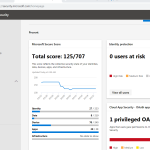 New Microsoft 365 security center and new compliance center