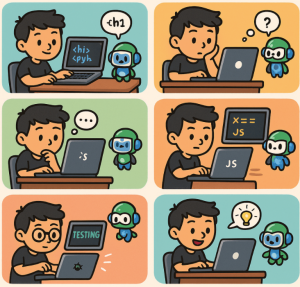
If you’re just starting your coding journey, GitHub Copilot can feel like having a mentor right inside your code editor. It doesn’t just autocomplete code—it helps you learn, experiment, and ship projects faster. Here are the top 10 things you can do with GitHub Copilot as a new developer:
1. Get Instant Code Suggestions
Copilot can complete your lines of code as you type. Whether it’s a function in Python, a React component, or a CSS rule, you’ll get smart, context-aware suggestions that save you time and help you learn coding patterns.
2. Learn by Example
Instead of memorizing syntax, you can see how Copilot structures code. For example, if you type a comment like “function to check if a number is prime”, Copilot will generate a working solution. This makes it a great learning companion.
3. Write Boilerplate Code Quickly
As a beginner, setting up a project can be overwhelming. Copilot can generate boilerplate code like server setups, HTML templates, or API routes, so you can focus on the fun parts of coding.
4. Explore New Programming Languages
Want to try Go, Rust, or TypeScript without starting from scratch? Copilot can generate examples and syntax in unfamiliar languages, giving you a head start when exploring outside your comfort zone.
5. Generate Unit Tests
Testing is an essential skill, but writing tests can feel repetitive. Copilot can suggest test cases for your functions, helping you understand how to verify your code works as intended.
6. Get Help with Documentation
Struggling to explain your code? Copilot can draft docstrings, inline comments, or even README sections. It helps you practice writing clear documentation—a critical skill for collaboration.
7. Experiment with Algorithms
Want to see different ways to solve a problem? Copilot often generates multiple suggestions for the same task, letting you compare approaches and learn best practices.
8. Speed Up Debugging
While Copilot isn’t a debugger, it can suggest fixes when you describe an error in a comment. For example: “fix function to handle null values” often results in safer, corrected code.
9. Improve Your Coding Style
By analyzing patterns from millions of open-source projects, Copilot often suggests clean, idiomatic code. Following its hints can help you adopt industry-standard practices early in your career.
10. Build Projects Faster
From small scripts to full-stack apps, Copilot helps you move past roadblocks. This means you can build more projects, gain confidence, and focus on learning the “why” behind the code rather than being stuck on the “how.”
GitHub Copilot isn’t a replacement for learning, but it’s a powerful accelerator. As a new developer, you can use it to practice, explore, and build confidence while still making the effort to understand the code it generates. Think of it as a pair-programming partner that’s available 24/7.
Extra posts:
 Top 10 Things You Can Do with GitHub Copilot as a New Developer
  Turbocharge Your Coding Top GitHub Copilot Shortcuts and Productivity Tips for VS Code
  GitHub Copilot vs. Amazon Q Developer Pros, Cons & Key Differences
  GitHub Copilot for Students How It Can Help You Learn Faster
  How GitHub Copilot Helps with Test-Driven Development (TDD)
  Boosting Productivity with GitHub Copilot Real-World .NET Coding Examples