
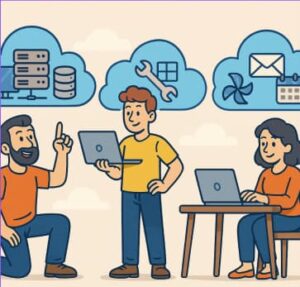
Cloud computing has revolutionized the way businesses and individuals access and manage technology resources. Instead of owning and maintaining physical servers or software, cloud services allow users to rent computing power, storage, and applications over the internet.
However, not all cloud services are the same. The cloud ecosystem is broadly divided into three main categories: Infrastructure as a Service (IaaS), Platform as a Service (PaaS), and Software as a Service (SaaS). Understanding these models helps organizations choose the right cloud strategy based on their needs, scalability goals, and technical expertise.
1. Infrastructure as a Service (IaaS)
Definition:
IaaS provides virtualized computing resources over the internet. It’s the most fundamental layer of cloud services, giving users control over infrastructure—servers, storage, and networking—without the need to purchase or manage physical hardware.
Examples:
- Amazon Web Services (AWS) EC2
- Microsoft Azure Virtual Machines
- Google Compute Engine
Key Benefits:
- High flexibility and scalability
- Pay-as-you-go pricing model
- Full control over infrastructure configuration
Use Case:
A startup that wants to host its own custom web application can use IaaS to quickly deploy servers and storage without buying hardware.
2. Platform as a Service (PaaS)
Definition:
PaaS provides a ready-to-use platform for developing, testing, and deploying applications. It abstracts away the complexities of managing infrastructure so developers can focus on writing code and building features.
Examples:
- Google App Engine
- Microsoft Azure App Services
- Heroku
Key Benefits:
- Simplified development and deployment
- Built-in tools and integrations
- Scalable environments managed by the provider
Use Case:
A software development team can use PaaS to build a new mobile app, leveraging pre-configured environments, databases, and frameworks—without worrying about managing servers.
3. Software as a Service (SaaS)
Definition:
SaaS delivers software applications over the internet on a subscription basis. Users access these applications through a web browser, while the provider handles maintenance, security, and updates.
Examples:
- Google Workspace (Docs, Sheets, Gmail)
- Salesforce
- Zoom
- Slack
Key Benefits:
- No installation or maintenance required
- Accessible from anywhere with an internet connection
- Automatic updates and security patches
Use Case:
A marketing team can use SaaS tools like HubSpot or Canva to collaborate and execute campaigns without needing to install or maintain software locally.
Choosing the Right Model
| Feature | IaaS | PaaS | SaaS |
|---|---|---|---|
| Control Level | High | Moderate | Low |
| Target Users | IT admins, developers | Developers | End users |
| Example Use | Hosting servers | Developing apps | Using business apps |
Tip: Many organizations use a combination of all three. For example, they might run custom software on an IaaS platform, use PaaS for app development, and rely on SaaS for day-to-day productivity tools.
Understanding the differences between IaaS, PaaS, and SaaS is crucial for selecting the best approach to cloud computing. Whether you need full infrastructure control, a streamlined development platform, or easy access to ready-made applications, the cloud has a service model tailored to your needs.
As businesses continue to move toward digital transformation, leveraging the right mix of cloud services can lead to greater flexibility, scalability, and innovation.
Extra posts:
 How to Integrate M365 with Third-Party SaaS Tools (Slack, Trello, Google Services) Without Breaking Security
  How Microsoft Keeps Your Data Safe in the Cloud – A Deep Dive into Cloud Security Practices
  Understanding OneDrive for Business and Personal Storage
  Understanding Service Level Agreements (SLAs) in Microsoft 365
  What Is the Cloud? A Beginner’s Guide for Microsoft 365 Learners
  Public vs Private vs Hybrid Cloud Models Explained