
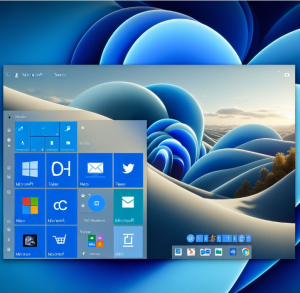
Windows 11, unlike earlier versions like Windows 7 which had “desktop gadgets,” doesn’t use traditional gadgets. Instead, Microsoft revamped the experience into Widgets and integrated system tools. These are modern, web-powered, and securely sandboxed. Here are the best built-in tools and widgets that come with Windows 11:
🔹 1. Widgets Panel (Win + W)
This is the new home for “gadgets” in Windows 11. It’s a personalized feed powered by Microsoft Edge and MSN. Notable built-in widgets include:
- Weather – Local and real-time weather updates.
- Calendar – Integrates with Outlook/Microsoft 365.
- To Do – Syncs with Microsoft To Do for task management.
- Traffic – Real-time local traffic updates.
- Photos – A feed from your OneDrive gallery.
- News – Curated news stories based on your preferences.
- Sports – Follow scores and updates from your favorite teams.
- Stock Watchlist – Track selected financial instruments.
🛠️ Customization: Click your profile in the widget panel → “Manage interests” to tailor content.
🔹 2. Snipping Tool
An excellent screenshot tool with annotation capabilities. Combines features from the classic Snipping Tool and Snip & Sketch.
🔹 3. Windows Clock (Focus Sessions)
Includes Focus Sessions for productivity:
- Countdown timers
- Spotify integration
- Microsoft To Do integration
🔹 4. Xbox Game Bar (Win + G)
A widget-based overlay for gamers, includes:
- Performance monitor (CPU, GPU, RAM)
- Audio mixer
- Screen recording
- Xbox Social & Game Capture
🔹 5. Task Manager (New UI)
More detailed and visual than ever:
- Heat maps for resource usage
- Startup impact evaluation
- Efficiency mode
🔹 6. Microsoft Edge Sidebar
If you use Edge, the sidebar includes mini-apps/gadgets like:
- Calculator
- Unit Converter
- Dictionary
- Translator
- Office apps quick access
🔹 7. Voice Access & Dictation (Win + H)
Great for accessibility and productivity — allows you to control your PC or dictate text via voice.
🔹 8. Virtual Desktops & Snap Layouts
Not a gadget per se, but a powerful productivity feature to manage multiple workspaces and windows with ease.
🔹 9. Security & Device Health (Windows Security App)
A built-in hub that monitors:
- Virus & threat protection
- Account protection
- Firewall & network
- App & browser control
- Device performance and health
🔹 10. File Explorer Gallery View
Newer builds of Windows 11 include an updated File Explorer with an image gallery view, better for managing photos.
Extra posts:
 How to Boost Performance with Built-In Tools in Windows 11
  New Microsoft Surface coming a new category of dual-screen devices built for mobile
  Case Study Reducing Support Ticket Volume Using AI Bots Built in Copilot Studio
  How to Move the Start Menu to the Left in Windows 11 (Like Windows 10 Style)
  Setting Up Windows Hello for Faster Logins in Windows 11
  Windows 11: What’s New Compared to Windows 10