
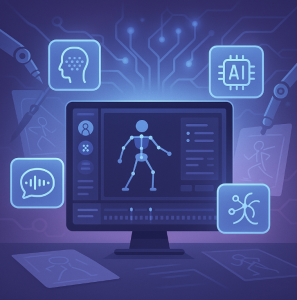
The animation world is evolving rapidly thanks to artificial intelligence. What once took hours of manual keyframing and rigging can now be done in minutes with smart AI-driven tools. Whether you’re a beginner, a content creator, or a professional animator, AI animation software is making animation more accessible and powerful than ever.
In this blog, we explore the top AI animation software in 2025, their features, and how they can revolutionize your workflow.
🔝 1. Adobe Animate with Adobe Firefly AI
Best for: Professionals and designers integrated in the Adobe ecosystem
Adobe Animate has embraced AI through Adobe Firefly, making it easier to generate assets, animate characters, and even convert sketches into vector animations. With Firefly’s generative features, you can create environments, characters, and backgrounds with simple text prompts.
Key Features:
- AI-assisted character rigging
- Generative backgrounds and scenes
- Lip-syncing with voiceovers
- Seamless integration with Photoshop and After Effects
🤖 2. Cascadeur by Nekki
Best for: Physics-based character animation (especially action scenes)
Cascadeur uses AI to help you animate 3D characters with realistic physics. It’s ideal for game developers and animators who want natural-looking movement without complex rigging.
Key Features:
- AI-assisted posing and motion suggestions
- Auto-physics balancing and weight detection
- Pose prediction and interpolation
- Free version with pro options
🧠 3. DeepMotion Animate 3D
Best for: Motion capture from video
DeepMotion brings magic to your webcam. Upload a video of yourself moving, and Animate 3D turns it into a 3D animation using AI-powered motion capture.
Key Features:
- AI motion capture from 2D video
- Auto-rigging for 3D characters
- Integration with Unity and Blender
- Supports VRM, FBX, GLB output
🎨 4. Plotagon / Animaker AI
Best for: Educational content and explainer videos
Plotagon and Animaker have introduced AI-driven features that allow you to type scripts and generate animated scenes and characters automatically. Great for non-designers and educators.
Key Features:
- Text-to-animation workflows
- Character voiceover with AI voices
- Drag-and-drop storyboard builder
- Scene auto-generation from scripts
🌐 5. Runway ML – Gen-3 Alpha
Best for: Video and animation generation from text prompts
Runway is one of the pioneers in generative AI video. Its new Gen-3 Alpha model allows you to create short animated clips directly from text descriptions.
Key Features:
- Text-to-video generation
- Frame interpolation for smoother animations
- Image/video input support for fine-tuned animations
- High-quality, cinematic output
🎥 6. Pika Labs
Best for: Creative animated content for social media
Pika Labs is another powerful tool that lets you create animated video from text or images. It’s fast, user-friendly, and ideal for TikTok, Instagram Reels, and other short-form content formats.
Key Features:
- Easy text-to-animation tool
- Image and prompt-based editing
- Auto camera movement
- Natural lighting and facial expression generation
🛠️ 7. Krikey AI
Best for: Beginners creating 3D animated avatars
Krikey AI helps you create 3D animations and avatars without needing prior animation skills. It’s focused on quick, interactive, and fun content, with a mobile-friendly workflow.
Key Features:
- Create animated characters from photos
- AI-powered animation presets
- AR/VR avatar generation
- Ideal for mobile-first creators
🔍 Conclusion
AI animation software is breaking down barriers and enabling anyone—from professionals to hobbyists—to bring ideas to life with minimal effort. Whether you’re working in 2D, 3D, or even AI-generated video from text, these tools offer immense creative power at your fingertips.
Top Pick for Beginners: DeepMotion or Plotagon
Top Pick for Professionals: Adobe Animate with Firefly or Cascadeur
Top Pick for Social Creators: Runway ML or Pika Labs
✏️ Pro Tip: Combine tools! Use DeepMotion for motion capture, Runway for video generation, and Adobe Animate for final polish to create a professional animation workflow.
Let AI help you animate smarter—not harder.
Extra posts:
 The Best AI Photo Editing Software in 2025 Smarter, Faster, and Stunning
  Create Stunning PowerPoint Presentations with Microsoft Copilot
  The Best AI Tools to Create Cartoon Movies in 2025
  Key Trends Driving Software Engineering in 2025
  Navigating the Latest Trends in Software Engineering (2025 Edition)
  Embracing the Future Latest Trends in Software Architecture (2025)