
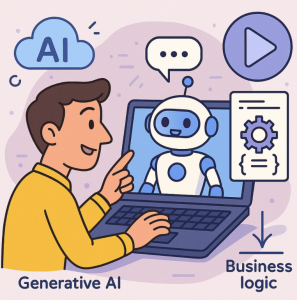
Generative AI is reshaping how businesses build, scale, and optimize their digital solutions. By enabling natural language interactions, content creation, and decision support, AI offers a new level of flexibility. But to be truly impactful in a business environment, generative AI must work hand-in-hand with business logic—the structured rules and workflows that power day-to-day operations. This is where Copilot Studio comes in.
Why Combine Generative AI with Business Logic?
On their own, generative AI models like GPT are great at free-form reasoning, summarization, and creativity. Business logic, however, is precise, deterministic, and ensures compliance with organizational rules. When combined:
- Generative AI handles unstructured inputs, interprets intent, and generates human-like responses.
- Business Logic ensures accuracy, compliance, and consistent execution of business processes.
Together, they create a system that is both flexible and reliable.
What is Copilot Studio?
Copilot Studio is Microsoft’s low-code/no-code environment that allows organizations to design, extend, and integrate copilots into their workflows. It empowers users to:
- Build conversational AI assistants.
- Connect to enterprise data sources.
- Integrate business rules, workflows, and automation.
- Extend copilots with custom plugins and APIs.
With Copilot Studio, businesses can unify generative AI with deterministic logic, delivering copilots that not only understand intent but also execute precise actions.
Technical Architecture: How Copilot Studio Orchestrates AI and Logic
Copilot Studio provides a layered architecture that bridges AI and enterprise systems:
- User Input Layer – Natural language queries are captured through conversational interfaces (chat, voice, or embedded assistants).
- AI Interpretation Layer – Generative AI models parse intent, extract entities, and transform unstructured input into structured requests.
- Business Logic Layer – Copilot Studio invokes pre-built or custom workflows, Power Automate flows, or API integrations to enforce rules.
- Data Integration Layer – Enterprise connectors bring in data from systems like Dynamics 365, SAP, Salesforce, or custom databases.
- Response Layer – The AI combines structured results with natural language generation, delivering a human-like yet rule-governed response.
This architecture ensures copilots are not only conversationally intelligent but also operationally precise.
Use Cases of Generative AI + Business Logic in Copilot Studio
- Customer Support Automation
Generative AI interprets a customer’s query in natural language, while business logic ensures the correct escalation, compliance checks, and fulfillment workflows. - Employee Self-Service
Employees can ask natural questions about HR policies, IT support, or internal processes. Generative AI provides context and summaries, while business logic enforces the correct steps (e.g., ticket creation, approvals). - Sales and Marketing Enablement
A sales copilot can generate personalized outreach content but ensure that the content aligns with compliance and branding rules embedded in the business logic. - Decision Support Systems
AI can suggest insights based on data, while business logic ensures the recommendations comply with organizational risk models and regulatory frameworks.
Benefits of Using Copilot Studio for AI + Business Logic
- Consistency: Business logic ensures every action adheres to rules and policies.
- Scalability: Copilot Studio enables low-code scaling of solutions across departments.
- Efficiency: Automates both the creative and rule-driven aspects of workflows.
- Trust: Organizations can confidently use generative AI knowing it is governed by business rules.
Best Practices for Implementation
- Define Clear Boundaries: Decide what the AI should handle (interpretation, content) vs. what logic should control (compliance, deterministic workflows).
- Use Connectors and APIs: Leverage Copilot Studio’s library of connectors for rapid integration with enterprise systems.
- Secure Data Access: Apply role-based access control (RBAC) and data loss prevention (DLP) policies to protect sensitive information.
- Monitor and Refine: Use analytics to track AI interactions and continuously improve logic flows and prompts.
Getting Started
To start combining generative AI and business logic with Copilot Studio:
- Identify high-impact workflows where natural language interfaces can improve efficiency.
- Map out the underlying business logic that ensures accuracy and compliance.
- Use Copilot Studio to design conversational flows, integrate data, and apply rules.
- Pilot with a small team, gather feedback, and refine before scaling.
The future of enterprise AI lies in merging the creativity of generative AI with the precision of business logic. Copilot Studio provides the perfect environment to build copilots that are intelligent, compliant, and tailored to organizational needs. By harnessing both worlds, businesses can unlock innovation without sacrificing control.
Extra posts:
 Top 5 Use Cases for Copilot Studio in Your Business
  Copilot’s Invisible Shield Leveraging Purview & Graph to Control Generative AI Risk
  Azure AI Studio / Azure AI Foundry A Powerful Platform for Generative AI
  What Is Microsoft Copilot Studio? A Beginner’s Guide
  Stress-Free Travel How to Use Microsoft 365 and Copilot to Plan Your Vacation or Business Trip
  Getting Started with Copilot Studio Build Your First AI-Powered Bot