
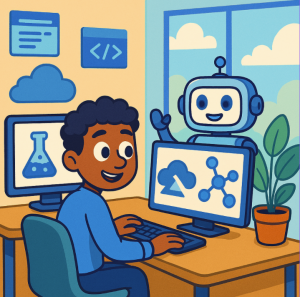
In recent years, generative AI has moved rapidly from research labs to real-world applications. Microsoft’s offering in this space has evolved to meet demand: Azure AI Studio (also known under the broader banner Azure AI Foundry) is Microsoft’s integrated environment for creating, customizing, deploying, and managing AI models, agents, and applications.
This blog explores what Azure AI Studio is, why it matters, what features it offers, its advantages and constraints, and how you might leverage it in your own projects.
What Is It?
Azure AI Studio (now part of what Microsoft calls Azure AI Foundry) is:
- A cloud-based platform combining low-code/visual tools and code-first environments, aimed at accelerating development of AI/LLM (Large Language Model)-based applications.
- A way to access a large catalogue of pre-trained models (OpenAI, Microsoft, Meta, Mistral, etc.), plus tools for fine-tuning, customizing, evaluating and deploying these models.
- A unified workflow combining everything from experimentation (prototyping & prompt engineering) to deployment & monitoring, including collaboration features.
“Azure AI Foundry” is the newer way Microsoft refers to the full suite of capabilities; “AI Studio” tends to refer more to the interactive front-end, playgrounds, model catalog, prompt flow etc.
Key Features & Capabilities
Here are some of the standout features that make Azure AI Studio / Foundry interesting:
| Feature | What it Enables / Why It’s Useful |
|---|---|
| Model catalog | Over 1,600+ models from multiple providers (OpenAI, Microsoft, Meta, Mistral, etc.), including both large language models, “small”/open models, vision/multimodal models. Helps choose best model for your use case. |
| Prompt Flow / LLM Flows | Visual orchestration of prompt engineering: you can build flows (sequence or graph) of prompts, interconnect models, test behavior, debug, optimize. Good for complex conversational or generative systems. |
| Playground & Prototyping Tools | Quick tests, comparisons, prompt experiments; evaluating different models; prototyping with minimal setup. |
| Customisation / Fine-Tuning | Use your own data to adapt models, or use tools like retrieval-augmented generation (RAG) to ground models in external or enterprise data. |
| Deployment & Monitoring | Deploy as endpoints or APIs; monitor performance, safety, token usage; maintain version control; manage provisioning etc. |
| Security, Safety & Responsible AI | Features to guard against harmful outputs, set content filters, model evaluations, ensure data privacy, compliance. Microsoft emphasizes trust: “your data is always yours, not used to train Microsoft’s models.” |
| Collaboration & Team Features | Shared projects, versioning, joint work on prompt engineering and model evaluation; collaboration across roles. |
Benefits / Why Use It
Here are the advantages:
- Speed of development – having ready-to-use models, visual tools for prompt flows, and playgrounds means you can prototype fast.
- Lower barrier to entry – even if you’re not a deep ML researcher, you can experiment and build meaningful AI applications. Visual tools, prompt engineering, pre-built templates help.
- Flexibility & choice – so many models, ability to customize, mix components. You can adapt depending on needs: size, speed, accuracy, cost.
- Enterprise-grade features – security, compliance, monitoring, deployment scale, governance, trust tools. For companies, this is critical.
- Support for advanced scenarios – agents, copilot-style assistants, multimodal applications (voice, vision), integrating external data, etc.
Limitations & Things to Watch Out For
It’s not perfect; some challenges and trade-offs:
- Cost: Using large models, many API calls, custom training/fine-tuning can become expensive. Monitoring usage and cost optimization is necessary.
- Learning curve: While tools make things easier, building robust AI systems (especially ones that have safety, reliability, interpretability) still demands expertise. Prompt engineering, data preparation, grounding, etc., require skill.
- Vendor lock-in: The deeper you go into Azure’s ecosystem (AI Foundry, its security, data storage etc.), moving out can become harder. If you want portability across clouds or “bring your own infrastructure” later, plan accordingly.
- Model limitations: Even with many models available, issues like hallucinations, bias, sensitive content, reliability under unusual inputs remain. Always test thoroughly.
- Data privacy & regulatory compliance: Using sensitive data (customer data, proprietary content, personal data) demands strong governance. Even though Azure offers features, meeting local laws/requirements involves careful design.
- Complexities in scaling: Some workflows that are simple in prototype may get complex in production: monitoring, versioning, latency, integration with other systems, maintaining models over time, etc.
Real-World Use Cases & Examples
Here are some examples where Azure AI Studio / Foundry is already being used:
- Copilot / Assistants: Companies are building custom copilots to assist employees or customers.
- Improving customer support: Automating or assisting in call centers, handling customer queries more efficiently, reducing response times.
- Internal tooling / operational efficiency: Tools that summarize meetings, analyze text/data, monitor operations, generate reports etc.
- Domain-specific assistants: e.g. in tax, legal, engineering domains, where customized models and prompt flows improve accuracy and usefulness.
Getting Started: How to Use It
If you want to try Azure AI Studio / Foundry, here’s a rough roadmap:
- Sign up & explore
Get an Azure account (or use existing). Explore the model catalog and playgrounds. Try some prompts / small experiments. - Define your use case
What do you want the AI to do? Are you building a chatbot, summariser, assistant, content generator, search-augmented tool, etc.? Consider your performance, cost, data privacy requirements. - Prototype
Use pre-built templates and the playground. Experiment with different models to see trade-offs (speed, cost, accuracy). Use RAG or fine-tuning if needed. - Add safety / quality checks
Build in content safety, filtering, guardrails. Use built-in evaluation tools. Test with real and edge-case inputs. - Deploy & monitor
Deploy as API endpoint or containerized service. Monitor usage, performance, feedback, cost. Be ready to iterate and improve. - Scale responsibly
As needs grow, consider version control, model updates, retraining, governance, compliance with regulations, data retention policies etc.
Why It’s Significant
Azure AI Studio / Foundry is part of a broader shift in AI:
- Moving from “AI research” to “AI in production” — platforms like this reduce friction.
- Democratizing AI — enabling non-experts (within reason) to build systems, prototype ideas, evaluate models without full ML stack from scratch.
- Supporting innovation in business — efficiencies, new products, features that were too hard to build before.
- Pushing responsible / trustworthy AI practices: safety, governance, monitoring are increasingly central.
Especially for companies in regulated sectors, or with high requirements on security or data privacy, platforms like Azure’s give tools to help meet those needs.
What’s New / Hot Trends
A few recent developments and trends in Azure’s AI lineup:
- The addition of GPT-4o (with multimodal capabilities, including voice / speech) into the model catalog.
- Support for “small models” / open models (for instance Microsoft’s Phi-3 family) giving more cost-efficient and flexible options.
- More tools around safety, reliability, evaluation, and guardrails (e.g. filtering harmful content, controlling bad outputs). Microsoft has emphasized “trust” as a foundation.
For Whom is This a Good Fit?
Who benefits most:
- Developers or teams who are building generative AI‐powered apps or agents (chatbots, copilots, assistants) and need tools to speed up development.
- Businesses where productivity, automation, customer engagement or internal tools could be enhanced by AI.
- Organizations with regulatory or privacy constraints who need enterprise-grade security, compliance, monitoring.
- Researchers or hobbyists wanting to experiment with advanced models and deploy prototypes.
Perhaps less suited (or requiring more caution) if you:
- Need ultra-low latency or extreme custom hardware (on-device/edge) not yet supported.
- Want to avoid being deeply tied to one cloud ecosystem.
- Are building applications where interpretability / transparency is legally mandated or especially critical (though Azure has tools, there may still be gaps).
Azure AI Studio / Azure AI Foundry represents a major step forward in making generative AI accessible, manageable, and trustworthy for real-world use. It strikes a balance between developer power (via code, fine-tuning, model choice) and ease of use (visual tools, templates, prompt flows), all wrapped in Microsoft’s enterprise security and compliance infrastructure.
If you’re considering diving into AI-powered tools, copilots, or generative applications, Azure AI Studio offers a strong platform — but like all such tools, success depends on thoughtful design, awareness of trade-offs, and responsible deployment.
Extra posts:
 Accelerating Enterprise AI Innovation with Azure AI Foundry
  Generative AI in Azure A Practical Guide to Getting Started
  Unlocking Innovation with Azure AI Foundry Agent Service
  Combining Generative AI and Business Logic with Copilot Studio
  How Microsoft Copilot Studio Fits Into the Power Platform Ecosystem
  Copilot Studio vs Azure AI Agents: What Should You Use?