
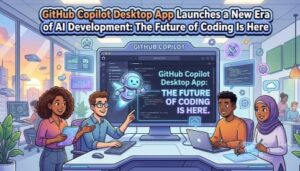
Artificial intelligence is changing the way software is created, and developers are entering a new chapter where coding is no longer just about writing lines of code. It is becoming a smarter, faster, and more collaborative experience.
GitHub continues to be one of the biggest platforms shaping modern software development, and the introduction of the GitHub Copilot Desktop App brings AI assistance closer to developers in a new way.
For years, developers have used GitHub Copilot inside popular development environments to generate code, complete functions, and improve productivity. Now, the GitHub Copilot Desktop App expands that experience beyond the traditional editor and creates a more connected AI-powered workflow.
The goal is simple: help developers think, build, and solve problems faster.
A New Way to Work With AI
Traditional coding often requires developers to jump between different tools. They may write code in an IDE, search for solutions online, review documentation, check repositories, and communicate with teammates through different platforms.
The GitHub Copilot Desktop App brings AI closer to the complete development experience.
Instead of only assisting while typing code, it focuses on helping developers throughout their daily workflow.
Developers can use AI support to:
- Understand projects faster
- Work with codebases more effectively
- Explore ideas
- Improve productivity
- Reduce repetitive tasks
- Get assistance during development
This represents a shift from AI as a simple coding helper to AI as a development partner.
What Is the GitHub Copilot Desktop App?
The GitHub Copilot Desktop App is designed to provide a dedicated AI-powered experience outside the traditional IDE environment.
While developers have already used GitHub Copilot through editors like Visual Studio Code, the desktop app aims to make AI assistance available at a broader level.
It gives developers a place where they can interact with Copilot, ask questions, explore development tasks, and work with their projects without being limited to a single coding window.
The idea is to make AI available wherever developers need it.
Key Benefits of the GitHub Copilot Desktop App
1. AI Assistance Beyond the Code Editor
One of the biggest differences with the desktop app is that developers are not limited to writing code inside an IDE.
Coding is only one part of software development.
Before writing code, developers need to:
- Understand requirements
- Analyze existing projects
- Plan solutions
- Research approaches
- Review previous work
The desktop app extends AI support into these areas.
This helps developers spend less time searching and more time building.
2. Faster Understanding of Large Projects
Modern applications can contain thousands or even millions of lines of code.
Understanding a new repository can take days or weeks.
AI-powered assistance can help developers quickly understand:
- Project structure
- File relationships
- Existing functionality
- Development patterns
This is especially valuable for teams working on large applications where every developer needs to understand complex systems.
3. Increased Developer Productivity
Developers often spend a large amount of time on repetitive tasks.
The GitHub Copilot Desktop App can help reduce time spent on:
- Finding information
- Writing explanations
- Creating documentation
- Solving common problems
- Reviewing code changes
By handling smaller tasks, AI gives developers more time to focus on creative and strategic work.
4. Better Collaboration Between Teams
Software development is built around teamwork.
Developers collaborate through repositories, discussions, issues, and pull requests.
AI can help improve communication by making technical information easier to understand.
Teams can benefit from:
- Faster project discussions
- Better documentation
- Easier knowledge sharing
- Improved understanding of code changes
This can make remote and distributed development teams more effective.
5. Helping New Developers Learn Faster
Learning programming can be challenging because developers need to understand languages, frameworks, tools, and best practices.
AI assistants can act as learning partners by explaining concepts and helping beginners explore real-world projects.
The GitHub Copilot Desktop App could make development more accessible by helping users understand technology instead of only providing answers.
GitHub Copilot Desktop App vs GitHub Copilot in Visual Studio Code
Many developers may ask an important question:
“Why use the GitHub Copilot Desktop App if GitHub Copilot already exists inside Visual Studio Code?”
The difference comes down to the scope of the experience.
GitHub Copilot Inside VS Code and Other IDEs
GitHub Copilot inside an IDE focuses mainly on coding tasks.
It helps developers while they are actively writing software.
Examples include:
- Code completion
- Function generation
- Writing repetitive code
- Creating test cases
- Explaining code
- Suggesting improvements
It works like an AI assistant sitting inside the developer’s editor.
When a developer types, Copilot helps predict and generate code.
GitHub Copilot Desktop App
The desktop app focuses on a broader developer workflow.
Instead of only helping inside the editor, it creates a dedicated AI environment.
It can help with:
- Discussing software ideas
- Understanding repositories
- Exploring solutions
- Planning development tasks
- Getting AI guidance outside the coding window
The desktop app is less about replacing the IDE and more about extending the AI experience.
Simple Difference:
GitHub Copilot in VS Code:
- Lives inside the code editor
- Helps write code
- Supports programming tasks
- Focuses on implementation
GitHub Copilot Desktop App:
- Provides a standalone AI workspace
- Helps with broader development activities
- Supports planning and understanding
- Focuses on the complete developer experience
Together, they create a stronger AI-powered workflow.
The Future of AI-Powered Development
The future of software development will not be about humans versus AI.
It will be about developers using AI to become more productive and creative.
AI tools like the GitHub Copilot Desktop App and IDE-based Copilot experiences show how software development is evolving.
Developers will increasingly use AI to:
- Build applications faster
- Learn new technologies
- Improve code quality
- Collaborate better
- Solve more complex problems
The role of developers is changing from simply writing code to designing solutions and guiding intelligent tools.

The GitHub Copilot Desktop App represents an important step in the evolution of AI-powered programming.
While GitHub Copilot inside IDEs transformed how developers write code, the desktop app expands the experience into a wider development workflow.
The next generation of software development will combine human creativity with AI-powered assistance.
The future developer may not work alone at a computer writing every line manually.
Instead, they will work alongside intelligent AI partners that help turn ideas into real software faster than ever before.
The AI era of development has arrived — and GitHub Copilot is helping define what comes next.
Extra posts:
 How GitHub Copilot Helps with Test-Driven Development (TDD)
  Boosting Productivity with GitHub Copilot Real-World .NET Coding Examples
  Turbocharge Your Coding Top GitHub Copilot Shortcuts and Productivity Tips for VS Code
  Building on the Future Machine Learning and Copilot The Next Frontier in Application Development
  GitHub Copilot for Python: Real-World Coding Scenarios & Practical Examples
  Anthropic Claude Opus 4.8 in Microsoft 365 Copilot – A New Era of AI-Powered Productivity