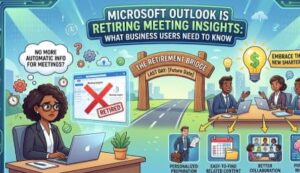
Microsoft is making another change to the way people prepare for meetings in Outlook. The company is retiring Meeting Insights, a feature that has helped users find relevant emails and files directly from meeting details.
The change is part of Microsoft’s broader move toward AI-powered productivity experiences through Microsoft 365 Copilot. Instead of simply surfacing related emails and documents, Microsoft wants users to rely on Copilot to provide a more intelligent view of the information surrounding an upcoming meeting.
For business users, the change may seem small at first. However, anyone who regularly opens a calendar invitation to find previous emails, documents, tasks or other information connected to a meeting will notice a difference.
According to Microsoft’s announcement, the retirement of Meeting Insights will begin in mid-August 2026 for users worldwide, as well as customers in GCC and GCC High environments. The rollout is expected to be completed by early September 2026.
The good news is that Microsoft isn’t simply removing meeting preparation capabilities altogether. Users with a Microsoft 365 Copilot license will have access to a replacement experience called “Prepare for this meeting.”
What Is Microsoft Meeting Insights?
Meeting Insights was designed to make meeting preparation easier by bringing potentially relevant information into the meeting details.
Rather than searching manually through an inbox or file storage, users could see related emails and files associated with a meeting. For busy professionals, this could save time when preparing for a customer discussion, internal project review, sales call or management meeting.
Imagine receiving a calendar invitation for a project meeting scheduled several weeks after the last discussion. Before joining the call, you might want to review the previous email conversation or locate a document that was discussed earlier.
Meeting Insights helped surface some of that information within the meeting experience.
Microsoft is now moving away from this model.
What Is Changing in Outlook?
Once the retirement takes effect, Meeting Insights will be removed from meeting event details.
That means users will no longer see the relevant emails and files that were previously surfaced through Meeting Insights.
The change applies across several Microsoft products and platforms, including:
- Outlook on the web
- New Outlook for Windows
- Outlook Mobile
- Outlook for Mac
- Microsoft Teams
- Microsoft 365 Copilot
For everyday business users, the most noticeable change will be inside meeting details. A familiar area that previously displayed related information will no longer be available.
This doesn’t mean the underlying emails or files are being deleted. Users can still access information they have permission to view through the usual Microsoft 365 applications and services.
The change is specifically about how Microsoft presents relevant meeting information.
Copilot Becomes the New Meeting Preparation Experience
Microsoft’s replacement is aimed at going beyond simply displaying a list of related files and emails.
Users with a Microsoft 365 Copilot license can use “Prepare for this meeting,” which is designed to summarize relevant context, documents, tasks and other information available to the user.
This represents an important shift in Microsoft’s approach.
Meeting Insights primarily helped users find information. Copilot is intended to help users understand information.
That distinction could be significant for business professionals who don’t have time to manually read through lengthy email threads or search multiple documents before a meeting.
Instead of opening several messages and files individually, Copilot can provide a summarized view of relevant context.
For example, someone preparing for a client meeting could potentially use the Copilot preparation experience to understand previous discussions, outstanding tasks and relevant documents before the meeting begins.
The objective is straightforward: reduce the amount of manual preparation required.
Who Will Be Affected?
The retirement affects several groups.
First, users who currently rely on Meeting Insights will see the feature disappear from meeting details.
Organizations that have enabled or relied on Meeting Insights should also expect users to notice the change during the rollout.
Microsoft 365 Copilot users, meanwhile, are being directed toward the new meeting preparation experience.
There is an important distinction here: the Copilot replacement requires a Microsoft 365 Copilot license.
This means organizations without Copilot licenses should not assume that every user will automatically receive an equivalent AI-powered replacement.
For businesses, that could be one of the most important practical considerations.
An organization may have employees who regularly used Meeting Insights but do not have access to Microsoft 365 Copilot. Those users will lose the Meeting Insights interface without necessarily receiving the full Copilot-based preparation experience.
The Change Is Coming Quickly
Microsoft says the retirement will begin in mid-August 2026, with completion expected by early September 2026.
That gives organizations a relatively short window to communicate the change.
For individual business users, there is no action required. Microsoft isn’t asking users to manually disable Meeting Insights or migrate their existing information.
However, organizations should consider updating internal guidance and help desk documentation if Meeting Insights is currently mentioned in training materials.
Employees who suddenly stop seeing the feature may otherwise assume something is broken.
A short internal announcement could prevent unnecessary support requests.
What Business Users Should Expect
From a user’s perspective, the biggest change is simple: the meeting details page will no longer automatically surface the emails and files that Meeting Insights provided.
Instead, Copilot-enabled users will have a more conversational and summarized preparation experience.
That could make meeting preparation more efficient, particularly for meetings involving large amounts of information.
Consider a typical business week. An employee might have dozens of meetings on their calendar, hundreds of emails in their inbox and multiple documents stored across Microsoft 365.
Finding the right information manually can take several minutes before every important meeting.
Microsoft’s strategy is clearly to make AI responsible for more of that information discovery and summarization.
For users already comfortable with Copilot, the transition may therefore feel like an upgrade rather than a loss.
For users who don’t have Copilot, however, the change could feel more like the removal of a useful convenience.
Permission Controls Still Matter
One reassuring detail for organizations is that Microsoft says meeting preparation content remains permission-trimmed based on the user’s access.
In other words, Copilot isn’t intended to provide users with information they aren’t already authorized to access.
That’s particularly important in business environments where meetings can involve confidential customer information, internal projects, financial data or sensitive documents.
The Copilot experience is designed around the information available to the individual user rather than providing unrestricted access to organizational content.
Businesses should still follow their normal Microsoft 365 governance and security practices, but the permission-trimmed design is an important part of the transition.
What Should Companies Do?
Microsoft says no action is required, but businesses can take a few straightforward steps.
The first is communication.
Organizations should tell employees that Meeting Insights is being retired and explain where they should look for meeting preparation information going forward.
Second, IT teams and help desks should update internal documentation that references Meeting Insights.
Third, companies with Microsoft 365 Copilot should consider providing users with basic guidance on using Prepare for this meeting.
This is particularly useful because the replacement isn’t simply a renamed version of Meeting Insights. It represents a different way of working with meeting information.
Employees who understand how to use Copilot effectively are more likely to benefit from the change.
A Sign of Microsoft’s Bigger Outlook Strategy
The retirement of Meeting Insights also fits into a much larger Microsoft 365 trend.
Microsoft has increasingly integrated Copilot into productivity applications, including Outlook and Teams. Rather than presenting users with increasingly sophisticated search and filtering tools, Microsoft is putting more emphasis on AI that can interpret information and produce useful summaries.
That makes the retirement more significant than the removal of a single Outlook feature.
It shows Microsoft’s direction for workplace productivity: less manual searching, more AI-assisted context.
For business users, that could ultimately mean spending less time preparing for meetings and more time participating in them.
But the success of that transition will depend heavily on Copilot availability, user adoption and how comfortable employees become with AI-powered workflows.
The Bottom Line for Outlook Users
Microsoft Outlook users who rely on Meeting Insights should expect the feature to disappear starting in mid-August 2026, with the rollout expected to finish by early September.
The relevant emails and files previously surfaced through Meeting Insights will no longer appear in meeting details.
For users with a Microsoft 365 Copilot license, Microsoft’s recommended alternative is Prepare for this meeting, which can summarize relevant context, tasks and documents available to the user.
There is no immediate action required.
Still, business users should be aware of the change so they aren’t caught off guard when the familiar Meeting Insights experience disappears.
For Microsoft, this is another step toward an AI-first Microsoft 365 experience. For employees, the practical question is whether Copilot can make meeting preparation faster and more useful than the feature it replaces.
For organizations already investing in Microsoft 365 Copilot, the transition could be relatively smooth. For everyone else, it may simply mean returning to traditional searches through Outlook, Teams and Microsoft 365 when preparing for a meeting.
Either way, one thing is clear: the way business users prepare for meetings in Outlook is changing.