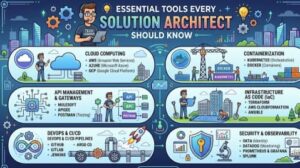
A great solution architect is rarely the person who knows every technology inside out. Instead, they are the person who knows how different technologies fit together, how to turn business requirements into practical technical solutions, and how to communicate those decisions clearly to both technical and non-technical stakeholders.
That is why having the right tools matters.
Solution architects work across requirements gathering, system design, cloud platforms, documentation, security, integration, data, collaboration, and project planning. The tools they use can make the difference between a solution that exists only in a document and one that can actually be built, maintained, and scaled.
With technology changing so quickly, it is impossible to create a single list of tools that every solution architect must use. However, there are several categories of tools that are extremely valuable for almost anyone working in solution architecture.
Here are the essential tools every solution architect should know.
1. Diagramming and Architecture Visualization Tools
Architecture can become complicated very quickly. A solution may include applications, APIs, databases, cloud services, third-party systems, users, networks, and security components.
Trying to explain all of that verbally is difficult. This is where diagramming tools become essential.
Tools such as Microsoft Visio, Lucidchart, Draw.io, and Miro help architects turn complex ideas into visual representations.
A good architecture diagram should answer questions such as:
- What are the major components?
- How do those components communicate?
- Where is data stored?
- Which systems are external?
- What happens when one component fails?
- Where are security boundaries?
- How does a request move through the system?
The tool itself is less important than the architect’s ability to create a diagram that people can understand.
A simple, well-designed diagram can often communicate more effectively than several pages of technical documentation.
2. Cloud Architecture Tools
Modern solution architects need a strong understanding of cloud platforms.
Whether the organization uses AWS, Microsoft Azure, Google Cloud, or a combination of providers, architects need to understand the services available and, more importantly, when those services should be used.
Cloud provider architecture tools can help with designing environments, estimating costs, reviewing configurations, and validating best practices.
For example, an architect may need to decide between virtual machines, containers, serverless services, managed databases, message queues, or event-driven services.
The important skill is not memorizing every cloud service. It is understanding the architectural trade-offs.
An architect should be able to ask:
Does this service solve the business problem efficiently, securely, and at an acceptable cost?
That question is much more valuable than simply knowing what a particular cloud product does.
3. Infrastructure as Code Tools
Solution architects increasingly need to understand how infrastructure is created and managed through code.
Tools such as Terraform, AWS CloudFormation, and Azure Bicep allow infrastructure configurations to be defined in a repeatable and version-controlled way.
This is important because modern architecture is not just about producing a diagram. The architecture should be capable of being implemented consistently.
Infrastructure as Code can help organizations:
- Standardize environments
- Reduce manual configuration
- Improve repeatability
- Track infrastructure changes
- Support automated deployments
- Reduce configuration drift
Even if the solution architect is not writing Infrastructure as Code every day, understanding how these tools work helps them design solutions that are easier for engineering and operations teams to implement.
4. API Design and Testing Tools
APIs are at the center of many modern architectures.
Applications rarely operate independently. They communicate with internal systems, external services, mobile applications, partner platforms, and cloud services.
Tools such as Postman and Swagger/OpenAPI are therefore extremely useful.
Postman can help teams test APIs, inspect requests and responses, and validate authentication and integration behavior.
OpenAPI, meanwhile, provides a structured way to describe APIs.
A solution architect should understand important API concepts such as:
- REST
- HTTP methods
- Authentication and authorization
- Versioning
- Rate limiting
- Error handling
- Idempotency
- API gateways
- Synchronous versus asynchronous communication
Good API design can have a significant impact on the flexibility and maintainability of an entire solution.
5. Documentation and Knowledge Management Tools
Architecture decisions need to be documented.
Without documentation, teams may forget why a particular technology was selected, how a system works, or what assumptions were made during design.
Tools such as Confluence, Notion, SharePoint, and Markdown-based documentation platforms can help architects maintain technical knowledge.
Useful architecture documentation may include:
- Architecture decision records
- System context diagrams
- Integration specifications
- Security considerations
- Data flow diagrams
- Non-functional requirements
- Deployment models
- Technology decisions
- Risks and assumptions
One particularly useful practice is maintaining Architecture Decision Records (ADRs).
An ADR captures what decision was made, why it was made, what alternatives were considered, and what consequences the decision has.
This prevents architecture from becoming a collection of unexplained technical choices.
6. Collaboration and Communication Tools
Solution architecture is a highly collaborative role.
Architects work with developers, product managers, business analysts, security teams, infrastructure engineers, data specialists, project managers, and executives.
Tools such as Microsoft Teams, Slack, Jira, Confluence, and Miro can support that collaboration.
However, collaboration is not simply about having more meetings or sending more messages.
The real value comes from using these tools to create transparency.
For example, an architecture workspace can contain:
- Current architecture diagrams
- Open technical questions
- Design decisions
- Risks
- Dependencies
- Action items
- Meeting outcomes
This gives everyone a shared understanding of where the solution stands.
7. Source Control and Developer Tools
A solution architect does not necessarily need to be a full-time developer, but understanding software development practices is extremely important.
Tools such as Git, GitHub, GitLab, and Bitbucket are widely used for source control and collaboration.
Architects should understand concepts such as branching, pull requests, code reviews, versioning, CI/CD pipelines, and repository management.
Why?
Because architecture decisions eventually become code.
If an architect designs a solution without understanding how development teams actually build, test, review, and deploy software, there is a risk of creating architecture that looks good on paper but is difficult to implement.
8. Database and Data Modeling Tools
Data is one of the most important parts of almost every enterprise solution.
Architects need to understand how data is created, stored, accessed, transformed, integrated, and protected.
Database tools and modeling platforms can help architects visualize entities, relationships, schemas, and data flows.
Depending on the project, this could involve relational databases such as PostgreSQL or SQL Server, NoSQL databases, data warehouses, data lakes, or distributed databases.
The tool is only one part of the equation. Architects should also understand fundamental concepts such as:
- Data consistency
- Transactions
- Indexing
- Replication
- Partitioning
- Backup and recovery
- Data lifecycle management
- Data governance
A strong solution architecture treats data as a core architectural concern rather than something that is added later.
9. Security and Threat Modeling Tools
Security should not be an afterthought.
Solution architects need to consider identity, access control, encryption, network security, secrets management, compliance, logging, monitoring, and threat scenarios from the beginning.
Tools such as Microsoft Threat Modeling Tool, OWASP resources, cloud security tools, and vulnerability scanning platforms can support this process.
Architects should be comfortable asking questions such as:
What happens if this component is compromised?
Who can access this data?
Where are credentials stored?
What information crosses a trust boundary?
How would we detect and respond to an attack?
Threat modeling is particularly useful because it encourages teams to think about security during design rather than after implementation.
10. Cost Estimation and FinOps Tools
A technically impressive architecture can still fail if it is financially unrealistic.
Cloud and technology costs should therefore be part of architecture discussions from the beginning.
Cloud providers offer pricing calculators and cost management tools that can help architects estimate infrastructure expenses.
Architects should consider:
- Compute costs
- Storage costs
- Data transfer
- Database costs
- Licensing
- Support
- Monitoring
- Backup
- Disaster recovery
- Expected growth
The cheapest solution is not always the best solution, and the most powerful solution is not necessarily the best either.
The goal is to find the right balance between cost, performance, reliability, security, scalability, and business value.
11. AI Tools for Solution Architects
AI is becoming another useful tool in the architect’s toolbox.
Generative AI can help architects brainstorm design alternatives, summarize technical documentation, explain unfamiliar technologies, generate initial diagrams or specifications, review requirements, and identify potential architectural concerns.
However, AI should be treated as an assistant rather than the final decision-maker.
Architecture involves context, organizational constraints, risk, cost, regulations, existing systems, and business priorities. Those are areas where human judgment remains critical.
A good approach is to use AI to accelerate research and thinking while validating important recommendations against official documentation, organizational standards, and real-world constraints.
12. The Most Important Tool: Architectural Thinking
There is one tool that matters more than all the others: your ability to think architecturally.
Knowing dozens of products does not automatically make someone a good solution architect.
The strongest architects can take a vague business problem and turn it into a clear technical direction.
They understand trade-offs.
They ask good questions.
They recognize risks early.
They communicate complexity without making it unnecessarily complicated.
They understand that there is rarely a perfect architecture. There is usually only the architecture that best fits the requirements and constraints at a particular point in time.
Tools support this process, but they do not replace it.

The modern solution architect needs a broad technical toolbox. Diagramming platforms, cloud tools, Infrastructure as Code, API tools, documentation platforms, collaboration software, source control, database tools, security tools, cost management platforms, and AI assistants can all make architecture work more effective.
But learning tools should never become the goal.
The real goal is learning how to solve problems.
A solution architect should be able to move from business requirements to architecture, from architecture to implementation, and from implementation to a solution that is secure, scalable, maintainable, observable, and financially sensible.
Start with the tools that support the kind of architecture work you are doing today. Then gradually expand your toolbox.
Technology will continue to change. New cloud services will appear. New AI tools will emerge. Development practices will evolve.
The architects who remain valuable will not necessarily be the ones who know every new tool first.
They will be the ones who know which tool to use, why to use it, and when not to use it.