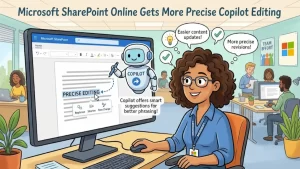
Microsoft has introduced a new Copilot capability in SharePoint Online that gives page authors more control over what the AI assistant edits.
The update, now generally available worldwide, allows SharePoint page authors with a Microsoft 365 Copilot license to select specific page canvas elements before sending a request to Copilot. Authors can target an entire section or an individual web part, giving Copilot a more precise editing context.
The feature is available across worldwide commercial and government environments, including GCC, GCC High and DoD. Microsoft says no administrative action is required to enable it.
What’s New in SharePoint Copilot
Previously, when an author asked Copilot to make changes to a SharePoint page without explicitly selecting a canvas element, Copilot would determine which area of the page was most appropriate based on the prompt.
The new selection capability adds another layer of control.
Authors can now select the specific content they want Copilot to work on before submitting their instruction. The selected elements are displayed as a selection indicator above the Copilot chat box, making the editing scope visible to the author.
That means a request such as revising the wording of a particular web part can be tied directly to that web part rather than relying entirely on Copilot to infer the intended target.
Microsoft describes the enhancement as a way to provide more precise context and improve the page-authoring experience.
How Targeted Editing Works
The workflow is designed to fit directly into the existing SharePoint page editing experience.
An author editing a SharePoint page with Copilot can select the relevant canvas element and then enter a prompt describing the desired change.
The selected content can include:
- Entire sections of a SharePoint page
- Individual web parts
- Specific canvas elements that require editing or refinement
Once selected, those elements become part of the context Copilot uses when processing the request.
This distinction matters because page-authoring prompts can otherwise require Copilot to interpret which part of a page the author means. With an explicit selection, the author can communicate that intent directly through the interface.
If nothing is selected, the existing behavior remains in place: Copilot determines the most appropriate part of the page to update based on the author’s prompt.
Why Context Matters for AI-Assisted Page Authoring
AI editing tools depend heavily on context. A short instruction can have very different meanings depending on which piece of content an author wants to change.
For example, an instruction to “make this more concise” could potentially apply to a heading, paragraph, image-related text, or an entire section. Selecting the target element gives Copilot an additional signal about what the author means.
The SharePoint update therefore focuses less on introducing a new type of AI-generated content and more on improving how users direct the AI that is already available within page authoring.
For organizations using SharePoint as an internal communications or collaboration platform, that distinction can be important. Page authors can continue using natural-language instructions while having a more explicit way to define the scope of those instructions.
What SharePoint Authors Will See
Microsoft says selected elements will appear as a selection indicator above the Copilot chat box.
That visual feedback helps authors understand which part of the page Copilot is being asked to work with before they submit their request.
The basic workflow is:
- Open a SharePoint page in editing mode.
- Select the section or web part that needs attention.
- Open or use Copilot within the page-authoring experience.
- Enter the requested change.
- Copilot uses the selected element or elements as context for the request.
The feature does not remove the existing prompt-based workflow. Instead, selection becomes an additional way to provide context when an author wants more control.
Who Gets the Feature?
The update is aimed specifically at SharePoint page authors with a Microsoft 365 Copilot license.
The affected services are:
- SharePoint Online
- Microsoft 365 Copilot
Microsoft lists the feature as generally available worldwide, including GCC, GCC High and DoD environments.
There is also no rollout action required from organizations according to Microsoft’s announcement.
What Administrators Need to Know
From an deployment perspective, this is a relatively straightforward update.
Microsoft states that no action is required. The company also identifies no specific compliance considerations for the feature, while recommending that organizations review it as appropriate for their own environments.
For organizations already using Copilot in SharePoint page authoring, the main change is therefore likely to be at the user-experience level rather than a new administrative configuration requirement.
The practical question for IT and Microsoft 365 teams is whether page authors understand that they can now explicitly select the content they want Copilot to modify.
A Small Interface Change With a Practical Use Case
The update illustrates an increasingly important aspect of enterprise AI: giving users more control over context.
Generative AI can produce useful results from broad instructions, but enterprise content often has structure and boundaries that matter. A SharePoint page may contain multiple sections, web parts and types of information, all of which can require different treatment.
Being able to identify the intended target before submitting an AI request reduces the amount of interpretation required from the assistant.
For content teams, that could make routine tasks such as refining copy, revising sections or adjusting individual web parts more straightforward.
It also preserves flexibility. Authors who do not select an element can continue to rely on Copilot to determine the appropriate area from the wording of their prompt.
What Comes Next for SharePoint Page Authoring
The broader direction of the update is toward more interactive AI-assisted editing inside Microsoft 365.
Rather than treating Copilot as a separate chat interface that generates suggestions independently of the page, this capability connects the AI more closely to the structure of the content being edited.
The ability to select a section or web part gives authors a simple way to establish context before asking for a change. That model could be particularly useful as AI-assisted authoring becomes more deeply integrated into workplace content-management tools.
For now, the immediate change is focused and specific: SharePoint Online page authors can select the content they want Copilot to edit, making targeted requests easier to direct.
Microsoft says the capability is already generally available, so eligible authors can use the updated workflow without waiting for an additional rollout or administrator action.