
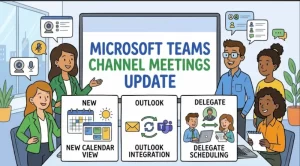
Microsoft is preparing to make channel meetings easier to schedule, discover, and manage in Microsoft Teams, with a series of updates beginning in November 2026. The enhancements will give users more ways to create channel meetings, including through the Teams calendar and classic Outlook for Windows, while making it easier for channel members to find relevant discussions.
The update also introduces delegate scheduling capabilities, allowing administrative assistants and other authorized delegates to arrange channel meetings on behalf of others. Microsoft says no administrator action is required, although organizations may want to inform employees and meeting organizers before the changes arrive.
The rollout will begin with Public Preview in November 2026, followed by general availability across worldwide and government cloud environments through September 2027.
What Is Changing in Microsoft Teams Channel Meetings?
Channel meetings help bring conversations, participants, and meeting activities into the context of a particular team or channel. Microsoft’s latest update focuses on making these meetings easier to organize and find without requiring users to rely on a single scheduling workflow.
The enhancements center on three areas: calendar-based scheduling, improved meeting discovery, and delegate support.
1. Schedule Channel Meetings Directly From the Teams Calendar
Users will be able to create channel meetings directly from the Microsoft Teams calendar. This gives meeting organizers another way to arrange discussions while keeping them associated with the relevant team and channel.
For employees who manage multiple meetings throughout the week, having channel meeting creation available from the calendar could make scheduling more straightforward. Rather than treating channel meetings as a separate process, users will have another entry point within their existing meeting workflow.
The practical benefit is greater flexibility. Teams that organize recurring discussions, project reviews, or department meetings around specific channels may find it easier to connect scheduling with the conversations those meetings support.
2. Create and Manage Channel Meetings in Classic Outlook for Windows
The update will also extend channel meeting creation and management to classic Outlook for Windows.
This matters for organizations where Outlook remains a central tool for calendar management. Employees who spend much of their working day in Outlook will have another way to organize channel meetings without relying exclusively on the Teams interface.
The announcement specifically identifies classic Outlook for Windows, so organizations should avoid assuming that the same functionality will arrive simultaneously in every Outlook version or on every platform.
For IT teams planning internal communications, this distinction is worth highlighting. Users should understand which applications are covered by the announced changes rather than expecting identical functionality across all Microsoft 365 clients.
3. Make Channel Meetings Easier to Discover
Microsoft is also improving how channel members discover meetings associated with their channels.
Meeting discovery is an important part of collaboration, particularly in teams where several projects and conversations run simultaneously. Even when a meeting is scheduled correctly, its value can be limited if relevant colleagues struggle to find it or are unaware that it is taking place.
By making channel meetings easier to discover, Microsoft aims to help members stay informed about upcoming discussions and identify opportunities to participate.
Potential benefits include:
- Better visibility into meetings connected to a particular channel.
- Easier awareness of upcoming team discussions.
- Improved coordination among colleagues working on shared projects.
- Fewer missed opportunities to contribute to relevant conversations.
The precise interface changes and discovery mechanics have not been detailed in the supplied announcement. Organizations should therefore treat these as intended usability benefits rather than guarantees of a specific productivity improvement.
4. Enable Delegate Scheduling for Channel Meetings
Another important addition is the ability for administrative assistants and delegates to schedule channel meetings on behalf of others.
Delegate scheduling is particularly relevant to executives, department heads, and managers who depend on administrative support to coordinate busy calendars. Keeping a meeting connected to the appropriate team and channel can help preserve the context needed by its participants.
For organizations with established delegation arrangements, the feature could simplify the process of coordinating meetings across teams and schedules.
However, organizations should not assume that the update changes every aspect of delegate permissions or access. The announcement confirms the new scheduling capability but does not provide detailed information about permission requirements, configuration options, or any additional restrictions.
Microsoft Teams Channel Meetings Rollout Timeline
Microsoft plans a phased deployment across commercial and government cloud environments. The dates differ by environment, so availability will not necessarily begin or finish at the same time for every organization.
| Environment | Rollout begins | Expected completion |
|---|---|---|
| Worldwide Public Preview | Early November 2026 | Late November 2026 |
| Worldwide General Availability | Mid-December 2026 | Late January 2027 |
| GCC General Availability | Mid-December 2026 | Late July 2027 |
| GCC High General Availability | Mid-December 2026 | Late August 2027 |
| DoD General Availability | Mid-December 2026 | Late September 2027 |
The Worldwide Public Preview is expected to be the first opportunity for eligible organizations to access the enhanced experience, beginning in early November 2026.
For the worldwide production rollout, Microsoft expects general availability to begin in mid-December 2026 and finish by late January 2027. Government environments will follow longer deployment windows, with the DoD rollout expected to complete by late September 2027.
These are planned rollout windows rather than guarantees that every user will receive the features on the same day. Organizations should monitor Microsoft’s official Microsoft 365 message center for deployment updates and any changes to the schedule.
What the Update Means for Businesses and IT Teams
The main organizational impact is additional flexibility in how channel meetings are created, managed, and discovered. By supporting scheduling through both Teams and classic Outlook for Windows, Microsoft is addressing different working preferences within the same collaboration environment.
For employees, the changes may make it easier to arrange meetings around the teams and channels where their work takes place. Improved discovery may also help members remain aware of upcoming discussions relevant to their responsibilities.
For administrative assistants and delegates, the new capability offers another way to coordinate meetings on behalf of colleagues while retaining the connection to the appropriate team and channel.
IT administrators should pay particular attention to three practical considerations.
User awareness: Employees may not immediately notice the new scheduling options when they become available. A short internal announcement or knowledge-base update can help users understand where to find the new functionality.
Meeting organizer readiness: Frequent meeting organizers, administrative assistants, and delegates are good candidates for targeted communications. They are likely to benefit most directly from understanding the new workflows.
Rollout monitoring: Organizations operating in different Microsoft cloud environments should follow the schedule that applies to their environment. The general availability window for commercial worldwide tenants is substantially shorter than the deployment windows announced for GCC, GCC High, and DoD.
Is Administrator Action Required?
No administrator action is required for the announced update, according to the supplied Microsoft information.
Organizations do not need to plan a mandatory administrative configuration change solely to accommodate these enhancements. Nevertheless, a lack of required configuration does not mean preparation has no value.
IT teams can take several low-effort steps ahead of deployment:
- Inform employees that channel meeting scheduling options will expand.
- Notify administrative assistants and delegates about the new scheduling capability.
- Update internal guidance for creating and managing channel meetings where necessary.
- Monitor rollout communications to understand when the changes reach the organization’s environment.
- Review the available experience after deployment and share practical guidance with users.
These steps are recommendations for change management, not mandatory actions imposed by Microsoft.
Compliance and Security Considerations
The supplied announcement identifies no compliance considerations for this update.
That is useful for organizations assessing the operational impact of routine Microsoft 365 changes, but it should not be interpreted as a universal certification that every possible organizational configuration has been assessed.
Businesses with specific regulatory, governance, or internal meeting-management requirements can review the changes against their own policies as appropriate. They should also consult official Microsoft documentation if further information about permissions, data handling, or configuration becomes available.
At this stage, the primary focus of the announcement is meeting usability and scheduling flexibility rather than a change to an organization’s compliance framework.
What Organizations Should Watch Next
The first milestone is the Public Preview planned for early November 2026. Eligible organizations will have an opportunity to assess the updated experience as it becomes available, before the planned worldwide general availability rollout begins in mid-December.
The most useful questions for early evaluation will be practical ones: Can meeting organizers find the new scheduling options easily? Does the experience work as expected in classic Outlook for Windows? Can delegates arrange channel meetings within their established workflows? And are channel members better able to identify relevant upcoming meetings?
Answers to these questions will help organizations determine whether existing user guidance needs updating and whether any additional training would be beneficial.
The longer-term significance will depend on how well the new options fit into everyday working habits. Providing more ways to schedule meetings can reduce friction, but the benefits will be most apparent when employees understand how to use the features and when meetings remain clearly associated with the teams that need them.
For now, organizations can prepare without a major deployment project. With no required administrator action and a phased rollout extending into September 2027 for the DoD environment, the priority is to track availability, communicate the changes to relevant users, and evaluate the updated workflows as they arrive.
Extra posts:
 Microsoft Teams Is Getting a Smarter Meeting Assistant: Facilitator Can Now Join Channel Meetings
  Microsoft Teams Mobile Calendar to Require Latest App Update by October 2026: Microsoft Announces Critical Change for iOS and Android Users
  Microsoft Teams Is Getting a Smarter Way to Manage Channel Notifications
  Microsoft Teams Mobile Gets a Fresh Look: New Chat and Channel Dashboard Makes Navigation Easier
  Microsoft Outlook Is Getting a Duplicate Event Feature to Simplify Scheduling
  Microsoft Teams and Google Calendar Sync Is Retiring: What Businesses Need to Know Before October 2026