Skip to content

Using Copilot Studio with Dataverse: A Developer’s Guide

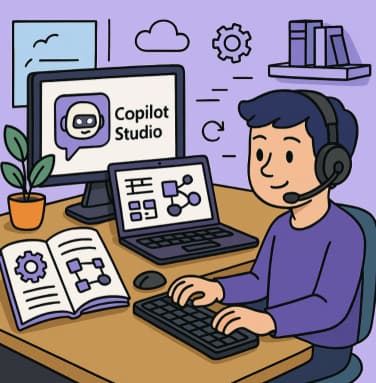
In today’s enterprise world, harnessing artificial intelligence to drive insights and respond to user questions is no longer optional — it’s essential. With Copilot Studio and Microsoft Dataverse, developers and makers can build intelligent agents… 

Understanding AI Prompts Writing Better Requests for Copilot

Artificial Intelligence (AI) has become a powerful ally for developers and content creators alike. Tools like GitHub Copilot and ChatGPT are revolutionizing how we write code, create documentation, and automate everyday tasks. Yet, one critical… 

Best Learning Paths to Master Copilot Skills

In today’s AI-enabled world, mastering tools like Microsoft 365 Copilot and GitHub Copilot opens up new productivity and creativity horizons. But simply “playing around” isn’t enough — you’ll benefit most from following a structured learning… 

Smarter Note-Taking and Better Organization with Microsoft OneNote and Copilot

In today’s fast-paced digital world, the amount of information we manage daily can be overwhelming. Microsoft’s OneNote, when paired with Copilot, takes note-taking and organization to a whole new level. This powerful combination helps users… 

How to Register and Prepare for the GitHub Copilot Exam Step-by-Step Guide

If you’re planning to validate your AI-assisted coding skills, the GitHub Copilot Certification Exam is a great way to prove your expertise. This guide walks you through everything — from registration to preparation — so… 

Writing Cleaner Code with GitHub Copilot Suggestions

In today’s fast-moving software development world, maintaining readable, maintainable, and reliable code is more crucial than ever. Tools like GitHub Copilot offer developers a new way to assist in that journey—by suggesting code, refactorings, tests,… 

Bypassing the ‘No-Go’ Using OneDrive’s Copilot for Encrypted & External Document Analysis

In today’s fast-moving enterprise environment, being able to surface insights from documents quickly is a competitive advantage. Tools like Copilot in OneDrive (part of the Microsoft 365 Copilot ecosystem) are designed to make that possible.… 

Unlocking Productivity A Deep Dive into Notepad and Copilot in Windows 11

In the ever-evolving world of desktop computing, even small apps like text editors are getting major upgrades. With its recent refreshes, Notepad in Windows 11 is no longer just a blank-page, “write-and-save” tool. Meanwhile, Copilot… 

Unlocking Smarter Search How to Use Azure AI Search & Azure OpenAI Service Together

In the era of large language models and AI-powered experiences, simply running a keyword search isn’t enough. Users expect conversational, context-aware responses, grounded in real data. That’s where combining Azure’s search infrastructure with generative AI… 

Microsoft 365 Copilot & Agents Fundamentals

Artificial intelligence is transforming the way we work, and Microsoft has taken a significant step forward with Microsoft 365 Copilot—a suite of AI-powered tools designed to boost productivity, creativity, and efficiency across your organization. But… 

Explore the Core Components of Microsoft 365 Copilot

Microsoft 365 Copilot represents a new era of productivity, blending the power of artificial intelligence with the familiar tools people use every day—Word, Excel, PowerPoint, Outlook, and Teams. But what lies beneath the surface of… 

What Is the GitHub Copilot Certification and Why It Matters for Developers

In the ever-evolving world of software development, AI-powered tools are taking centre stage. Among them, GitHub Copilot has become a significant player. But what exactly is the GitHub Copilot Certification, and why should developers care?…