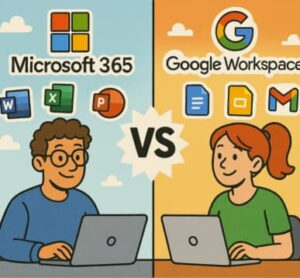
In 2025, choosing the right productivity suite has become a major decision for businesses, creators, educators, and remote-first teams. With hybrid work now the norm and AI woven into everyday processes, both Microsoft 365 and Google Workspace have evolved into powerful, modern ecosystems. But despite offering similar core tools, they differ significantly in how they approach productivity, collaboration, security, and AI.
If you’re trying to decide which platform fits your team, this guide breaks down the most important differences between Microsoft 365 and Google Workspace in 2025.
1. How Both Platforms Evolved by 2025
The past few years introduced the biggest shift in productivity software since the early 2000s. Both Microsoft and Google fully embraced AI, making it central to their applications.
- Microsoft pushed Copilot deeper into Word, Excel, Outlook, Teams, and Windows itself.
- Google integrated Gemini across Gmail, Docs, Sheets, Slides, and Meet.
Both suites also updated pricing, security models, and cloud capabilities. With AI-powered writing, data analysis, meeting summaries, and automated workflows becoming everyday features, the question is no longer “Do we need AI?” but “Which platform uses AI better for our needs?”
2. Core Productivity Tools & Collaboration
Microsoft 365 is still the gold standard for feature-rich desktop apps. Word, Excel, and PowerPoint remain unmatched in depth, especially for advanced users. Teams serves as a powerful all-in-one communication hub integrating chat, calls, meetings, and collaboration.
Google Workspace, on the other hand, sticks to its cloud-native strength. Google Docs, Sheets, and Slides are designed for fast, real-time collaboration in a browser. You don’t install anything, updates are automatic, and sharing is incredibly simple.
Who wins this category?
It depends:
- If your users rely on advanced spreadsheet models, long-form documents, or offline work → Microsoft wins.
- If your team collaborates live in documents constantly or works in a fully cloud-based environment → Google wins.
3. Storage, Files, and Offline Access
Microsoft 365 typically offers more generous baseline cloud storage — often 1TB per user — through OneDrive. Desktop sync is fast and offline access is reliable, making it a great choice for teams dealing with large files or limited internet connectivity. File versioning and integration with Windows File Explorer are also strong advantages.
Google Workspace storage is tiered depending on your subscription level, and while it can scale very high, entry-level plans offer less than Microsoft. Google Drive excels in ease of search, simplicity, and quick sharing, but offline mode (while improving) isn’t as seamless as Microsoft’s desktop-first approach.
Which is better?
- For robust storage and offline reliability → Microsoft 365
- For clean, simple, cloud-only file access → Google Workspace
4. AI & Automation: Copilot vs Gemini
AI has become the center of productivity in 2025. Here’s how each platform approaches it:
Microsoft Copilot
- Embedded deeply in Word, Excel, and PowerPoint
- Can analyze complex spreadsheets and create data visualizations
- Automates email management in Outlook
- Works across Teams to summarize meetings, generate insights, and automate tasks
- Integrated into Windows for system-level assistance
Google Gemini
- Offers strong AI writing assistance and document suggestions
- Helps with email summaries, replies, and workflow automation
- Integrates across Docs, Sheets, and Slides
- Strong in real-time collaboration support
Key difference:
Copilot tends to excel in handling complex business workflows and data-heavy tasks. Gemini excels in lightweight collaboration, creativity, and web-based tasks.
5. Security, Compliance, and Identity
Both platforms offer strong security, but their focus differs.
Microsoft 365 Security
- Known for enterprise-grade protection
- Highly customizable policies
- Advanced threat protection, detailed access controls
- Great fit for industries like finance, healthcare, and government
Google Workspace Security
- Extremely secure by default with simplified management
- Great for small to medium-sized teams or organizations without large IT departments
- Easy-to-use admin console and automated protections
Choosing based on security:
- Highly regulated industries → Microsoft 365
- Lean teams needing strong security without complexity → Google Workspace
6. Pricing and Plan Differences in 2025
Both Microsoft and Google updated pricing in recent years, especially around AI features.
General trends:
- Base plans remain similarly priced.
- Microsoft often includes more powerful desktop apps at comparable price points.
- Google sometimes bundles AI across more plans, while Microsoft reserves advanced AI for higher tiers.
- Storage tends to be more generous in Microsoft’s plans.
Cost depends less on monthly fees and more on:
- Whether you need desktop apps
- AI usage
- Storage requirements
- Compliance and security needs
Teams wanting AI-rich workflows may find Microsoft’s higher-tier plans more cost-effective long-term. Fully cloud-based teams may find Google Workspace’s simplicity worth the trade-offs.
7. Admin Management, IT Support, and Migration
This is where the two platforms differ greatly in user experience.
Google Workspace
- Simpler admin console
- Fewer settings to manage
- Easier for small teams or organizations with no dedicated IT staff
Microsoft 365
- Extremely customizable but more complex
- Integrates deeply with Windows, Azure, SharePoint, and enterprise systems
- Better for organizations with structured IT departments
Migration considerations:
Switching between platforms is never seamless. Email histories, calendars, permissions, and shared drives require careful planning. Adoption also matters — some users prefer desktop apps, while others prefer browser-based tools.
8. Which Platform Works Best for Different Use Cases?
Choose Microsoft 365 if:
- You need advanced Excel, Word, or PowerPoint features
- Offline access is important
- You rely heavily on Windows or Azure
- You need powerful enterprise-level AI workflows
- Your industry requires strong compliance management
Choose Google Workspace if:
- Your team collaborates in real time
- You want simple, lightweight cloud tools
- You prefer browser-based access over software installs
- You have distributed teams or contractors
- You want easy administration with minimal overhead
9. Risks and Factors to Keep in Mind
Before making a final decision, consider:
- Vendor lock-in — moving platforms later is time-consuming and costly.
- AI governance — decide how you’ll handle data privacy and AI-generated content.
- Hidden costs — AI, storage, and advanced security can increase pricing.
- User adoption — choose a platform your team will actually enjoy using.
10. Final Verdict: Microsoft 365 or Google Workspace?
In 2025, the answer isn’t one-size-fits-all.
- Microsoft 365 is the powerhouse: deep features, strong desktop tools, enterprise security, and advanced AI.
- Google Workspace is the collaboration hero: easy to use, cloud-first, and ideal for teams who prioritize simplicity and speed.
Your ideal choice depends on workflow style, team size, and long-term strategy. If productivity comes from real-time collaboration, Google Workspace excels. If power, structure, and AI depth matter more, Microsoft 365 is the stronger option.
Extra posts:
 Preparing Employees for Moving from Google Workspace to Microsoft 365
  Comparing Microsoft 365 Apps for Windows, Mac, and Web: Which One Is Right for You?
  Bi-Directional Sync Between Google Workspace and Microsoft Teams A Game-Changer for Business Collaboration
  Microsoft 365 Just Got Smarter July 2025 Productivity Updates You Shouldn’t Miss
  Mastering Keyboard Shortcuts Across the Microsoft 365 Suite
  SharePoint vs Loop vs Other Microsoft 365 Productivity Tools When to Use Each