

In today’s fast-paced development environment, Agile teams are constantly under pressure to deliver faster without compromising quality. Sprint deadlines are tighter, collaboration is more complex, and the demand for innovation never slows down. Amid all this, one question keeps surfacing: how can teams work smarter, not harder?
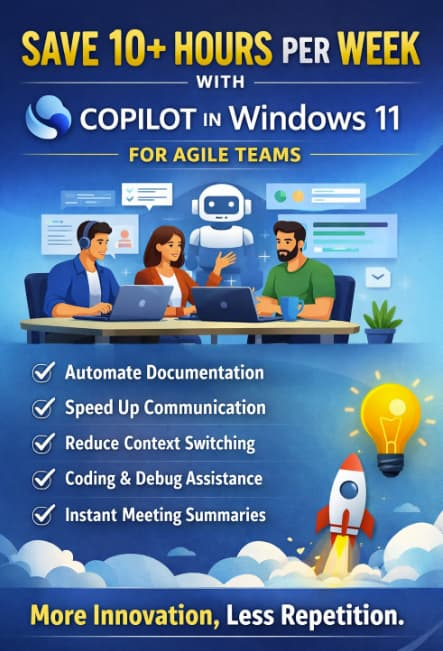
The answer is increasingly pointing toward AI-powered productivity tools specifically, Copilot in Windows 11. When used effectively, Copilot isn’t just a convenience feature; it becomes a powerful teammate that can realistically save Agile teams 10 or more hours every single week.
Let’s break down how that happens in real-world Agile workflows.
The Hidden Time Drains in Agile Teams
Before diving into solutions, it’s important to understand where time is actually being lost. Agile teams often assume their inefficiencies lie in development speed, but that’s rarely the full picture.
Common time drains include:
- Writing repetitive documentation
- Searching for information across tools
- Context switching between apps
- Drafting emails, updates, and reports
- Manual testing and debugging assistance
- Meeting preparation and summaries
Individually, these tasks seem small. Collectively, they consume hours every week.
This is where Copilot steps in.
What Is Copilot in Windows 11?
Copilot in Windows 11 acts as an AI assistant embedded directly into the operating system. It helps users perform tasks faster by generating content, summarizing information, automating workflows, and assisting with problem-solving all without needing to switch between multiple tools.
For Agile teams, this means fewer interruptions and smoother workflows.
1. Automating Documentation (Save 3–4 Hours/Week)
Documentation is essential in Agile but let’s be honest, it’s also time-consuming.
Copilot can:
- Generate user stories from bullet points
- Convert meeting notes into structured documentation
- Create sprint summaries automatically
- Draft technical documentation from code snippets
Instead of spending hours writing and formatting, team members can simply prompt Copilot and refine the output.
Impact:
What used to take 30–60 minutes per document can now take 5–10 minutes.
2. Faster Communication and Updates (Save 2–3 Hours/Week)
Agile teams thrive on communication—daily standups, sprint reviews, stakeholder updates. But crafting messages takes time.
Copilot helps by:
- Drafting emails and Slack messages
- Summarizing long threads into key points
- Rewriting messages for clarity and tone
- Generating status updates instantly
For example, instead of manually writing a sprint update, you can prompt:
“Summarize today’s progress based on these notes.”
Impact:
Minutes saved per message quickly add up to hours across the week.
3. Reducing Context Switching (Save 1–2 Hours/Week)
Switching between tools Jira, GitHub, documentation platforms, chat apps—kills productivity.
Copilot reduces this by:
- Bringing answers directly into your workflow
- Explaining code without leaving your editor
- Fetching relevant information quickly
Instead of opening five tabs to find an answer, you ask Copilot once.
Impact:
Less mental fatigue, faster decisions, and smoother focus.
4. Accelerating Development and Debugging (Save 2–3 Hours/Week)
Developers spend a surprising amount of time:
- Debugging issues
- Understanding legacy code
- Writing boilerplate code
Copilot can:
- Suggest code snippets
- Explain complex functions
- Help troubleshoot errors
- Recommend optimizations
Rather than searching forums or documentation, developers get instant, contextual help.
Impact:
Faster coding cycles and reduced frustration.
5. Smarter Meeting Management (Save 1–2 Hours/Week)
Meetings are necessary but often inefficient.
Copilot can:
- Summarize meeting transcripts
- Highlight action items
- Generate follow-up tasks
- Prepare agendas in seconds
Imagine finishing a sprint review and instantly getting:
- A summary
- Key decisions
- Assigned tasks
No more manual note-taking.
Impact:
Meetings become more actionable and less time consuming.
6. Supporting Product Owners and Scrum Masters
Copilot isn’t just for developers it’s incredibly useful for Agile leaders.
Product Owners can:
- Generate backlog items
- Refine user stories
- Analyze feature requests
Scrum Masters can:
- Track team progress summaries
- Identify blockers quickly
- Prepare retrospectives
Impact:
Better planning with less manual effort.
Putting It All Together: The 10+ Hour Weekly Savings
Let’s break it down:
| Task Area | Time Saved |
|---|---|
| Documentation | 3–4 hours |
| Communication | 2–3 hours |
| Context Switching | 1–2 hours |
| Development Assistance | 2–3 hours |
| Meeting Management | 1–2 hours |
| Total | 10–14 hours/week |
That’s more than a full workday reclaimed every week.
Best Practices for Agile Teams Using Copilot
To maximize value, teams should adopt a few smart practices:
1. Train the Team on Prompting
Better prompts = better results. Encourage team members to be specific and clear.
2. Use Copilot as a First Draft Tool
Don’t expect perfection. Use it to generate a starting point, then refine.
3. Standardize Workflows
Integrate Copilot into:
- Sprint planning
- Daily standups
- Retrospectives
4. Maintain Human Oversight
AI accelerates work—but human judgment ensures quality.
The Bigger Picture: From Productivity to Innovation
Saving 10+ hours per week isn’t just about efficiency. It’s about what teams do with that time.
Agile teams can:
- Focus on innovation
- Improve product quality
- Experiment with new ideas
- Reduce burnout
Instead of being stuck in repetitive tasks, teams move toward meaningful work.
Copilot in Windows 11 is not just another productivity tool it’s a shift in how Agile teams operate. By automating repetitive tasks, enhancing communication, and accelerating development, it frees up valuable time that teams can reinvest into what truly matters.
In an Agile world where speed and adaptability define success, leveraging AI like Copilot is no longer optional it’s a competitive advantage.
Extra posts:
 10 Real-World Copilot Studio Use Cases That Save Teams Hundreds of Hours
  Save Hours Every Week with Power Automate Workflows in Microsoft 365
  Lesser-Known Microsoft 365 Features That Save Hours (Beyond Teams and Outlook)
  Executive Reporting Made Simple with Windows 11 Copilot
  Goodbye, Hours of Chart-Making: Hello, Copilot
  Real Use Cases: 5 Agentic AI Workflows That Actually Save Time