
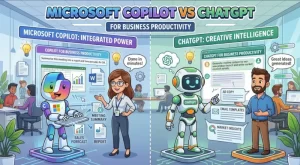
A solution architect rarely asks, “Which AI assistant is smarter?” The more useful question is: Which AI assistant fits the way our teams already work?
That distinction matters when comparing Microsoft Copilot and ChatGPT for business productivity. Both can summarize information, draft content, analyze data, write code, answer technical questions, and automate parts of knowledge work. But they approach the workplace from different directions.
Microsoft Copilot is tightly connected to the Microsoft 365 ecosystem, making Word, Excel, PowerPoint, Outlook, Teams, SharePoint, and related enterprise data central to the experience. ChatGPT takes a broader AI workspace approach, with business connectors, coding capabilities, research workflows, agents, and integrations that can span Microsoft and non-Microsoft systems.
For IT leaders, developers, and solution architects, the decision is therefore less about picking a universal “winner” and more about understanding where each platform creates the least friction and the most useful context.
Microsoft Copilot vs ChatGPT: What Is Actually Different?
At a high level, the two platforms overlap significantly. Both can perform general-purpose AI tasks, work with files, reason over information, and support increasingly agentic workflows.
The biggest difference is the center of gravity.
Microsoft Copilot is Microsoft-workflow-centric. Its value increases when employees spend much of their day inside Microsoft 365. Copilot can work within applications such as Word, Excel, PowerPoint, Outlook, and Teams, while Microsoft 365 Copilot can ground responses in organizational information through Microsoft Graph and Work IQ, subject to licensing and permissions.
ChatGPT is AI-workspace-centric. ChatGPT Business provides a centralized workspace with access to ChatGPT, ChatGPT Work, and Codex, alongside connections to services such as Microsoft 365, Slack, GitHub, and other applications.
That distinction becomes important once you move beyond simple prompts.
1. Enterprise Data and Context
For an enterprise deployment, context is often more important than the underlying chatbot interface.
Consider a typical request:
“Summarize the decisions made about the Q4 migration project and identify the unresolved risks.”
If the relevant information lives across Outlook, Teams, SharePoint, calendars, and documents, the quality of the answer depends heavily on whether the AI can access those sources with the correct permissions.
Microsoft has built Microsoft 365 Copilot around this scenario. Its enterprise grounding can use Microsoft Graph and Work IQ, with access constrained by the user’s existing permissions. Microsoft describes Work IQ as a workplace intelligence layer that can reason across Microsoft 365 data and connected systems.
That makes Copilot particularly relevant for organizations whose operational knowledge already lives predominantly in Microsoft 365.
ChatGPT takes a different route. ChatGPT Business can connect to services including Microsoft 365, Slack, GitHub, and other business applications. Connected applications can provide additional context to conversations, research, and agent workflows.
This can be useful in heterogeneous environments where the company’s knowledge isn’t concentrated in one productivity suite.
Architecture question to ask: Where does your company’s authoritative business context actually live?
If the answer is “mostly Microsoft 365,” Copilot’s native positioning deserves close attention. If the answer is “Microsoft 365 plus GitHub, Slack, SaaS platforms, internal tools, and multiple knowledge systems,” ChatGPT’s connector and app model may be more relevant.
2. Productivity Inside Microsoft 365
This is where Microsoft Copilot has a particularly direct workflow story.
Instead of opening a separate AI application, an employee can work with AI in the same applications they already use.
Examples include:
- Drafting or rewriting content in Word
- Analyzing information in Excel
- Creating or restructuring presentations in PowerPoint
- Summarizing and working with email in Outlook
- Supporting collaboration and meeting workflows in Teams
- Reasoning over organizational content through Microsoft 365’s data layer
For an organization standardized on Microsoft 365, this can reduce the behavioral change required for adoption.
The distinction is subtle but important. An AI assistant that requires employees to constantly copy information into another application introduces friction. An assistant embedded into the application where the work is already happening can fit more naturally into existing processes.
ChatGPT can still work with Microsoft applications through connected apps and integrations, including Microsoft Outlook, Teams, SharePoint, and other services. However, the architecture and user experience are different: ChatGPT acts as the AI workspace that connects to those systems rather than simply being another capability embedded throughout the Microsoft 365 application suite.
3. Software Development and Technical Work
For software developers, the comparison changes.
A developer might use AI for:
- Understanding an unfamiliar codebase
- Generating or refactoring code
- Debugging an error
- Writing tests
- Reviewing technical designs
- Creating documentation
- Researching an unfamiliar API
- Automating repetitive engineering tasks
ChatGPT has a particularly broad developer-oriented workflow through Codex and its business workspace capabilities. Developers can use AI for coding tasks while also combining coding with research, documentation, connected business information, and other workflows.
Microsoft is also expanding Copilot beyond traditional productivity applications. Microsoft 365 Copilot can be extended with agents, connectors, APIs, and Work IQ capabilities. Developers can build applications and agents that reason over Microsoft 365 information while preserving organizational permissions and governance controls.
The architectural question is therefore not simply “Can both write code?”
They can.
The more useful question is:
Where does the developer need the AI to operate?
If engineering work is deeply integrated with Microsoft identity, Teams, SharePoint, Microsoft Graph, and other Microsoft services, Copilot’s extensibility model may fit naturally.
If developers want a broader AI development environment that combines coding, research, files, external applications, and multiple business systems, ChatGPT can provide a wider workspace around the development task.
4. Security, Permissions, and Governance
This is one area where technical buyers should avoid relying on marketing shorthand.
Enterprise AI should not be evaluated only by asking whether a vendor says its product is “secure.” The architecture matters.
Microsoft 365 Copilot uses existing Microsoft identity and permission boundaries when accessing organizational data. Microsoft documentation states that Copilot’s grounding respects user access permissions, while Microsoft Graph and related governance controls provide the underlying security model.
ChatGPT Business also provides centralized administration, workspace controls, SSO/MFA capabilities, usage visibility, and business data protections. OpenAI states that business workspace data is not used to train its models by default.
For an architecture review, evaluate at least these questions:
- Identity: How does the AI authenticate users?
- Authorization: Does it respect existing access controls?
- Data residency: Where does organizational information flow?
- Logging: Can administrators monitor AI usage?
- Data retention: How are prompts, outputs, and connected data handled?
- Actions: Can an AI agent modify systems, or is it read-only?
- Governance: Can administrators restrict applications, connectors, agents, and actions?
These questions matter more than a feature checklist.
5. Pricing and Total Cost of Ownership
Pricing should also be evaluated in context.
As of October 2026, Microsoft lists Microsoft 365 Copilot Business at $18 per user/month when paid annually, with a listed monthly price of $25.20 per user/month. Microsoft’s packaging and eligibility can vary depending on the Microsoft 365 subscription involved.
ChatGPT Business currently lists Standard seats at $20 per user/month when billed annually or $25 monthly. Premium seats are listed at $100 annually billed monthly equivalent or $125 monthly, providing higher usage capacity. ChatGPT Business requires a minimum of two paid seats.
These numbers shouldn’t be treated as a simple price-versus-price comparison.
The real calculation is:
License cost + existing software investment + integration effort + administration + training + usage + automation value.
For a Microsoft-centric company, Copilot may align with an existing Microsoft investment and identity infrastructure.
For a company already using multiple SaaS platforms and wanting a broader AI workspace, ChatGPT’s connectors, agents, and development capabilities may influence the total value calculation.
A Practical Decision Framework for IT Teams
Instead of asking employees to vote on their favorite AI assistant, run a controlled workflow evaluation.
Choose five real tasks:
Task 1: Executive communication
Take a collection of emails and project notes and produce a concise executive update.
Task 2: Data analysis
Give the system a realistic spreadsheet or operational dataset and ask it to identify trends, anomalies, and follow-up questions.
Task 3: Technical research
Ask it to investigate an unfamiliar technology and produce an architecture recommendation with assumptions and risks.
Task 4: Software engineering
Give it a real but non-sensitive development task involving code analysis, testing, documentation, or refactoring.
Task 5: Enterprise knowledge retrieval
Ask a question whose answer is distributed across multiple internal sources.
Measure more than answer quality. Track:
- Time saved
- Number of manual steps
- Accuracy
- Citation/source quality
- Permission behavior
- Integration effort
- Administrative overhead
- User adoption
- Cost per completed workflow
That produces a much more useful technical evaluation than a generic “Which chatbot is better?” benchmark.
Microsoft Copilot or ChatGPT: How Should You Think About It?
The strongest distinction is architectural.
Microsoft Copilot is particularly relevant when Microsoft 365 is the center of the organization’s work environment and employees need AI directly connected to Microsoft productivity applications and enterprise context.
ChatGPT is particularly relevant when an organization wants a broader AI workspace spanning research, coding, agents, connected applications, and diverse sources of business information.
There is also no requirement that an enterprise treat this as an exclusive choice. Different teams may have different requirements. An organization could standardize Microsoft Copilot for Microsoft 365-centric productivity while using ChatGPT for selected development, research, or cross-platform workflows, provided its security, procurement, and governance policies support that model.
The Practical Next Step
Don’t start with a platform-wide rollout.
Start with a workflow-level proof of concept.
Pick three to five high-volume knowledge-work processes. Establish a baseline for how long those processes currently take. Run the same workflows through Microsoft Copilot and ChatGPT using representative, permission-appropriate data. Measure accuracy, time savings, integration complexity, user experience, governance requirements, and operating cost.
The result will tell you far more than a feature comparison.
For solution architects, that’s the important takeaway: the right enterprise AI platform is determined by where your data lives, how your teams work, which systems need to be connected, and what level of governance your organization requires.
The technology is only half the decision. The workflow architecture is the other half.
Extra posts:
 Copilot vs ChatGPT vs Custom Agents: What Should Companies Choose?
  Microsoft 365 Copilot Gets Smarter: GPT-5.5 Thinking and ChatGPT Images 2.0 Transform Workflows
  Stress-Free Travel How to Use Microsoft 365 and Copilot to Plan Your Vacation or Business Trip
  How to Use Microsoft Copilot to Supercharge Your Internet Business
  15 Microsoft 365 Copilot Cowork Use Cases for Business Leaders Unlocking Productivity with Microsoft 365 Copilot Notebooks