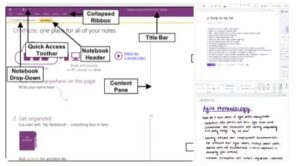
In today’s fast-paced digital world, the amount of information we manage daily can be overwhelming. Microsoft’s OneNote, when paired with Copilot, takes note-taking and organization to a whole new level. This powerful combination helps users capture, structure, and act on information more intelligently—turning simple notes into actionable insights.
What is OneNote + Copilot?
OneNote is Microsoft’s digital notebook that lets users collect typed, handwritten, and multimedia notes across devices. Copilot, Microsoft’s AI assistant, is now built into OneNote, offering intelligent features that help you manage information seamlessly.
Together, they allow you to:
- Understand your notes: Summarize pages, highlight key points, and extract action items.
- Create and organize content: Generate new pages, to-do lists, and outlines from prompts.
- Edit and rewrite text: Adjust tone, improve clarity, or reformat your notes.
- Interact conversationally: Ask Copilot questions about your notes and get contextual insights.
- Support handwritten notes: Copilot can now interpret and summarize inked or stylus-based notes.
In short: OneNote gives you the notebook, and Copilot provides the smart assistant.
Why It Matters
1. Save Time and Reduce Mental Load
Copilot can instantly summarize meeting notes, extract key ideas, and generate action plans—saving hours of manual review.
2. Better Organization
Ask Copilot to reorganize your pages by date, topic, or priority. It can even consolidate scattered notes into a structured summary.
3. Spark Creativity and Productivity
Copilot helps overcome the blank-page problem by generating outlines, brainstorm ideas, or draft project plans in seconds.
4. Improve Retention and Recall
Summaries and highlights make it easier to revisit notes and retain key points—turning passive notes into active knowledge.
Getting Started
Step 1: Set Up Your Notebooks
Organize notebooks by topic—work, study, personal—and sync them to OneDrive or SharePoint for cloud access.
Step 2: Capture Everything
Type, dictate, or use a stylus to capture notes, sketches, and ideas during meetings or classes.
Step 3: Use Copilot for Processing
Invoke Copilot in OneNote and try prompts like:
- “Summarize this meeting and list next steps.”
- “Create an agenda for our next project review.”
- “Organize these notes by priority.”
Step 4: Refine and Act
Review AI-generated summaries, adjust as needed, and tag tasks for follow-up in Microsoft To-Do or Outlook.
Step 5: Maintain Regularly
At the end of each week, ask Copilot to highlight outstanding tasks or summarize progress across sections.
Best Practices
- Use clear, direct prompts to get the most accurate responses.
- Select specific sections for summarization to improve accuracy.
- Always review Copilot’s output for correctness.
- Keep notebook structures consistent for easier organization.
- Take advantage of ink support if you prefer handwritten notes.
- Be aware of plan and licensing requirements for Copilot features.
Limitations to Consider
While Copilot is powerful, it’s not flawless.
- Availability may vary depending on your Microsoft 365 plan.
- Sensitive data should comply with organizational privacy rules.
- Handwriting recognition may be less accurate for messy notes.
- Over-reliance on AI can reduce critical thinking—use it as a partner, not a replacement.
Real-World Use Cases
- Meetings: Summarize discussions and auto-generate action items.
- Projects: Draft outlines and milestone plans effortlessly.
- Education: Convert handwritten lecture notes into structured summaries.
- Personal Productivity: Organize goals, habits, and travel plans using natural-language prompts.
OneNote combined with Copilot represents a major leap forward in digital productivity. It transforms note-taking from a passive activity into a dynamic, AI-assisted workflow. Whether you’re a student, professional, or creative thinker, this duo helps you work smarter, not harder.
When used thoughtfully—with structure, intention, and review—OneNote + Copilot becomes more than a tool; it becomes a digital partner in managing ideas, plans, and everyday information.
Extra posts:
 Microsoft Journal Your Digital Ink Playground for Natural Note-Taking
  Create Learning Journals with Copilot in OneNote
  Using Microsoft Copilot in Word to Write Faster and Smarter
  Sync Smarter Make OneNote Available Across All Your Devices
  Work Smarter, Not Harder Automating Repetitive Tasks with Microsoft 365 Copilot
  Connecting SharePoint Data to Copilot Insights A Complete Guide to Smarter Collaboration