
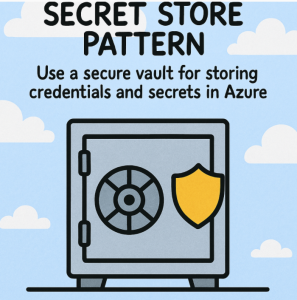
In today’s cloud-native applications, securing sensitive information such as API keys, passwords, connection strings, and certificates is non-negotiable. Hardcoding secrets or storing them in configuration files is a major security risk. This is where the Secret Store Pattern comes into play.
What is the Secret Store Pattern?
The Secret Store Pattern is a design principle that advocates for separating sensitive information from application code and storing it in a secure, centralized vault. Applications access these secrets at runtime through authenticated and authorized mechanisms.
This approach ensures:
- Secrets are not exposed in source control
- Rotation of secrets becomes manageable
- Access is auditable and policy-driven
Why Use Azure for Secret Management?
Azure Key Vault is Microsoft’s cloud-native solution for securely storing and managing sensitive information. It integrates seamlessly with other Azure services and provides enterprise-grade features, including:
- 🔐 Secure storage of secrets, keys, and certificates
- 🔍 Access control using Azure Active Directory (Azure AD)
- 📜 Audit logs via Azure Monitor and Azure Activity Logs
- 🔄 Automated rotation and expiration alerts
Key Vault in Action: Implementing the Secret Store Pattern
Here’s a breakdown of how you can implement the Secret Store Pattern using Azure Key Vault:
1. Create a Key Vault
You can create a Key Vault using the Azure Portal, CLI, or ARM templates. Example CLI command:
bashCopyEditaz keyvault create --name MyKeyVault --resource-group MyResourceGroup --location eastus
2. Store a Secret
Once the vault is created, store secrets like DB connection strings or API keys:
bashCopyEditaz keyvault secret set --vault-name MyKeyVault --name "DbConnectionString" --value "Server=myserver;Database=mydb;User Id=admin;Password=securepassword;"
3. Assign Access Policies
Use Managed Identities to allow your applications to access the Key Vault securely without embedding credentials.
bashCopyEditaz keyvault set-policy --name MyKeyVault --object-id <app-object-id> --secret-permissions get list
4. Access the Secret from Code
Example: Accessing a secret in a .NET application using Azure SDK:
csharpCopyEditvar kvUri = "https://MyKeyVault.vault.azure.net/";
var client = new SecretClient(new Uri(kvUri), new DefaultAzureCredential());
KeyVaultSecret secret = await client.GetSecretAsync("DbConnectionString");
string connectionString = secret.Value;
This approach ensures:
- Credentials are fetched at runtime
- No secrets are stored in appsettings.json or code
- The secret lifecycle is managed centrally
5. Monitoring and Rotation
- Enable logging and diagnostics to monitor secret access.
- Set expiration policies and implement auto-rotation using Azure automation or Event Grid triggers.
Best Practices
- ✅ Use managed identities over client secrets for authentication.
- ✅ Limit access to the least privilege needed (principle of least privilege).
- ✅ Avoid retrieving secrets too frequently; cache securely when appropriate.
- ✅ Regularly audit Key Vault access logs.
- ✅ Integrate secret scanning tools in your CI/CD pipeline.
The Secret Store Pattern is a foundational security strategy in modern application architecture. With Azure Key Vault, implementing this pattern is straightforward, scalable, and secure. By offloading secret management to a centralized service, developers can focus on building features without compromising security.
🔐 Protect your secrets like they’re gold—because they are.
Extra posts:
 Secret Store Pattern in AWS Using Secure Vaults for Credentials and Secrets
  Boosting Performance with the Materialized View Pattern in Azure
  Riding in Tandem Unlocking the Sidecar Pattern in Azure Microservices
  API Gateway Pattern in Azure Managing APIs and Routing Requests to Microservices
  Service Mesh Architecture Pattern in Azure Handling Service-to-Service Communication, Security, and Observability
  How Azure Active Directory Supports Secure Copilot Access