
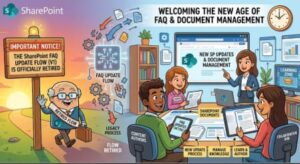
Microsoft is preparing to retire the Content Update flow in the SharePoint FAQ web part, marking an important change for organizations that use SharePoint to create and maintain frequently asked questions. The optional feature, which used AI-generated suggestions to help page authors review and update FAQ answers, is scheduled to be retired worldwide by late September 2026.
The change is relatively straightforward, and Microsoft says that organizations do not need to take administrative action. However, SharePoint administrators, support teams, and page authors should be aware of the retirement, particularly if internal documentation or training currently explains how to use the Content Update experience.
The good news is that this change does not mean the SharePoint FAQ web part is going away. Existing FAQ content will continue to work, published pages will remain available, and authors will still be able to create, import, and manually edit FAQs.
What is changing in the SharePoint FAQ web part?
The feature being retired is the Content Update flow within the SharePoint FAQ web part.
The flow was designed to help SharePoint page authors determine whether existing FAQ answers needed updating. Authors could compare their current FAQ answers against selected grounding sources and receive AI-generated suggestions for potential changes.
Importantly, the suggestions were not automatically published. The author remained in control and could review each proposed update before deciding whether to accept or dismiss it.
Microsoft is now retiring this optional experience as part of an effort to simplify the FAQ authoring experience and concentrate the web part on its core creation and editing capabilities.
After the retirement, authors will no longer see the option to start a Content Update check. They will also no longer receive AI-generated answer-update suggestions through this particular flow.
For organizations that have incorporated the feature into their content-maintenance processes, this means FAQ owners will need to rely on the existing manual editing experience when they want to review or update answers.
When will the Content Update flow be retired?
The retirement is scheduled to take place during September 2026.
Microsoft expects the worldwide and GCC rollout to begin in mid-September 2026 and reach completion by late September 2026.
Because the rollout will take place over a period rather than necessarily changing for every tenant on a single day, organizations may see the experience disappear at different points during the rollout window.
For SharePoint administrators and support teams, September is therefore a useful deadline for reviewing internal documentation and letting affected page authors know what to expect.
Who will be affected?
The change primarily affects SharePoint page authors who use the FAQ web part’s Content Update flow.
SharePoint administrators and support teams may also be indirectly affected if they maintain internal training materials, knowledge bases, onboarding documentation, or support articles that explain how authors use the feature.
For many organizations, the practical impact may be limited. If your teams rarely use the Content Update flow, the retirement may require little more than an internal announcement.
For teams that regularly relied on AI-generated update suggestions to review FAQ content, however, the change will require an adjustment to their content-maintenance process.
The most important distinction is that the FAQ web part itself is not being retired. The change applies specifically to the Content Update flow.
What happens to existing FAQ content?
One of the most important points for SharePoint administrators and content owners is that existing FAQ content will not be affected.
Published FAQ web parts will continue to display normally after the Content Update flow is retired. Existing questions and answers will remain available, and content that was previously updated through accepted suggestions will remain stored as FAQ content.
In other words, organizations do not need to migrate existing FAQs simply because the Content Update flow is being removed.
There is also no indication that authors will lose their existing FAQ data or that published SharePoint pages will suddenly stop displaying their content.
The change is focused on the authoring workflow used to review potential updates, rather than the FAQ content that organizations have already created.
What will authors need to do differently?
Once the retirement is complete, authors will need to maintain FAQ questions and answers through the manual editing experience.
Previously, an author could use the Content Update flow to compare an existing answer with selected grounding sources and review AI-generated suggestions. That automated suggestion process will no longer be available.
Instead, authors should review their source information and make appropriate changes directly within the FAQ web part.
This could be particularly important for FAQs covering information that changes frequently, such as company policies, product information, employee procedures, service details, technical guidance, or customer-facing information.
Organizations may want to establish a simple review process to ensure that FAQ owners know when their content should be checked and updated.
Is there a replacement for the Content Update check?
According to Microsoft’s announcement, there is no direct replacement for the Content Update check.
That means organizations should not expect a new SharePoint admin setting, PowerShell command, or alternative Content Update control to appear as part of this retirement.
Instead, Microsoft is positioning the FAQ web part around its core capabilities, including FAQ generation, FAQ import, and manual editing.
For content teams, this is less about replacing one tool with another and more about adjusting how FAQ maintenance is handled.
If your organization previously depended on the AI suggestions as a first step in content reviews, you may want to consider adding a manual review step to your existing publishing or knowledge-management processes.
No SharePoint admin action is required
The retirement does not introduce a new administrative configuration requirement.
Microsoft says that no admin action is required, and there is no SharePoint admin center setting or PowerShell action that administrators need to configure for this change.
This is important because it means administrators do not need to prepare a tenant-wide configuration change simply to accommodate the retirement.
The recommended response is primarily communication and documentation.
Administrators should identify teams that actively use the FAQ web part and make sure those authors understand that the Content Update option will eventually disappear.
What should SharePoint administrators do now?
Although no technical action is required, a little preparation can make the transition smoother.
First, administrators should inform affected SharePoint page authors. A short internal announcement can explain that the Content Update flow is being retired and that existing FAQ content will remain intact.
Second, organizations should review internal documentation and training materials. If a knowledge article, SharePoint training course, onboarding guide, or internal support document tells authors to use the Content Update flow, those instructions should be updated.
Third, organizations should encourage manual FAQ maintenance. Authors should understand that they can continue editing questions and answers directly in the FAQ web part.
Finally, support teams may want to prepare for questions from authors after the rollout begins. Some users may initially assume that the FAQ web part itself has been removed when they no longer see the Content Update option. Clear communication can prevent that confusion.
What does this mean for AI-powered SharePoint experiences?
The retirement is also notable because the Content Update flow used AI to generate suggested answer updates.
The feature gave authors a way to compare existing FAQ information against selected sources while retaining human review and approval. Microsoft is now removing that optional workflow rather than automatically replacing it with another Content Update experience.
For organizations investing heavily in AI-assisted content management, the change is a reminder that individual AI features can evolve as Microsoft simplifies and reshapes its Microsoft 365 experiences.
The important point is that the retirement does not remove the ability to work with FAQ content. Instead, it removes one specific AI-assisted review mechanism.
Organizations should therefore distinguish between the retirement of this feature and any broader conclusions about Microsoft’s AI capabilities in SharePoint.
A simple transition for most organizations
For most SharePoint environments, the transition should be relatively low risk.
There is no required migration, no new administrative control to configure, and no need to rebuild existing FAQ web parts. Existing published content will continue functioning normally.
The main change is the way authors maintain their answers.
Before the retirement, organizations that use the Content Update flow should take the opportunity to identify affected authors, update outdated documentation, and reinforce the manual editing process.
By doing this before the September rollout is complete, organizations can avoid unnecessary confusion and ensure that FAQ owners know exactly how to maintain their content once the AI-generated update suggestions disappear.
Final takeaway
The retirement of the SharePoint FAQ web part Content Update flow is a relatively focused Microsoft 365 change, but it is still worth communicating to teams that rely on the feature.
Microsoft plans to begin the rollout worldwide and in GCC environments in mid-September 2026, with completion expected by late September 2026.
After the retirement, authors will no longer be able to run the Content Update check or receive AI-generated answer-update suggestions through that workflow. However, existing FAQ content will remain unaffected, and the FAQ web part will continue to support generation, import, manual editing, and other existing capabilities.
For administrators, there is no technical configuration to perform. The best preparation is to communicate the change, update training and documentation, and help authors transition to maintaining FAQ questions and answers manually.
In short, this is not the end of SharePoint FAQs. It is the end of one optional AI-assisted update workflow—and organizations can prepare for it with a simple documentation and communication update.
Extra posts:
 SharePoint Gets an AI Upgrade: New Copilot Citation Analytics Show Which Content Matters Most
  Security Update Releases for SharePoint 2019
  SharePoint On premise Restoring Content Databases between Farms
  The Future of SharePoint AI, Agents, and Smarter Collaboration (2025 Update)
  Unlocking the Power of SharePoint Embedded A Modern Approach to Content Management
  Microsoft Teams Rooms app update and Content Camera