Skip to content

Windows 11

How to Optimize Battery Life on Windows 11 Laptops

Battery life is one of the most important factors for laptop users—whether you’re working on the go, attending online classes, or binge-watching your favorite shows. Windows 11 comes with several built-in features and settings that… 

Troubleshooting Common Windows 11 Issues

Windows 11 introduced a sleek new design, improved multitasking features, and tighter integration with Microsoft services. However, like any operating system, it isn’t without its quirks. Whether you’re a casual user or a power user,… 

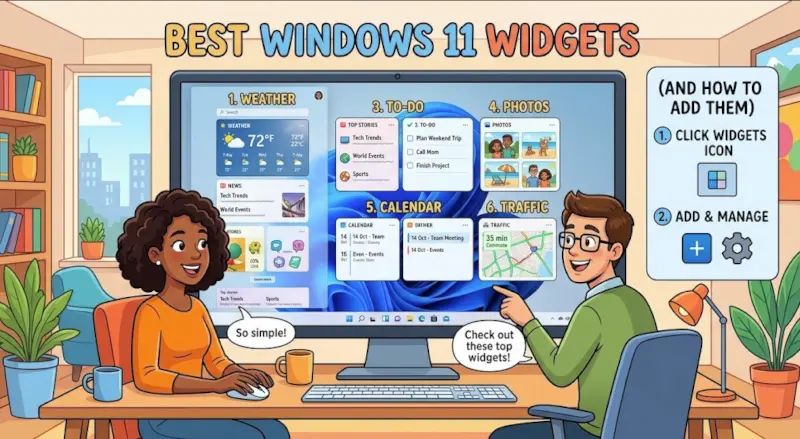
Best Windows 11 Widgets (and How to Add Them)

Checking the weather, reviewing your schedule, tracking a to-do list, and catching up on the news can quickly turn into a series of distractions when each task requires opening a separate app. Windows 11 widgets… 

Mastering Clipchamp – From Beginner to Pro 1

“Lights, Camera, Clipchamp! – Getting Started with the Basics” If you’ve ever wanted to edit videos but felt overwhelmed by complicated software, you’re going to love Clipchamp. It’s Microsoft’s free, browser-based video editor designed for… 

How to Use Focus Sessions in Windows 11 to Stay Productive

In today’s fast-paced digital world, staying focused can feel like a constant battle. Between endless notifications, emails, and social media pings, deep work often takes a back seat. Microsoft recognized this challenge and introduced Focus… 

How to Set Up Hyper-V Virtual Machines in Windows 11

Virtual machines are a powerful way to run multiple operating systems, test software in isolated environments, and build lab setups without needing extra hardware. If you’re on Windows 11 Pro, Enterprise, or Education editions, you… 

How to Join and Use the Windows Insider Program

If you’re excited about getting early access to new Windows features before the general public, the Windows Insider Program is your gateway. It allows users to test upcoming builds, explore new features, and provide feedback… 

Microsoft Defender Advanced Protection Tips for Windows 11

Windows 11 comes with Microsoft Defender Antivirus built-in, offering powerful protection without requiring third-party software. While it works well out of the box, enabling a few advanced settings can significantly strengthen your defenses against ransomware,…