Skip to content

Unlocking the Future of Productivity Unique Copilot+ PC Features in Windows 11

The next evolution of Windows 11 is here with Copilot+ PCs, bringing a new level of intelligence to your everyday computing. Powered by advanced AI capabilities and a Neural Processing Unit (NPU) capable of 40+… 
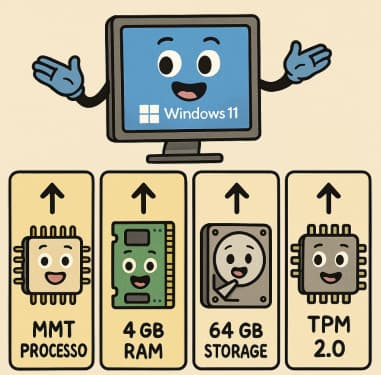
Windows 11 System Requirements Explained Simply

When Microsoft announced Windows 11, one of the biggest talking points wasn’t its sleek design or new features—it was the system requirements. Many users were left wondering: Will my PC run it? Let’s break down… 

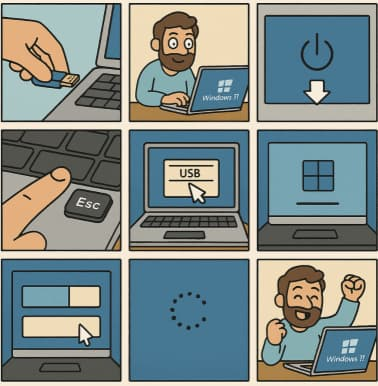
How to Clean Install Windows 11 — Step-by-Step (The Friendly, No-Nonsense Guide)

Want to wipe your PC and start fresh with Windows 11? Good call. Below is a complete, practical, up-to-date walkthrough that covers preparation, creating boot media, BIOS/UEFI settings, the actual clean install, and post-install tips.… 

Litigation Hold in Seconds Using Copilot to Identify Relevant Communication Threads

In modern enterprises, the volume and velocity of digital communication have made litigation response a complex and resource-intensive process. When a legal hold is triggered, organizations must rapidly identify, preserve, and manage all potentially relevant… 

The Copilot Impact Report Turning Usage Telemetry into Actionable Governance Insights

When organizations adopt Microsoft Copilot for Microsoft 365, the initial focus often centers on usage metrics — MAU (Monthly Active Users), DAU (Daily Active Users), and overall engagement trends. These metrics are essential for understanding… 

Sensitivity Labels vs. Copilot Creating an AI Policy That Honors Information Protection (MIP)

As organizations embrace Microsoft Copilot to accelerate productivity and creativity, a new challenge emerges: how do we ensure that AI-generated summaries, emails, and documents continue to respect corporate information protection policies? Microsoft Information Protection (MIP)… 

Pre-Flight Check The 5 Non-Negotiable SharePoint Cleanups Before Deploying Copilot

Microsoft 365 Copilot is only as good as the data it can reach. Before you let this powerful assistant loose in your SharePoint environment, it’s crucial to make sure your data foundation is clean, secure,… 

Copilot for SysAdmins Automating PowerShell Script Generation from Plain English Prompts

For years, IT administrators have relied on PowerShell to automate everything from user provisioning to tenant maintenance. But writing and debugging those scripts can be tedious, especially when the task involves multiple steps, complex logic,… 

Auditing the AI How to Use the Copilot Interaction Export API for Compliance Logs

The integration of Microsoft Copilot across the Microsoft 365 ecosystem introduces a new class of data — AI-generated and AI-assisted interactions — that must be governed with the same rigor as traditional enterprise information assets.… 

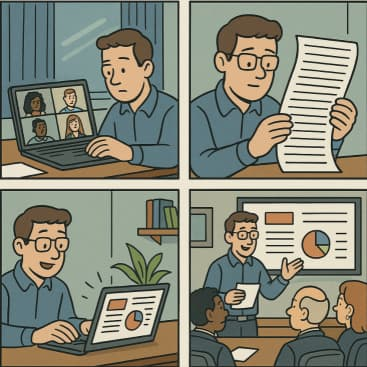
Elevating the Executive Briefing From a Teams Meeting Transcript to a PowerPoint Deck in One Prompt

In today’s fast-paced business world, executives are inundated with information. Teams meetings, while essential for collaboration, often leave leaders sifting through lengthy transcripts to extract actionable insights. But what if you could transform a meeting… 

The ‘Digital Twin’ Employee Creating Hyper-Personalized Copilot Prompts with Copilot Studio

In today’s fast-paced business landscape, employees are expected to process massive amounts of information, make data-driven decisions, and deliver personalized experiences—all at lightning speed. Enter the Digital Twin Employee: a concept that transforms AI copilots… 

From Fear to Function Using Copilot to Bridge the Digital Skills Gap in Your Workforce

In every organization, there’s a familiar divide: those who are fluent in technology and those who approach it with hesitation. The digital skills gap isn’t just a problem of access—it’s a problem of confidence. As…