

Microsoft 365 Copilot is only as good as the data it can reach. Before you let this powerful assistant loose in your SharePoint environment, it’s crucial to make sure your data foundation is clean, secure, and well-governed. Think of it as a pre-flight checklist — a series of must-do cleanups to ensure your Copilot deployment takes off smoothly.
Here are the five non-negotiable SharePoint cleanups every organization should complete before deploying Copilot.
1. Tame Permissions Sprawl
Why it matters:
Copilot can only respect the access controls that already exist in SharePoint. If your permissions are overly broad or inconsistent, users could inadvertently surface sensitive data through Copilot prompts.
Actionable steps:
- Audit site permissions: Use Microsoft 365 Admin Center or PowerShell scripts to generate a permissions inventory.
- Eliminate broken inheritance: Reinstate proper inheritance where possible to simplify control.
- Review external sharing: Disable or restrict sharing links that grant “Anyone with the link” access.
- Apply least privilege: Ensure that only the right people have edit or full-control access.
✅ Deliverable: A permission matrix that clearly shows who has access to what — and why.
https://dellenny.com/avoiding-sharepoint-sprawl-without-killing-collaboration/
2. Archive or Delete Unused SharePoint Sites
Why it matters:
Inactive sites clutter your tenant and increase the risk of outdated or irrelevant data being indexed by Copilot.
Actionable steps:
- Identify stale sites: Filter by last activity date in the SharePoint Admin Center.
- Engage site owners: Confirm whether a site is still needed before deletion.
- Archive strategically: Move old but valuable content to a read-only archive site collection.
- Enforce lifecycle policies: Automate site review and expiration schedules using retention labels or Power Automate flows.
✅ Deliverable: A lean, purposeful SharePoint environment that reflects your current business reality.
3. Apply and Verify Sensitivity Labels
Why it matters:
Copilot doesn’t override sensitivity labels — it honors them. But if your labeling isn’t consistent, sensitive content might remain exposed or unlabeled, leading to compliance gaps.
Actionable steps:
- Define your label taxonomy: Create a clear hierarchy (e.g., Public, Internal, Confidential, Highly Confidential).
- Auto-apply labels: Use Microsoft Purview policies to detect and label sensitive data automatically.
- Run labeling reports: Verify that content across libraries and sites is properly labeled.
- Educate users: Ensure everyone understands how labels impact visibility and collaboration.
✅ Deliverable: A labeling system that ensures Copilot only draws from data you intend to be discoverable.
4. Organize Content with Metadata and Site Architecture
Why it matters:
Copilot uses metadata to understand and retrieve contextually relevant information. Poor site structure or missing metadata can lead to confusing or inaccurate responses.
Actionable steps:
- Standardize site templates: Align libraries, lists, and metadata fields across teams.
- Clean up orphaned content types: Remove unused or duplicate ones to simplify taxonomy.
- Tag key documents: Ensure mission-critical files have descriptive metadata (e.g., project name, owner, department).
- Map your information architecture: Document how sites and hubs are logically connected.
✅ Deliverable: A well-structured environment that enhances Copilot’s contextual understanding.
5. Validate Data Governance and Compliance Settings
Why it matters:
Strong governance ensures data integrity and compliance when Copilot queries your SharePoint content.
Actionable steps:
- Check retention and deletion policies: Confirm that they align with business and legal requirements.
- Audit data loss prevention (DLP) rules: Make sure DLP policies cover sensitive file types and locations.
- Review audit logs: Use Microsoft Purview to ensure activity logging is enabled and functional.
- Set up monitoring dashboards: Use Power BI or Purview reports to visualize governance metrics.
✅ Deliverable: A governance baseline that supports both operational excellence and compliance.
Ready for Takeoff
By addressing these five critical cleanup areas — permissions, unused sites, sensitivity labels, metadata, and governance — you create the technical readiness Copilot needs to perform at its best.
When Copilot starts surfacing insights from your SharePoint data, you’ll know it’s drawing from clean, secure, and well-structured content — not digital debris.
Copilot doesn’t make bad data better — it makes good data powerful.
Get your SharePoint house in order, and you’ll be ready for liftoff.
Extra posts:
 Common Mistakes to Avoid When Deploying Microsoft 365 Copilot
 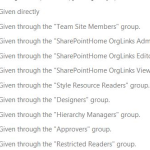 Check User permissions in SharePoint
  How to Check Version of SharePoint Online
  The “Agentic” Intranet: Securing and Scaling M365 Copilot with SharePoint & Teams
  The Future of SharePoint AI, Agents, and Smarter Collaboration (2025 Update)
  Copilot + SharePoint Search: How AI Changes Information Discovery