
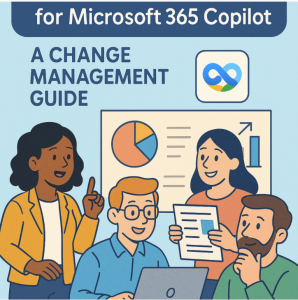
Microsoft 365 Copilot is more than a flashy new feature—it’s a powerful AI assistant woven into the apps your team already uses: Word, Excel, Outlook, Teams, and beyond. With the right preparation, it can transform workflows, boost productivity, and even make meetings shorter (yes, miracles do happen).
But here’s the catch: adopting Copilot isn’t just a technical upgrade. It’s a cultural shift in how people create, collaborate, and make decisions. Without proper change management, you risk underutilization, resistance, or worse—chaos disguised as innovation.
This guide walks you through the people, process, and policy steps to ensure your team is ready to make the most of Microsoft 365 Copilot.
1. Start with the ‘Why’
Before introducing Copilot to your team, define a clear purpose. Ask:
- What problems will it solve? (e.g., cutting time on drafting reports, improving meeting summaries)
- What’s the expected benefit? (e.g., more focus on strategic work instead of repetitive tasks)
- How will success be measured? (e.g., time saved, user satisfaction, project turnaround)
Tip: Share real scenarios that matter to your team, not generic “AI is the future” slogans.
2. Engage Early and Build Excitement
People adopt new tech faster when they’re part of the journey.
- Run awareness sessions explaining what Copilot can and can’t do.
- Nominate champions—early adopters who can model best practices.
- Share sneak peeks using short demo videos tailored to your workflows.
Pro tip: Position Copilot as a partner, not a replacement. It’s here to take away the grunt work, not the human judgment.
3. Prepare the Data Foundations
Copilot draws insights from your Microsoft 365 environment. If your data is messy, the AI will simply reflect that mess.
- Review permissions to ensure sensitive data isn’t surfaced unintentionally.
- Clean up SharePoint and Teams sites to remove outdated or irrelevant files.
- Organize document libraries so Copilot’s responses are relevant and accurate.
Remember: AI outputs are only as good as the inputs you give it.
4. Train for Skills, Not Just Features
A quick “click here” tutorial isn’t enough.
- Scenario-based training: Teach people how to use Copilot in real tasks (e.g., “Write a client proposal” instead of “Learn the Copilot ribbon”).
- Prompt-writing workshops: Show how phrasing requests impacts results.
- Critical thinking exercises: Remind users that AI outputs still require review.
5. Address the Trust and Ethics Question
AI raises concerns about privacy, bias, and transparency. You’ll need:
- Clear usage guidelines outlining what’s appropriate for Copilot.
- Data handling policies that reinforce Microsoft’s security model.
- Ethics discussions to build awareness of limitations and responsible use.
Transparency builds trust—and trust fuels adoption.
6. Iterate and Improve
Treat Copilot adoption like an ongoing project:
- Gather feedback loops via surveys or quick check-ins.
- Share success stories to inspire broader adoption.
- Update training and governance as Microsoft adds new capabilities.
The goal is continuous improvement, not a one-and-done rollout.
Microsoft 365 Copilot can be a game-changer—but only if your team knows how (and why) to use it. By combining technical readiness with clear communication, targeted training, and a strong governance plan, you’ll turn Copilot from a novelty into a trusted everyday partner.
The future of work isn’t about humans vs. AI—it’s about humans with AI. And the sooner you prepare your team, the faster you’ll reap the benefits.
Extra posts:
 How Microsoft 365 Copilot Is Changing Project Management in Teams
  Supercharging IT Management Microsoft 365 Admin Agent in Copilot
  Preparing Your SharePoint Content for Copilot: A Practical Guide
  Preparing Employees for Moving from Google Workspace to Microsoft 365
  Copilot for Planner and To Do Automating Task Management
  Manage your team shifts with Microsoft Office 365 StaffHub