

In today’s fast-paced digital workplace, managing tasks effectively is one of the most important skills for productivity and team success. Between meetings, emails, chats, and deadlines, it’s easy for key action items to fall through the cracks. Microsoft’s latest innovation—Copilot for Planner and To Do—aims to change that by using artificial intelligence to automate and simplify task management.
This powerful integration between Microsoft 365 Copilot, Planner, and To Do allows individuals and teams to automatically generate, organize, and monitor tasks using natural language. Instead of spending hours setting up task lists or following up manually, you can let Copilot do the heavy lifting.
Why Automate Task Management?
Traditional task management relies on human input: manually entering tasks, assigning owners, setting deadlines, and tracking progress. While that’s worked for decades, it’s inefficient, especially when team members are managing multiple projects at once. Automating these processes through AI saves time, improves accuracy, and ensures accountability.
Here are a few reasons why automation is so valuable:
- Reduces repetitive work: No more manually typing every task or copying lists between platforms.
- Improves visibility: AI can instantly summarize workloads and highlight potential bottlenecks.
- Prevents missed deadlines: Tasks are automatically surfaced and prioritized based on context and urgency.
- Integrates seamlessly with your workflow: Copilot links tasks created from meetings, emails, or chats directly into your Planner or To Do lists.
In short, automation shifts your focus from “managing work” to actually doing the work.
What Copilot Adds to Planner and To Do
Microsoft Copilot enhances Planner and To Do by using AI to understand natural language, extract action items, and connect them across your Microsoft 365 environment. Here are the core ways it transforms task management:
1. AI-Powered Task Creation
Instead of building a plan or list from scratch, you can describe what you need in plain English. For example, saying “Create a plan for our Q4 product launch with tasks for marketing, sales, and design” prompts Copilot to automatically generate a structured list of tasks, assign them to categories, and set preliminary deadlines.
This is particularly useful for project managers or team leads who frequently create similar plans or workflows.
2. Automatic Task Suggestions from Conversations
Copilot monitors discussions in Microsoft Teams or meeting notes in OneNote and identifies potential action items. When it detects a phrase like “We should follow up with the client” or “Let’s finalize the draft next week,” it can automatically suggest creating a task. You can then approve, edit, or assign it directly—eliminating the need to remember every follow-up manually.
3. Unified Task View Across Apps
Tasks generated in Planner, To Do, Outlook, or Teams all connect within your Microsoft 365 environment. That means flagged emails, assigned tasks, and personal reminders all appear in one place. Whether you’re planning a team project in Planner or managing your personal priorities in To Do, Copilot ensures everything stays synchronized and up to date.
4. Smarter Tracking and Reporting
With Copilot, you can ask questions like “Which tasks are overdue?” or “Who has the most assigned work this week?” and receive instant answers. The AI analyzes your Planner data to provide summaries, trends, and insights—helping you make data-driven decisions about workloads and deadlines.
5. Recurring Prompts and Automated Summaries
Copilot can be scheduled to provide recurring updates or reminders. For instance, every Monday morning, it can summarize pending tasks, highlight overdue items, and suggest next steps. This automated review keeps you informed without needing to open each plan individually.
How to Get Started
If you’re ready to introduce AI automation into your task management process, here’s a simple roadmap to begin:
- Verify your access.
Ensure your Microsoft 365 plan includes Copilot and the new version of Planner. Many features are already integrated within Teams and the Microsoft 365 environment. - Set up the Planner app in Teams.
Add Planner to your Teams workspace and organize it into buckets or goals. This will serve as the foundation for Copilot to generate and manage tasks. - Use natural language prompts.
Once Copilot is enabled, use prompts like “Plan my next product release” or “Add tasks for our upcoming event.” Copilot will automatically generate a full list that you can refine. - Convert conversations into tasks.
During meetings or chats, use Copilot to capture action items. Simply ask it to “summarize tasks from this meeting,” and they’ll appear in your task list instantly. - Connect personal tasks in To Do.
You can also add personal reminders, files, or flagged emails directly to your To Do list. Everything syncs across devices and platforms. - Schedule automated reviews.
Create recurring prompts for Copilot to summarize progress or highlight what needs attention each week. These summaries help keep your projects aligned without manual effort.
The Key Benefits of Copilot for Planner and To Do
Adopting Copilot’s automation capabilities can lead to several tangible advantages:
- Significant time savings: Eliminate repetitive data entry and manual task tracking.
- Consistent organization: All tasks—personal and professional—stay connected across apps.
- Improved accountability: Assignments and follow-ups are documented automatically.
- Greater clarity: Real-time summaries reveal progress, workload, and bottlenecks.
- Enhanced collaboration: Team members stay aligned and focused on priorities.
With Copilot acting as an intelligent assistant, you spend less time managing logistics and more time achieving results.
Best Practices and Considerations
Like any AI tool, Copilot works best when guided thoughtfully. Keep these points in mind:
- Review suggestions before approving. AI can misunderstand context; human oversight ensures accuracy.
- Avoid over-automation. Too many automatically generated tasks can clutter your workspace. Focus on relevance and priority.
- Maintain privacy awareness. Ensure sensitive or confidential information is not inadvertently included in shared task summaries.
- Train your team. Help colleagues understand how to phrase prompts and manage AI-generated content effectively.
Used wisely, Copilot becomes an invaluable productivity partner rather than just another app.
Real-Life Example: Turning Meetings into Action
Imagine leading a weekly marketing meeting in Teams. As you discuss campaign timelines, Copilot listens, identifies action items such as “Design new banner ads” or “Schedule social media posts,” and automatically drafts a task list. Once the meeting ends, you can confirm and assign those tasks in Planner with a single click. The next morning, Copilot provides a summary: which tasks were created, who’s responsible, and what’s due next.
This seamless flow—from conversation to task creation to follow-up—represents the future of intelligent, automated project management.
Copilot for Planner and To Do is a major step toward fully automated productivity. By combining natural language understanding with Microsoft’s robust task management ecosystem, it transforms how teams and individuals organize their work. Instead of chasing tasks, you can focus on outcomes—because your digital assistant handles the structure for you.
If you’re looking to simplify your workflow, increase accountability, and reclaim your time, integrating Copilot into your task management routine is an easy win. The future of work isn’t just about working harder—it’s about working smarter, and AI-powered automation makes that possible.
Extra posts:
 How Microsoft 365 Copilot Is Changing Project Management in Teams
  Preparing Your Team for Microsoft 365 Copilot A Change Management Guide
  Work Smarter, Not Harder Automating Repetitive Tasks with Microsoft 365 Copilot
 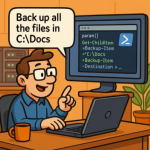 Copilot for SysAdmins Automating PowerShell Script Generation from Plain English Prompts
  Supercharging IT Management Microsoft 365 Admin Agent in Copilot
  Multi-Turn Conversations and Context Management in Copilot Studio