
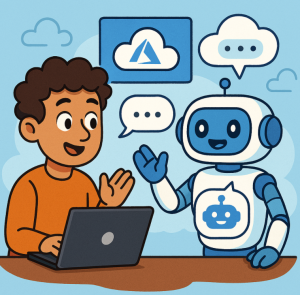
In today’s digital landscape, chatbots and conversational AI have become an integral part of modern business strategies. From automating customer support to enabling seamless self-service experiences, chatbots are transforming how organizations engage with users. One of the most powerful platforms to build, deploy, and manage such intelligent bots is Microsoft’s Azure Bot Service.
In this blog, we’ll explore what Azure Bot Service is, why it’s a game-changer, and how you can get started with it.
What Is Azure Bot Service?
Azure Bot Service is a fully managed platform offered by Microsoft Azure that enables developers to build intelligent, enterprise-grade chatbots. It provides an integrated environment designed to simplify the development, testing, deployment, and scaling of conversational bots.
At its core, Azure Bot Service leverages:
- Microsoft Bot Framework SDK – for bot logic, dialogs, and conversation management.
- Azure Cognitive Services – for adding AI capabilities like language understanding, sentiment analysis, and speech recognition.
This combination allows developers to create bots that don’t just respond — they understand, reason, and interact naturally with users.
Key Features of Azure Bot Service
Here’s what makes Azure Bot Service stand out:
1. Integration with AI and Cognitive Services
Integrate with Azure OpenAI Service, Language Understanding (LUIS), or Azure Cognitive Search to make your bot more intelligent. Your bot can understand intent, extract entities, and provide human-like responses.
2. Omnichannel Capabilities
Deploy your bot across multiple channels — including Microsoft Teams, Slack, Facebook Messenger, Telegram, Twilio (SMS), and even your own website — all from a single codebase.
3. Developer-Friendly Tools
Use the Bot Framework Composer — a visual authoring canvas that allows developers (and even non-developers) to design conversational flows without writing extensive code.
4. Enterprise-Grade Security and Compliance
Being part of the Azure ecosystem means your bot benefits from Azure’s security, compliance, and identity management features, including Azure Active Directory integration.
5. Scalability and Reliability
Whether you’re handling hundreds or millions of users, Azure Bot Service scales effortlessly using Azure infrastructure.
How Azure Bot Service Works
Here’s a simplified workflow of how a bot built on Azure Bot Service operates:
- User Message: The user sends a message to your bot through a channel (e.g., Teams or a website chat widget).
- Bot Framework: The message is received by the Azure Bot Service and processed using the Bot Framework SDK.
- AI Processing: The message can be analyzed by AI services like LUIS or Azure OpenAI for natural language understanding.
- Response Generation: The bot formulates a response — either static, data-driven, or AI-generated.
- Reply: The message is sent back through the same channel to the user.
This architecture ensures your bot is modular, scalable, and easily maintainable.
Getting Started with Azure Bot Service
Here’s a quick guide to begin your journey:
- Sign in to Azure Portal
Go to portal.azure.com and search for Azure Bot Service. - Create a Bot Resource
Choose the bot template (Echo Bot, QnA Bot, or a custom one), set up your subscription, and deploy. - Develop Using Bot Framework Composer or SDK
- Use the Composer for a low-code approach.
- Use the Bot Framework SDK (C#, JavaScript, Python) for full control.
- Test Your Bot
Use the Bot Framework Emulator to test conversations locally before publishing. - Connect Channels & Publish
Deploy your bot and connect it to channels like Teams, Web Chat, or others directly from the Azure Portal.
Real-World Use Cases
Azure Bot Service is used across industries for various intelligent automation scenarios:
- Customer Support Bots – Automate FAQs and reduce wait times.
- HR Virtual Assistants – Help employees with HR queries and onboarding.
- E-commerce Chatbots – Offer personalized shopping experiences.
- Healthcare Bots – Provide appointment scheduling and basic medical triage.
- IT Helpdesk Bots – Handle service requests and troubleshooting.
Best Practices for Building Bots on Azure
- Design for Conversation, Not Commands – Make interactions natural and contextual.
- Add Personality – Use tone and branding that reflect your organization.
- Handle Failures Gracefully – Include fallback responses when the bot doesn’t understand.
- Monitor and Improve – Use Azure Application Insights to track user interactions and refine responses over time.
The Future of Conversational AI with Azure
As AI models evolve, Azure Bot Service continues to integrate cutting-edge capabilities, including generative AI via Azure OpenAI Service. This allows developers to create bots that can write, summarize, and reason — blurring the line between human and machine conversation.
Whether you’re a startup building your first chatbot or an enterprise scaling customer engagement, Azure Bot Service provides the tools and intelligence to make it happen.
Azure Bot Service is more than just a chatbot platform — it’s a comprehensive ecosystem for conversational AI. With its deep integration into the Azure cloud and Cognitive Services, it empowers organizations to create bots that are smart, secure, and scalable.
If you haven’t yet explored Azure Bot Service, now’s the perfect time to dive in and start building the next generation of intelligent digital assistants.
Extra posts:
 Unlocking Innovation with Azure AI Foundry Agent Service
  Unlocking the Power of AI with Azure Cognitive Services
  Service Mesh Architecture Pattern in Azure Handling Service-to-Service Communication, Security, and Observability
  Unlocking Smarter Search How to Use Azure AI Search & Azure OpenAI Service Together
  Unlocking the Power of the Azure Well-Architected Tool with AI A Game-Changer for Solution Architects
  Service Discovery in Azure Dynamically Finding Service Instances