
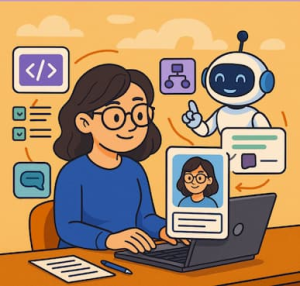
In today’s fast-paced business landscape, employees are expected to process massive amounts of information, make data-driven decisions, and deliver personalized experiences—all at lightning speed. Enter the Digital Twin Employee: a concept that transforms AI copilots from generic assistants into hyper-personalized extensions of your workforce. With Copilot Studio, this vision is closer to reality than ever.
What is a Digital Twin Employee?
A Digital Twin Employee is essentially a custom AI agent tailored to an individual or a team’s workflows, knowledge, and responsibilities. Unlike standard AI assistants that operate in a vacuum, these digital twins understand context, internal processes, and domain-specific language. They can answer questions, execute tasks, or guide decisions in ways that mirror a human colleague—but with the consistency, speed, and scalability of AI.
Copilot Studio: Your Playground for Custom Copilots
Copilot Studio (or similar platforms) lets organizations build these hyper-personalized AI agents by configuring prompts, actions, and data access. The magic lies in connecting the AI to your business processes and systems, enabling domain-specific intelligence. Here’s how:
1. Hyper-Personalized Prompt Engineering
At the core of Copilot Studio is prompt customization. Think of it as giving your digital twin a personality, expertise, and role-specific knowledge. For instance:
- HR Copilot: Guides managers through benefits queries, onboarding checklists, or leave approvals.
- Finance Copilot: Provides instant insights into budget approvals, expense forecasts, or compliance checks.
- Sales Copilot: Suggests outreach strategies, drafts proposals, and tracks CRM updates.
Using structured prompts, you can define not just what the copilot should respond to, but how—tone, depth, and context-specific considerations included.
2. Connecting to Internal Systems
Hyper-personalization becomes truly powerful when your digital twin can access internal databases, HR systems, and other enterprise tools. For example:
- SQL Databases: Copilot Studio can query your internal database in real time to answer precise operational questions, e.g., “What’s the current stock of Product X in Warehouse Y?” or “Show last quarter’s revenue by region.”
- HR Systems: By integrating with tools like Workday or BambooHR, your HR copilot can fetch leave balances, track employee onboarding, or suggest personalized development plans.
- CRM Platforms: Sales copilots can pull account histories, pipeline stages, and contact insights to draft hyper-relevant outreach.
These integrations ensure that your AI isn’t just generically helpful—it’s context-aware and action-ready.
3. Workflow Automation and Task Execution
Beyond answering questions, digital twin employees can execute tasks directly:
- Automatically generate reports from your SQL database.
- Draft and route approval emails for HR or finance.
- Summarize meeting notes and highlight action items in collaboration tools.
With Copilot Studio, these tasks are defined through triggers, connected APIs, and step-by-step actions that your digital twin can perform autonomously or semi-autonomously.
4. Step-by-Step Example: Building an HR Copilot with SQL Integration
Let’s walk through a concrete example: creating a custom HR copilot that pulls real-time employee data from a SQL database.
Step 1: Define the Copilot’s Role and Knowledge
- Name: HR Assistant Copilot
- Role: Supports managers and HR staff by providing information on employee leave, benefits, and onboarding status.
- Prompt example: “You are an HR assistant. Use internal HR data to provide accurate, concise answers to managers’ questions about employees.”
Step 2: Connect to the SQL Database
- Use Copilot Studio’s Data Connector or API integration feature.
- Provide:
- Database host, port, username, password
- Database name (e.g.,
HR_DB) - Table names (
employees,leave_records,benefits)
- Test connection to ensure real-time queries are possible.
Step 3: Define Queries as Actions
- Predefine common queries the copilot can perform, for example:
- “Get leave balance for employee [Name].”
SELECT leave_balance FROM leave_records WHERE employee_name = '[Name]'; - “List onboarding tasks completed by [Name].”
SELECT task_name, completion_status FROM onboarding_tasks WHERE employee_name = '[Name]';
- “Get leave balance for employee [Name].”
Step 4: Build Prompt Templates for Queries
- Combine natural language with SQL actions:
Manager asks: "How many leave days does Alice have left?" Copilot interprets the question, runs: SELECT leave_balance FROM leave_records WHERE employee_name = 'Alice'; Copilot responds: "Alice has 12 leave days remaining."
Step 5: Add Context and Personalization
- Include company policies or role-specific instructions: “Always recommend the nearest HR contact if a request requires approval beyond standard limits.”
Step 6: Test and Refine
- Run sample queries and adjust prompts for clarity.
- Ensure results respect data privacy and only expose necessary fields.
- Refine language style and tone to align with company culture.
Step 7: Deploy to Teams
- Enable access via Slack, Microsoft Teams, or internal HR portal.
- Employees can now ask natural-language questions, and the copilot will pull live data from the SQL database to answer accurately and contextually.
5. Continuous Learning and Refinement
A true digital twin evolves. By tracking interactions and analyzing outcomes, Copilot Studio allows you to refine prompts, update knowledge bases, and optimize workflows. Over time, your AI copilot becomes more aligned with team goals, organizational language, and domain-specific subtleties.
The Future of Work is Personalized
Digital twin employees aren’t just a productivity hack—they represent a paradigm shift in how we work with AI. By combining hyper-personalized prompts with deep integration into business systems, Copilot Studio enables a world where AI isn’t generic or one-size-fits-all—it’s a trusted partner that knows your company, your team, and your workflows.
Imagine every employee equipped with a copilot that understands their context, anticipates their needs, and streamlines their tasks. That’s not just AI—it’s your digital workforce, amplified.
Extra posts:
 Creating Custom Plugins and Connectors in Copilot Studio
  Learning Agent by Microsoft: The Future of Personalized AI-Powered Employee Upskilling Has Arrived
  How to Enhance Prompts in Copilot A Guide for Project Managers
 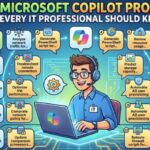 25 Microsoft Copilot Prompts Every IT Professional Should Know
 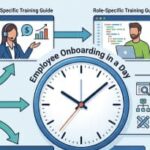 Employee Onboarding in a Day: Creating Role-Specific Training Guides from SharePoint Content
 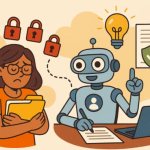 Sensitivity Labels vs. Copilot Creating an AI Policy That Honors Information Protection (MIP)