
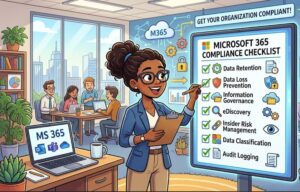
Microsoft 365 Compliance Checklist: Everything Your Organization Needs
As businesses continue to embrace cloud-based productivity, Microsoft 365 has become the backbone of communication, collaboration, and document management for organizations of every size. While the platform offers powerful security and compliance capabilities, simply subscribing to Microsoft 365 does not automatically make your business compliant with industry regulations or internal governance requirements.
Whether your organization operates in healthcare, finance, education, manufacturing, or professional services, maintaining compliance requires ongoing planning, configuration, monitoring, and employee awareness.
This Microsoft 365 compliance checklist provides a practical roadmap to help organizations strengthen data protection, reduce security risks, and meet regulatory obligations while making the most of Microsoft’s built-in compliance tools.
Why Microsoft 365 Compliance Matters
Every organization stores sensitive information from customer records and financial data to employee information and intellectual property. As cyber threats become more sophisticated and privacy regulations continue to evolve, organizations need more than basic security.
Compliance helps organizations:
- Protect confidential business information
- Meet legal and regulatory requirements
- Reduce the risk of costly data breaches
- Improve customer trust
- Prepare for audits
- Minimize insider threats
- Ensure consistent governance across teams
Microsoft 365 includes numerous compliance features, but many require proper planning and configuration before they deliver real value.
Microsoft 365 Compliance Checklist
Below is a practical checklist every organization should review.
1. Enable Multi-Factor Authentication (MFA)
One of the simplest yet most effective security measures is Multi-Factor Authentication.
Passwords alone are no longer enough. MFA requires users to verify their identity through an additional authentication method, significantly reducing unauthorized access.
Review:
- All administrator accounts
- Executive users
- Remote workers
- Guest accounts
- Service accounts where applicable
2. Implement Conditional Access Policies
Conditional Access allows organizations to control access based on user identity, device health, location, application, and risk level.
Examples include:
- Blocking access from unknown countries
- Requiring MFA outside the corporate network
- Restricting unmanaged devices
- Limiting high-risk sign-ins
Proper Conditional Access policies dramatically improve security without disrupting user productivity.
3. Review User Permissions Regularly
Excessive permissions create unnecessary security risks.
Conduct periodic reviews of:
- Global Administrators
- SharePoint Administrators
- Exchange Administrators
- Teams Administrators
- Guest users
- External collaborators
Apply the Principle of Least Privilege by granting users only the permissions they genuinely require.
4. Configure Data Loss Prevention (DLP)
Data Loss Prevention policies help prevent accidental or intentional sharing of sensitive information.
Microsoft 365 DLP can detect:
- Credit card numbers
- Passport information
- Tax identifiers
- Healthcare records
- Personal identifiable information (PII)
Create DLP policies for:
- Exchange Online
- SharePoint Online
- Microsoft Teams
- OneDrive
5. Enable Microsoft Purview Compliance Features
Microsoft Purview offers a centralized compliance platform.
Organizations should configure:
- Information Protection
- Data Classification
- Insider Risk Management
- Audit Logs
- Communication Compliance
- Data Lifecycle Management
- eDiscovery
- Records Management
These capabilities improve visibility while simplifying investigations and compliance reporting.
6. Create Data Retention Policies
Not every document should exist forever.
Retention policies help organizations:
- Meet legal obligations
- Remove outdated records
- Reduce storage costs
- Improve governance
- Prepare for litigation
Different departments often require different retention schedules depending on legal or operational needs.
7. Protect Sensitive Documents with Sensitivity Labels
Sensitivity Labels automatically classify business information.
Examples include:
- Public
- Internal
- Confidential
- Highly Confidential
Labels can automatically:
- Encrypt documents
- Restrict downloads
- Block printing
- Prevent external sharing
- Add watermarks
This reduces accidental data exposure while maintaining productivity.
8. Enable Unified Audit Logging
Audit logs provide visibility into user activities across Microsoft 365.
Monitor events such as:
- File access
- Login attempts
- Permission changes
- Email forwarding
- Data deletion
- Policy modifications
- Administrative actions
Audit logs are essential during investigations and regulatory audits.
pliance risks.
9. Secure Microsoft Teams
Microsoft Teams has become a primary communication platform for many organizations.
Review:
- Guest access
- External access
- Meeting policies
- File sharing
- Teams creation permissions
- Application permissions
Without proper governance, Teams can quickly become a source of compliance risks.
10. Protect Exchange Online
Email remains one of the most common attack vectors.
Ensure:
- Anti-phishing policies
- Anti-malware protection
- Safe Attachments
- Safe Links
- SPF configuration
- DKIM configuration
- DMARC implementation
These controls significantly reduce phishing and business email compromise attacks.
11. Secure SharePoint and OneDrive
File sharing should be carefully managed.
Review:
- External sharing permissions
- Anonymous links
- Access expiration
- File versioning
- Sharing reports
- Site permissions
Limit unrestricted sharing to minimize accidental exposure of confidential information.
12. Monitor Compliance Score
Microsoft provides a Compliance Score that helps organizations understand their current compliance posture.
Review your score regularly to:
- Identify gaps
- Prioritize improvements
- Track progress
- Demonstrate governance efforts
Treat the score as a guide rather than the sole measure of compliance.
13. Train Employees Regularly
Technology alone cannot prevent compliance issues.
Employees should understand:
- Password security
- Phishing awareness
- Data handling policies
- Secure file sharing
- Remote work practices
- Regulatory responsibilities
Regular awareness training reduces human error, one of the leading causes of security incidents.
14. Perform Regular Compliance Reviews
Compliance is not a one-time project.
Schedule quarterly or semi-annual reviews to assess:
- Security configurations
- User permissions
- Compliance policies
- Retention settings
- Audit logs
- Incident reports
- Regulatory updates
Continuous improvement helps organizations stay ahead of evolving threats and compliance requirements.
Common Microsoft 365 Compliance Mistakes
Many organizations unknowingly expose themselves to unnecessary risks.
Some of the most common mistakes include:
- Leaving administrator accounts unprotected
- Allowing unrestricted external sharing
- Ignoring audit logs
- Not reviewing inactive accounts
- Missing retention policies
- Failing to classify sensitive data
- Overlooking guest user permissions
- Assuming default settings are sufficient
Avoiding these mistakes significantly strengthens your organization’s compliance posture.
Best Practices for Long-Term Compliance
Successful organizations view compliance as an ongoing process rather than a checkbox exercise.
Consider these best practices:
- Document compliance policies clearly.
- Automate compliance tasks where possible.
- Review security settings regularly.
- Conduct periodic risk assessments.
- Maintain detailed audit records.
- Keep Microsoft 365 features updated.
- Train employees continuously.
- Align compliance initiatives with business objectives.
Building a culture of security and accountability is just as important as deploying the right technology.

Microsoft 365 offers a comprehensive suite of compliance and security capabilities, but their effectiveness depends on thoughtful implementation and ongoing management. By following this checklist, organizations can strengthen their security posture, protect sensitive information, support regulatory requirements, and reduce operational risks.
Compliance is not about checking boxes once a year—it is an ongoing commitment to safeguarding your organization’s data and maintaining the trust of customers, employees, and stakeholders. Regular reviews, employee education, and proactive governance will ensure your Microsoft 365 environment remains secure, resilient, and ready for future challenges.
Extra posts:
 Complete Microsoft 365 Security Checklist: Protect Your Business from Modern Cyber Threats (2026 Guide)
  Streamlining Legal Workflows with Microsoft 365 A Guide for Compliance-Heavy Industries
  A Complete Guide to Microsoft 365 Administrator Roles
  Microsoft 365 Migration Tool A Complete Guide
  Navigating Compliance with Confidence A Deep Dive into Microsoft Purview Compliance Portal
  Data Residency and Compliance in the Microsoft Cloud with Microsoft 365