
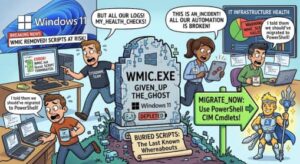
A familiar Windows administration tool has reached the end of the road.
Microsoft has now removed the Windows Management Instrumentation Command-line utility, better known as WMIC, from currently supported versions of Windows 11. The change affects Windows 11 version 24H2 and later, including Windows 11 25H2 and 26H1. More importantly for IT administrators, WMIC is no longer available as a Feature on Demand, meaning organizations can no longer simply turn the old utility back on through Windows optional features.
The good news is that this is not the end of Windows Management Instrumentation itself. WMI remains supported. What Microsoft is removing is the legacy command-line utility that provided a text-based way of interacting with WMI.
For organizations that still have old batch files, deployment scripts, monitoring tools, or internal applications calling wmic.exe, however, this change deserves attention.
Microsoft’s own guidance recommends moving those workloads to PowerShell, WMI APIs, and other supported management interfaces.
WMIC removal has been a long time coming
The removal of WMIC may look like a sudden change if you encounter it after a Windows update, but Microsoft has been signaling its retirement for years.
The timeline goes back to 2016, when the WMIC utility was deprecated in Windows Server 2012. In 2021, Microsoft deprecated the utility in Windows 10 version 21H2.
Windows 11 initially gave administrators more time. With Windows 11 version 22H2 in 2022, WMIC was available as a Feature on Demand and was preinstalled and enabled by default.
That began changing with Windows 11 23H2 and 24H2. In 2024, WMIC was disabled by default, although organizations could still add it as a Feature on Demand.
Windows 11 25H2 moved the process another step forward. When upgrading to that version, WMIC was removed if it was already installed, although administrators could previously add it back as a Feature on Demand.
Now that temporary escape route is gone.
In 2026, Microsoft completed the removal from currently supported versions of Windows 11. The company says WMIC is no longer available as a Feature on Demand, and the August 2026 update brings the removal to Windows 11 versions 24H2 and 25H2. WMIC has also been removed from Windows 11 26H1.
Microsoft’s current Windows documentation lists WMIC as a removed feature with support removed in August 2026.
What exactly is being removed?
This is an important distinction because the terms WMIC and WMI are often used interchangeably.
They are not the same thing.
WMI, or Windows Management Instrumentation, remains supported. It continues to provide an important management and instrumentation framework within Windows.
WMIC is the command-line interface used to interact with WMI.
Think of WMIC as one doorway into WMI. Microsoft is closing that doorway, but the underlying management infrastructure remains available through other interfaces.
Microsoft explicitly states that WMI itself is not being removed. PowerShell cmdlets, .NET’s System.Management, the COM API and other programming approaches can continue to interact with WMI.
That distinction should reassure organizations that have built legitimate management processes around WMI. The immediate problem is not that WMI suddenly stopped working. The issue is that anything specifically dependent on the wmic.exe command-line utility may stop working.
Why should businesses care?
For a typical home user, the removal may go completely unnoticed.
For an enterprise IT department, the situation can be very different.
WMIC has been around for a long time, and legacy commands can end up buried in places that are difficult to identify. A company might have an old batch file that checks processor information, a monitoring agent that calls WMIC to retrieve hardware data, a deployment script that queries Windows services, or an internal application that relies on WMIC output.
These dependencies may have been written years ago and forgotten.
The problem can surface only when a machine receives a Windows update and a previously working command suddenly returns an error because wmic.exe is no longer present.
Microsoft specifically warns that organizations with automated deployment or monitoring systems relying on WMIC should validate and update their tooling to avoid disruptions.
This makes WMIC removal less of a theoretical compatibility issue and more of a software inventory and modernization task for IT teams.
The most important replacement: PowerShell
For many organizations, the most straightforward WMIC replacement will be PowerShell.
Microsoft recommends using PowerShell for WMI-related tasks and provides direct examples of how common WMIC operations can be rewritten.
For example, an old WMIC command might have been used to retrieve running process names:
wmic path win32_process get Name
The equivalent PowerShell approach is:
Get-CimInstance Win32_Process | Select-Object Name
The syntax is different, but the underlying information is still available.
This is an important point for administrators: migrating away from WMIC does not necessarily mean redesigning every management workflow from scratch.
In many cases, the task is to replace the old command-line wrapper with a supported PowerShell cmdlet or WMI interface. Microsoft specifically recommends cmdlets such as Get-CimInstance, Get-WmiObject and Invoke-CimMethod when rewriting scripts.
Organizations that still launch scripts from traditional Command Prompt environments can also invoke PowerShell commands from CMD when necessary.
Don’t forget applications and monitoring systems
Scripts are only one part of the problem.
IT teams should also examine software that may use WMIC behind the scenes.
Monitoring and remote-management products can be particularly important because they may collect information about processors, memory, disks, operating-system versions, services or running processes.
Deployment platforms and custom enterprise tools deserve similar attention.
If an application invokes wmic.exe directly, simply updating a batch file somewhere in the environment will not solve the problem. The application itself may require an update from its vendor or a change in its integration.
Microsoft recommends considering programmatic alternatives for applications and advanced scripts. Developers can access WMI through interfaces such as the COM API or .NET libraries, including System.Management.
This is why WMIC removal should be treated as an environment-wide dependency review rather than just a script cleanup exercise.
What should IT teams do now?
The first step is to find out whether WMIC is actually being used.
Search scripts, batch files, scheduled tasks, deployment packages and administrative documentation for references to:
wmic
Also look for applications and tools that may execute wmic.exe indirectly.
Once those dependencies are identified, classify them.
A simple inventory can separate workloads into three groups: scripts that can be migrated easily to PowerShell, applications that need vendor updates, and legacy workflows that require a larger redesign.
Next, test the replacements on supported Windows 11 builds.
Do not wait until the next major Windows deployment to discover that a critical monitoring or provisioning process depends on a command that has disappeared.
It is also worth updating internal documentation. If your help-desk documentation tells technicians to run a WMIC command, those instructions are now outdated for affected Windows 11 versions. Microsoft recommends updating internal IT documentation, support scripts and user guides to reflect supported approaches.
What about compliance?
Microsoft currently identifies no specific compliance considerations associated with the WMIC removal.
That does not mean organizations should ignore the change from a governance perspective.
IT departments should still review the removal according to their own change-management, configuration-management and software lifecycle processes. Organizations with strict validation requirements may also want to document which systems were tested and how WMIC-dependent functionality was replaced.
In other words, the change is primarily a compatibility and modernization issue rather than a newly identified compliance requirement.
Is there a temporary workaround?
Microsoft has published temporary mitigation guidance for organizations that still have applications or workflows dependent on WMIC.
The company provides a downloadable WMIC package that can restore the utility in affected environments. However, Microsoft is very clear that this is not a secure, long-term solution and recommends moving away from WMIC as soon as possible.
That warning is important.
Using a workaround can buy an organization time to remediate a legacy dependency, but it should not become the new normal. Continuing to depend on a retired component simply postpones the underlying compatibility problem.
The better strategy is to use the workaround only where absolutely necessary while completing a migration plan.
A sign that legacy Windows administration is changing
WMIC’s removal is another example of Microsoft gradually retiring older Windows technologies in favor of more modern management approaches.
For IT professionals, the lesson is bigger than one command.
Legacy administrative utilities often survive for years because they continue to work. That can make modernization easy to postpone. But when an operating-system vendor finally removes a component, the technical debt becomes visible very quickly.
WMIC has had a particularly long runway. Microsoft first deprecated it years ago, then disabled it by default, then moved it behind a Feature on Demand, and finally removed that option altogether.
Organizations that started migrating earlier are unlikely to face major disruption now.
Those that did not should treat the 2026 removal as a useful trigger to review other legacy dependencies too.
The bottom line
WMIC is no longer available on Windows 11 version 24H2 and later, and it cannot be restored through the Feature on Demand mechanism.
But Windows management capabilities have not disappeared.
WMI remains supported, while PowerShell and programming interfaces provide modern ways to perform the same types of management and querying tasks.
For IT teams, the priority should be straightforward: identify every dependency on wmic.exe, test supported replacements, update scripts and applications, revise documentation, and validate deployment and monitoring systems before the change causes an unexpected failure.
The removal of WMIC is not really a story about Windows losing a useful management capability. It is a story about an old interface finally reaching the end of its lifecycle.
The organizations best prepared for it will be the ones that treat the change not as an emergency workaround exercise, but as an opportunity to remove years of accumulated legacy dependencies from their Windows management environment.
Extra posts:
 Windows 10 Extended Security Updates: A Bridge to Your Windows 11 Experience
  How Agile Teams Can Save 10+ Hours a Week Using Copilot in Windows 11
  Migration Scripts for SharePoint On premise
  Windows August 2026 Security Update Is Here: What You Need to Know Before You Restart
  Windows 11 23H2 Enterprise and Education: 90 Days Left Before Updates End
  Windows 10 Enterprise LTSC 2021 End of Support: What Businesses Need to Know Before January 2027