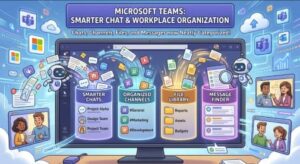
Microsoft Teams is making a significant change to the way users organize and access important information inside chats and channels.
Starting later this month, Microsoft will begin rolling out a new centralized resource management experience designed to make frequently used resources easier to find and manage. Instead of relying on separate “In this chat” and “In this channel” panes, users will get a more unified location for accessing shared resources, pinned messages and folders.
The change is part of Microsoft’s ongoing effort to make Teams more consistent and easier to navigate across desktop and mobile devices.
For organizations that use Teams heavily for collaboration, the update could make a noticeable difference in how employees find important information buried inside busy conversations.
A New Centralized Home for Important Teams Resources
One of the biggest changes coming to Microsoft Teams is the introduction of a centralized experience for managing resources within chats and channels.
Today, conversations can quickly become crowded with messages, shared files, links and other information. Finding something important from an earlier discussion can sometimes mean scrolling through a long conversation or looking through existing resource areas.
Microsoft’s new approach is intended to make that process more straightforward.
With the update, users will be able to pin frequently used resources directly below the chat or channel header. This gives important content a more visible and consistent location rather than leaving users to search through the conversation.
The new experience will also support multiple pinned messages alongside other resources.
That means a Teams conversation could have important documents, links and messages organized together in one place.
For teams that regularly refer to project plans, meeting information, procedures, announcements or other frequently accessed content, this centralized approach could provide a simpler way to keep essential information within reach.
Folders Are Coming to the Resource Experience
Another notable part of the Microsoft Teams update is the ability to organize resources into folders.
This is particularly relevant for users and organizations that manage large amounts of shared information through Teams.
Instead of having a collection of resources sitting together without much organization, users will be able to group related items into folders.
For example, a project team could potentially organize frequently accessed resources around areas such as project documentation, meeting materials, planning information or reference content.
The goal isn’t to change how teams collaborate, but to give users a clearer structure for resources that matter most.
As Teams conversations become increasingly central to workplace collaboration, organization becomes more important. A useful document or message can easily disappear beneath dozens or even hundreds of newer messages.
The new resource management experience is designed to address that problem by giving important information a more permanent and accessible home.
What Is Happening to “In This Chat” and “In This Channel”?
One of the most important details for Teams users is that Microsoft will remove the existing “In this chat” and “In this channel” panes as part of the update.
That may initially sound like a major change, particularly for employees who are already familiar with those areas.
However, Microsoft says that existing resources currently available through those panes will remain accessible through the new resource management experience.
In other words, the change is primarily about where and how users access resources, rather than simply removing the resources themselves.
Organizations should therefore expect some users to need a short adjustment period as they become familiar with the new interface.
Microsoft is recommending that organizations communicate the change to users and update internal training materials or support documentation that currently references the old panes.
Microsoft Teams Mobile Is Also Getting the New Experience
The update isn’t limited to desktop Teams.
Microsoft says the new resource management experience will also be available on Microsoft Teams mobile.
On mobile devices, users will be able to access shared resources and folders by tapping the chat or channel header.
This could be especially useful for employees who frequently use Teams from smartphones or tablets.
Mobile collaboration often involves finding information quickly rather than navigating through lengthy conversations. Putting shared resources behind the chat or channel header gives mobile users a more direct route to the information they need.
It also supports Microsoft’s broader effort to provide a more consistent Teams experience across different platforms.
When Will the Microsoft Teams Update Roll Out?
Microsoft has provided separate rollout schedules for Targeted Release and General Availability.
For Targeted Release worldwide, the rollout is scheduled to begin in late September 2026 and is expected to finish by early October 2026.
The broader General Availability rollout will begin in early October 2026. Microsoft expects that rollout to be completed by mid-October 2026.
General Availability will cover users worldwide as well as organizations operating in GCC, GCC High and DoD environments.
Because Microsoft rolls out many Teams changes gradually, organizations may not see the new experience at exactly the same time.
For IT administrators and support teams, that means the next few weeks could be a good time to prepare employees for the interface change.
No Administrative Action Is Required
There is also relatively little work required from Microsoft 365 administrators.
Microsoft says no administrative action is required for this update.
Organizations don’t need to configure a new setting or manually enable the experience.
However, Microsoft is recommending that administrators and IT teams take a communication-focused approach.
The company suggests informing users about the updated resource pinning and management experience. Organizations should also review internal documentation, training guides and help articles that mention the “In this chat” or “In this channel” panes.
This is a relatively simple step, but it could prevent confusion after the update reaches users.
Employees who follow an internal guide telling them to look for a pane that no longer exists may assume something is broken when, in reality, Teams has simply moved the functionality.
What This Means for Everyday Teams Users
For everyday users, the biggest difference should be easier access to frequently used information.
Imagine joining a busy project chat where hundreds of messages have accumulated over several weeks. Instead of searching through the conversation to find an important document or message, the new resource experience is designed to put key information in a centralized location.
The ability to pin multiple messages could also be useful.
Important messages don’t always come in the form of files. A decision made during a discussion, an important instruction or a project update may be contained entirely within a Teams message.
By allowing pinned messages to sit alongside other resources, Teams can make those pieces of information easier to find.
Folders add another layer of organization, especially for larger projects and channels.
A Small Interface Change With Practical Implications
At first glance, the removal of two resource panes might look like a relatively minor Teams interface update.
But for organizations that depend heavily on Teams, changes to information organization can have a wider impact.
Microsoft Teams has evolved from primarily being a communication platform into a central workspace for conversations, files, meetings, collaboration and project information.
As more information moves into Teams, users need efficient ways to separate important resources from the constant flow of everyday messages.
The new centralized resource management experience appears designed around that need.
Rather than treating messages, files and other shared resources as separate elements, Microsoft is bringing them together into a more unified organizational experience.
What Businesses Should Do Before the Rollout
Although no technical administrator action is required, businesses may still want to prepare internally.
First, IT and support teams can notify employees about the upcoming change.
A short announcement explaining that Teams is moving away from the “In this chat” and “In this channel” panes should be enough for most users.
Second, organizations can review existing documentation.
Any screenshots, training guides or internal knowledge-base articles that specifically instruct employees to use the old panes may need to be updated.
Finally, organizations may want to explain the new concepts of pinned resources and folders so employees understand how they can use the updated experience.
This preparation should help reduce confusion when the rollout reaches individual users.
Microsoft Teams Continues Its Push Toward Better Organization
The new resource management experience reflects a broader challenge facing workplace collaboration platforms: how to make large amounts of information easier to manage.
Teams conversations can move quickly, and important information can become difficult to locate as new messages arrive.
By giving users a centralized place to pin resources, organize them into folders and access them from mobile devices, Microsoft is attempting to make Teams a little easier to navigate.
The rollout will begin with Targeted Release in late September 2026, followed by General Availability in October.
For users, the main takeaway is simple: the familiar “In this chat” and “In this channel” resource areas are going away, but the resources themselves will continue to be available through the new experience.
For organizations, there is no administrative configuration required. The main preparation is making sure employees and internal documentation are ready for the change.
As Microsoft continues refining Teams, this update may be particularly useful for organizations where important project information is frequently shared through chats and channels.
Extra posts:
 Microsoft Teams Is Getting a Smarter Way to Manage Channel Notifications
  Microsoft Teams Gets Smarter With Personalized Multilingual Meeting Recaps
  Microsoft Teams Is Getting a Smarter Meeting Assistant: Facilitator Can Now Join Channel Meetings
  Microsoft Teams Is Getting Smarter: AI-Powered Call Recaps Arrive in Queues App This September
  Microsoft Teams Gets Smarter: New List Forms Trigger Brings Powerful Automation to Workflows
  Microsoft Teams Gets Smarter Alert Management: New Rules, Bulk Uploads and 500-User Monitoring Coming Soon