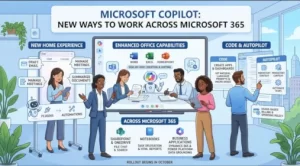
Microsoft is expanding Copilot from an AI assistant into a broader workplace platform, with a redesigned Home experience, new Code and Autopilot capabilities, deeper Office integration and a new enterprise runtime for AI-generated applications.
The Microsoft Copilot updates begin rolling out in stages from late September and October 2026, with some capabilities first reaching Microsoft’s Frontier program before broader availability. The changes also introduce a more prominent role for usage-based billing, making spending policies and Copilot Credits an increasingly important consideration for Microsoft 365 administrators.
At the center of the update is a simple shift: Copilot is no longer being positioned only as a place to ask questions or generate content. Microsoft is building it into a workspace where users can create software, delegate tasks, work with business data and run AI-powered applications inside organizational governance.
A new Copilot Home brings Chat and Cowork together
The Copilot app is getting a redesigned Home experience that puts Chat and Cowork on the same screen.
Users will be able to switch between the two experiences directly from the prompt box, while the navigation structure is also being reorganized. Microsoft says Plugins will replace the standalone Agents entry point in relevant areas, while Automations from Cowork will move into the Home navigation.
The change reflects Microsoft’s broader attempt to make Copilot a central starting point for work rather than another application users open for occasional AI assistance.
Microsoft’s current Copilot app positioning similarly emphasizes connections with Word, Excel, PowerPoint, Outlook, Teams and other Microsoft 365 services, while Cowork is designed to handle multi-step work.
Copilot Chat is moving beyond simple questions
One of the more significant changes is the expansion of Chat into longer-running, multi-step knowledge work.
According to Microsoft, Copilot Chat will be able to help with tasks such as:
- Drafting emails
- Managing meetings
- Working with Teams
- Managing OneDrive and SharePoint files
- Finding people and information
- Creating Word, PowerPoint, Excel, PDF and HTML files
- Carrying out multi-step work over longer periods
Sensitive actions will still require user approval.
Microsoft is also adding a Tasks view so users can track and manage long-running activity. That distinction matters because it moves Copilot closer to an agentic workflow: instead of producing an answer immediately, the system can work through a sequence of tasks and return when the work is complete.
Microsoft is also beginning to surface the Skills Copilot uses while generating responses. The aim is to give users greater visibility into how responses are produced.
Code turns natural-language prompts into working applications
Another major addition is Copilot Code, a dedicated environment for creating trackers, dashboards and applications using natural-language instructions.
Rather than requiring users to start with traditional development tools, Code is designed around describing what needs to be built. Microsoft says the experience will be available through a Code tab in the Copilot app.
There is an important commercial distinction, however: Code uses usage-based billing.
Eligible users need a Microsoft 365 Copilot license and an applicable spending policy. That means organizations will need to consider not only whether employees have access to Copilot, but also which AI experiences can consume additional credits.
This is one of the clearest signs that Microsoft’s Copilot strategy is evolving from a conventional per-user software subscription toward a combination of subscription entitlements and consumption-based AI services.
Autopilot introduces a persistent personal agent
Microsoft is also introducing Autopilot, previously referred to as Scout.
The company describes it as an always-on personal agent with persistent context, identity and memory. Users will access it through a dedicated Autopilot tab in the Copilot app.
Unlike a conventional chatbot, the concept is built around continuity. The agent is intended to retain context and assist with work over time rather than treating every interaction as an isolated conversation.
Autopilot will also use usage-based billing, meaning organizations will need a Microsoft 365 Copilot license and spending policy for eligible users.
Microsoft has not yet provided the full rollout timing and administrator control details for Autopilot, making this one area organizations will need to monitor as deployment information develops.
Full Word, Excel and PowerPoint capabilities are coming into Copilot
The Copilot app is also becoming more closely integrated with the core Microsoft 365 applications.
Users will be able to access full Word, Excel and PowerPoint creation, editing and collaboration capabilities alongside Copilot. Recent Word, Excel and PowerPoint files will also be available through the Copilot app’s Library.
Microsoft is separating the economics of these experiences depending on how they are accessed. Capabilities accessed through Chat are included with the Microsoft 365 Copilot user subscription license, while capabilities accessed through Cowork can use usage-based billing.
That distinction could become increasingly important for organizations trying to forecast AI expenditure.
Copilot Managed Runtime puts governance around AI-built apps
For IT departments, one of the most consequential announcements may be Copilot Managed Runtime.
Microsoft describes it as an enterprise-grade platform for running code inside the Microsoft 365 tenant boundary under IT governance. It is designed to support applications created through Code, Cowork, Copilot Studio and supported command-line and SDK experiences.
The platform is now beginning its public-preview rollout.
Microsoft’s official Managed Runtime repository says applications hosted there automatically inherit organizational governance, security and compliance controls, although the APIs and tooling remain subject to change during public preview.
That governance layer addresses an obvious enterprise concern: if employees can increasingly generate applications and automated workflows with natural language, IT needs a way to control where those applications run, what data they can access and how they are governed.
Copilot Notebooks are gaining more ways to act
Copilot Notebooks are also receiving a substantial update.
Microsoft says the experience will add task delegation, full Office editing and collaboration, HTML report creation, updated audio overviews, model selection and a refreshed interface across the Copilot app and OneNote.
The direction is consistent with the broader Copilot strategy. Notebooks are becoming less about simply collecting information and more about turning that information into finished work.
SharePoint and OneDrive get a new licensing model for AI
Microsoft is also expanding Copilot in SharePoint while introducing the general availability of Copilot in OneDrive.
The licensing model separates everyday AI capabilities included with a Microsoft 365 Copilot user subscription from more advanced scenarios that require usage-based billing and Copilot Credits.
Microsoft’s current SharePoint offering positions the platform as a knowledge foundation for Copilot and agents, with AI-assisted search, content creation, custom agents and Work IQ integration.
For administrators, the practical message is that no action is required to maintain capabilities already included with the user subscription. However, organizations can use Microsoft 365 admin controls to manage access to advanced SharePoint capabilities that consume Copilot Credits.
Work IQ connects Copilot to business applications
Microsoft is also expanding Work IQ, its workplace intelligence layer, to include data from Dynamics 365 Sales, Dynamics 365 Customer Service and Power Platform.
The goal is to give Copilot more context when answering questions or completing tasks.
Microsoft describes Work IQ as a layer that brings together signals from workplace data such as emails, files, meetings and collaboration activity. It can also work with structured business data from applications such as Dynamics 365 and Power Apps.
Microsoft’s current Work IQ documentation describes the system as permission-aware and capable of working across Microsoft 365 data and connected business systems while preserving existing governance controls.
For businesses, this could make Copilot more useful for questions that cross organizational boundaries.
Instead of asking only what a document says, for example, an employee could increasingly ask questions that connect communications, customer information, operational data and ongoing projects.
The biggest change may be Microsoft’s approach to AI spending
The feature list is extensive, but the administrative change may be just as important.
Usage-based billing now sits underneath several of the newer Copilot experiences. Microsoft says organizations need to enable Copilot Credit consumption and configure spending policies through the Microsoft 365 admin center for users to access these capabilities.
That means IT teams will need to establish clear policies around who can consume credits, how requests for access are handled and how spending is monitored.
Microsoft’s licensing documentation confirms that Copilot Credits are used for certain consumption-based scenarios, while native Copilot experiences remain covered differently depending on the product and entitlement.
What Microsoft 365 administrators should review
Before the new experiences become broadly available, organizations should consider:
- Reviewing existing Copilot usage and spending policies.
- Deciding whether users without a spending policy should see Request Access or Learn More.
- Determining who can request additional Copilot Credits.
- Reviewing SharePoint and OneDrive AI controls.
- Checking governance for AI-generated applications.
- Preparing users for consumption-based billing.
- Reviewing Dynamics 365 and Power Platform data sources that may become available to Copilot.
For enterprise users, Microsoft says the new Copilot app interface will roll out to standard customers in October and deferred customers in November, while some experiences begin with Frontier users earlier.
What comes next for Microsoft Copilot
Taken together, these changes show Microsoft pushing Copilot toward a broader agentic model.
The Copilot app is becoming a place where users can ask questions, create documents, delegate work, build applications and interact with business data. At the infrastructure level, Managed Runtime is intended to provide the governance layer required when those AI-generated applications begin operating inside enterprise environments.
The expansion of Work IQ points in the same direction. Microsoft is increasingly treating organizational context—not just language generation—as a core part of the Copilot experience.
For employees, that could mean fewer separate steps between asking for something and receiving completed work. For IT teams, it means a larger responsibility around permissions, data quality, governance and AI spending.
The next phase of Microsoft’s Copilot rollout will therefore be measured not simply by how many new features appear in the app, but by how effectively organizations can manage the combination of AI agents, enterprise data and consumption-based computing as these capabilities move from preview programs toward wider availability.