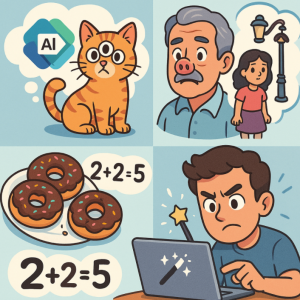
Artificial Intelligence (AI) is transforming the way we work, and Microsoft Copilot is at the forefront of this change—integrating AI into tools like Word, Excel, PowerPoint, and Outlook. While Copilot has the potential to save time, boost productivity, and improve workflows, it’s not perfect. Like all AI systems, Copilot makes mistakes. Recognizing these errors and knowing how to fix or mitigate them is key to using Copilot effectively.
Common Mistakes Made by Microsoft Copilot
1. Inaccurate or Fabricated Information
Copilot can sometimes “hallucinate”—generating content that sounds confident but is factually wrong. For example, it might produce incorrect data in Excel summaries or make up sources in Word.
Fix: Always fact-check AI outputs. Cross-reference data with trusted sources and verify calculations manually, especially in professional or academic contexts.
2. Over-Simplified Explanations
Copilot tends to condense complex ideas too much, sometimes losing nuance. For example, in PowerPoint, it may generate slides that are too vague to be useful.
Fix: Treat AI outputs as a starting point. Expand, refine, and add depth manually to ensure the content meets the audience’s needs.
3. Context Misunderstanding
If Copilot doesn’t have enough context, it may misinterpret instructions. For instance, in Outlook, it could draft an email that’s too formal or misses the tone you want.
Fix: Provide clear prompts with detailed context. Instead of saying “Write a reply,” say “Write a polite, concise response to confirm attendance at tomorrow’s meeting.”
4. Formatting Errors
In Excel or Word, Copilot may struggle with formatting tables, applying inconsistent styles, or misaligning layouts.
Fix: Use templates or adjust formatting manually. For recurring tasks, set style guidelines or apply formatting rules after Copilot generates the draft.
5. Limited Industry Knowledge
Copilot’s responses are broad but not always tailored to niche industries. It might generate generic text instead of industry-specific insights.
Fix: Supplement Copilot with your own expertise. Provide domain-specific input in your prompts, and refine outputs using specialized knowledge.
How to Get the Best Results from Copilot
- Be Specific in Prompts: The more detail you provide, the better Copilot performs.
- Iterate: Don’t settle for the first draft. Ask Copilot to regenerate or refine content.
- Edit & Humanize: AI should augment your work, not replace your judgment.
- Stay Updated: Microsoft frequently updates Copilot. Explore new features to maximize its effectiveness.
Microsoft Copilot is a powerful tool, but it’s not infallible. By understanding its limitations and applying corrective strategies, you can turn AI-generated drafts into polished, accurate, and contextually appropriate work. Remember: Copilot is an assistant, not a replacement. The human touch—critical thinking, creativity, and domain knowledge—remains essential.
Extra posts:
 How Enterprises Are Leveraging Microsoft Copilot to Drive Innovation
  How to Collaborate Better with Copilot in Microsoft Teams
  Stress-Free Travel How to Use Microsoft 365 and Copilot to Plan Your Vacation or Business Trip
  The ‘Digital Twin’ Employee Creating Hyper-Personalized Copilot Prompts with Copilot Studio
  Supercharge Your IT Certification Prep How Copilot Can Be Your Study Buddy
  Unlock Marketing Superpowers with Copilot in Microsoft 365 A Step-by-Step Guide