
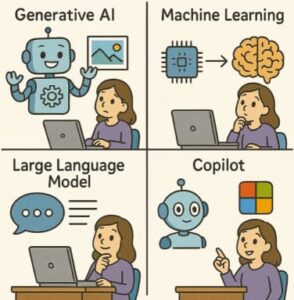
Welcome to the future of work! If your days revolve around Word, Excel, Outlook, and Teams, you’ve probably noticed something huge changing: Artificial Intelligence (AI) isn’t just a sci-fi concept anymore; it’s right there in your Microsoft 365 toolbox. Tools like Microsoft Copilot are weaving AI magic into your everyday tasks, making you more productive than you ever thought possible.
But let’s be real. All the talk about LLMs, Prompts, and Generative AI can feel like reading a secret language. It’s a ton of jargon that can make the benefits of AI seem confusing or even intimidating.
Don’t sweat it! This blog post is your plain-English guide to the essential AI terms you need to know to truly master the new intelligence baked into your Microsoft 365 apps. Think of it as your translator from Tech-Speak to Human-Speak. By the end of this, you’ll be talking the talk and walking the walk of an AI-powered pro.
The AI Core: What’s Under the Hood?
Let’s start with the big concepts that make tools like Copilot tick. These are the fundamental technologies driving the entire experience.
Artificial Intelligence (AI)
What it is, simply put: A computer system designed to mimic human intelligence—tasks like learning, problem-solving, decision-making, and pattern recognition.
The Microsoft 365 Connection: AI is the brain behind the scenes. When Outlook suggests a quick reply to an email, or when Teams offers a real-time summary of a meeting, that’s AI at work. It’s a vast, overarching field, and everything else we discuss is a part of it.
Machine Learning (ML)
What it is, simply put: The process where a computer system learns from data without being explicitly programmed. It’s like teaching a child by showing them thousands of pictures of cats until they can identify a cat on their own.
The Microsoft 365 Connection: ML is what makes your tools get smarter over time. For example, the spam filter in Outlook uses ML to learn what emails are dangerous by analyzing millions of others. Every time it correctly flags a new one, its model is reinforced.
Generative AI
What it is, simply put: A type of AI that creates new, original content (text, images, code, etc.) instead of just analyzing existing data.
The Microsoft 365 Connection: This is the exciting part! When you ask Copilot in Word to “Draft a proposal for a new marketing campaign,” it doesn’t just search for a template; it generates a completely new, unique document based on its training and your company data. This is how you create content from scratch with minimal effort.
The Language Layer: Talking to Your AI Assistant
Since much of the AI in Microsoft 365 is about communicating with you and your data, these terms are all about language.
Large Language Model (LLM)
What it is, simply put: A massive, sophisticated AI model trained on huge amounts of text (like the entire internet) that allows it to understand, summarize, translate, and generate human-like language. The “GPT” in popular models is an example of an LLM.
The Microsoft 365 Connection: The LLM is the voice and intelligence of Copilot. It’s what processes your natural language requests and turns them into a coherent action or response.
Prompt
What it is, simply put: The instruction or question you give to the AI to get a desired output. Think of it as the command you type into the chat box or the dialog window.
The Microsoft 365 Connection: Prompts are your key to success with Copilot. A good prompt is clear, specific, and provides context. Instead of “Write a presentation,” use: “Create a 10-slide PowerPoint presentation summarizing the Q3 sales report in the ‘Reports’ folder, using a friendly and optimistic tone.”
Natural Language Processing (NLP)
What it is, simply put: The ability of a computer program to understand human language (written or spoken) as people naturally use it, not just as code.
The Microsoft 365 Connection: NLP is what allows you to talk to Copilot like a person. You don’t have to use special code or commands; you can just say: “Summarize this long email thread and tell me the next steps,” and the system understands exactly what you mean.
The Reliability Check: Using AI Responsibly
AI is powerful, but it’s not perfect. These terms address the practical and ethical side of using AI in a professional setting.
Hallucination
What it is, simply put: When the AI generates an output that is factually incorrect, nonsensical, or made up, but presents it with the confidence of a true statement.
The Microsoft 365 Connection: This is why the human element is still crucial. If Copilot drafts a summary of a document and mentions a fictional meeting date or an incorrect project name, that’s a hallucination. You should always review and verify the AI’s output, especially for facts and figures.
Grounding
What it is, simply put: The process of giving an LLM real-world, verified, and internal data to check its output against. It forces the AI to base its answers on specific, trusted facts instead of just its general training data.
The Microsoft 365 Connection: This is a key part of Microsoft 365 Copilot’s advantage. Instead of just pulling from the public internet (which can lead to hallucinations), Copilot grounds its answers in your organization’s data—your emails, documents, meetings, and chat history. When it answers a question, it cites the internal source, making the answer much more reliable and relevant to your work.
Responsible AI
What it is, simply put: A set of principles and practices that guide the development and deployment of AI to ensure it is safe, fair, transparent, and accountable. It’s about minimizing bias, protecting privacy, and ensuring the AI is used for good.
The Microsoft 365 Connection: Microsoft has a strong commitment to Responsible AI. This means the tools are designed with security and privacy in mind, ensuring Copilot only accesses the data you already have permission to see, and that your company data is not used to train the general model.
The New Assistant: AI in Action
Finally, let’s look at the specific terms related to Microsoft’s flagship AI tool.
Copilot
What it is, simply put: The name for Microsoft’s AI assistant, integrated across the Microsoft 365 suite. Think of it as your intelligent, always-on co-pilot for work.
The Microsoft 365 Connection: You’ll see this name everywhere—Copilot in Word, Copilot in Excel, Copilot in Teams. It’s the single interface through which you interact with the underlying LLMs, Generative AI, and your company data.
Semantic Indexing
What it is, simply put: An advanced way of indexing (or organizing) your data that focuses on the meaning and context of information, not just the keywords.
The Microsoft 365 Connection: Traditional search looks for “annual report.” Semantic Indexing lets Copilot find the document even if you ask, “What were the sales goals for the last fiscal year?” It understands the intent of your question, connecting sales goals and last fiscal year to the relevant annual report in your files. This makes searching and generating content based on your data much faster and more accurate.
AI is no longer a futuristic buzzword; it’s a collaborative partner living inside your most-used applications. By understanding terms like LLM, Generative AI, Prompt, and Grounding, you’ve demystified the technology and unlocked the potential to be truly productive.
The power of AI in Microsoft 365 isn’t just about having smart software; it’s about having a tireless, creative assistant that handles the tedious work so you can focus on the big ideas. So, go ahead—try a new, specific prompt in Copilot today!
Extra posts:
 Microsoft 365 Copilot Licensing Shake-Up Explained
  How to Test and Roll Out New Features Without Disrupting Users in Microsoft 365
  Create and Manage Guest Users Using B2B Collaboration in Microsoft 365
  Microsoft 365 Defender A Unified Shield for IT Pros and End Users
  Explore the Core Components of Microsoft 365 Copilot
  Microsoft 365 Copilot & Agents Fundamentals