
With the growing adoption of cloud-based collaboration tools, many organizations have already transitioned or are planning to transition—to Microsoft’s cloud ecosystem. As a Software as a Service (SaaS) platform, Microsoft 365 (formerly Office 365) has become the standard for modern workplace productivity, offering scalable services like SharePoint Online and OneDrive.
One of the most common modernization steps for enterprises is moving from on-premises Microsoft SharePoint to SharePoint Online. This shift enables better collaboration, improved accessibility, and reduced infrastructure overhead. However, successful migration doesn’t start with the transfer itself it starts with a proper assessment of your existing environment.
Why SharePoint Assessment Matters Before Migration
Before moving content, sites, and workflows to the cloud, organizations must first understand what they already have. An on-premises SharePoint environment often contains years of accumulated data, custom solutions, workflows, and permissions structures.
Without a clear assessment, migration can lead to unexpected issues such as:
- Broken workflows or deprecated features
- Large volumes of unused or outdated content
- Permission conflicts after migration
- Performance inefficiencies in the cloud environment
That’s why evaluating your current environment is a critical first step. It helps you clean, organize, and prepare your data before it moves to SharePoint Online or OneDrive.
What a SharePoint Assessment Typically Covers
A proper SharePoint assessment provides visibility into your environment and helps you plan a smoother migration. It generally focuses on three key areas:
1. Migration Planning
Assessment tools help identify what can be migrated directly and what needs remediation. This includes:
- Site collections and subsites
- Custom solutions and third-party components
- Workflows and automation logic
With this insight, IT teams can build a realistic migration roadmap instead of relying on assumptions.
2. Storage Optimization
Over time, SharePoint environments tend to accumulate redundant or outdated files. Assessment tools help identify:
- Large or unused content
- Duplicate documents
- Storage-heavy libraries
This allows organizations to reduce unnecessary data before migration, which improves performance and lowers cloud storage costs.
3. Content Security and Compliance
Security is a major concern when moving to the cloud. Assessment tools help analyze:
- Broken or overly permissive access controls
- Sensitive or regulated content
- Compliance risks
By addressing these issues early, organizations can ensure that data is securely transferred into Microsoft 365 without exposing vulnerabilities.
Tools That Help with SharePoint Migration Assessment
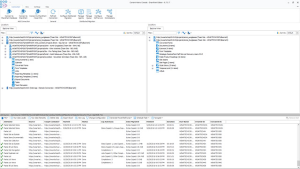
Microsoft provides official tools to support migration planning. One of the most widely used is the SharePoint Migration Assessment Tool, which scans your on-premises environment and generates detailed reports about readiness, potential issues, and required fixes.
Migrating from on-premises Microsoft SharePoint to SharePoint Online is more than just a technical move—it’s a strategic transformation. When done correctly, it improves collaboration, scalability, and security across the organization.
However, skipping the assessment phase can lead to migration challenges that are costly and time-consuming to fix later.
By leveraging tools like Microsoft’s SharePoint Migration Assessment Tool, organizations can gain a clear understanding of their environment, reduce risks, and ensure a smoother transition to the cloud.
Extra posts:
 Free SharePoint Migration tool to SharePoint Online and Office 365 Microsoft SharePoint Migration Tool now supports SharePoint Server 2010 available
  Create SharePoint Online Site Linked with Office 365 Group
  General Availability of Multi-Geo Capabilities in SharePoint Online and Office 365 Groups
  SharePoint Online footer in Office 365
 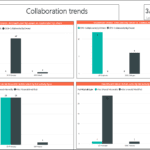 Track usage of Office 365 and SharePoint Online